- 1 Quick Comparison of the Best WordPress Redirect Plugins
- 2 1. Redirection – Best Overall Free Redirect Plugin
- 3 2. Rank Math – Best for SEO + Redirects in One Plugin
- 4 3. All in One SEO (AIOSEO) – Best Premium SEO Redirect System
- 5 4. Simple 301 Redirects – Best for Beginners
- 6 5. Safe Redirect Manager – Best Lightweight Option
- 7 6. 301 Redirects – Best for Easy Setup + Bulk Redirects
- 8 7. 404 to 301 – Best for Automatic 404 Fixing
- 9 Which WordPress Redirect Plugin Should You Choose?
- 10 Final Take
- 11 FAQs
You and I both know WordPress doesn’t handle redirects well out of the box.
You publish a page. It ranks. It brings traffic. Then one day, you update a URL…and it’s the dead end. Visitors hit 404 errors. Rankings drop. Traffic disappears.
I’ve seen this happen more times than I can count, and most WordPress site owners don’t even realize it until it’s too late.
The fix is simple: use the right redirect plugin for WordPress. They quietly protect your SEO by sending users and search engines to the right place.
Here, you’ll find the best WordPress redirect plugins that help you manage 301 redirects, track 404 errors and stay in control of your site structure with zero code.
Quick Comparison of the Best WordPress Redirect Plugins
Don’t have time to read? No problem! Take a quick look at the best WordPress redirect plugins below.
| Plugin | Best For | 301/302 Support | 404 Monitoring | Ease of Use |
| Redirection | Overall free control + flexibility. | ✅ Yes. | ✅ Yes. | ⭐⭐⭐⭐☆ (4/5). |
| Rank Math | SEO + redirects in one tool. | ✅ Yes. | ✅ Yes. | ⭐⭐⭐⭐⭐ (5/5). |
| AIOSEO | Premium SEO + automation. | ✅ Yes. | ✅ Yes. | ⭐⭐⭐⭐☆ (4/5). |
| Simple 301 Redirects | Beginners + quick fixes. | ✅ 301 only. | ❌ No. | ⭐⭐⭐⭐⭐ (5/5). |
| Safe Redirect Manager | Performance + developers. | ✅ Yes. | ❌ No. | ⭐⭐⭐☆☆ (3/5). |
| 301 Redirects | Easy setup + bulk redirects. | ✅ Yes. | ✅ Yes. | ⭐⭐⭐⭐⭐ (5/5). |
| 404 to 301 | Automatic 404 fixing. | ✅ Yes. | ✅ Yes. | ⭐⭐⭐⭐⭐ (5/5). |
1. Redirection – Best Overall Free Redirect Plugin

| Best Use Cases: | Fixing 404 errors .Manage Bulk 301, 302, 307 redirects.Site migrations and URL restructuring.Advanced conditional redirects with zero code. |
| Ease of Use: | ⭐⭐⭐⭐☆ (4/5). |
| Standout Features: | Built in 404 error tracking. Conditional redirects. Regex support. Auto redirect on URL changes.Import & export. |
| Pricing: | Free. |
With over 2+ million active installations, Redirection is one of the most popular WordPress redirect plugins.
This WordPress redirection plugin allows you to track 404 errors, monitor redirect hits and identify broken paths immediately before anything breaks.
The best part is this redirect plugin for WordPress automatically detects when a post or page URL (permalink) changes and creates a redirect to prevent any broken links. Plus, it is also developer friendly as its supports Regular Expressions (RegEx) for bulk redirects along with import/export rules.
It’s perfect when you want both control and visibility without investing in a premium tool. And yes, this redirect plugin for WordPress is absolutely FREE with no premium upgrade at all.
Pros:
- Completely free with advanced features.
- Powerful logging and tracking system.
- Supports complex redirect rules.
- Best for both small and large websites.
- Works independently. (no SEO plugin required)
Limitations:
- Interface can feel a little complicated to beginners.
- Advanced features need basic technical understanding. (Not complete coding, just understand – Even ChatGPT can do that so no issues )
- No dedicated premium support.
My Verdict: With over 2 million active installations and a decade of consistent updates, the Redirection WordPress plugin is the gold standard for free URL management. What I like the most is that you can easily create 301 redirects. It also keeps detailed logs on 404 errors which helps a lot when you fix broken links.
In short, the plugin Redirection (by John Godley) is the most dedicated free and feature-packed plugin I’ve come across.
2. Rank Math – Best for SEO + Redirects in One Plugin
| Best Use Cases: | Managing redirects alongside on-page SEO.Handling 301, 302, 307 redirects inside one SEO dashboard.Fixing 404 errors with built-in monitoring.Sites already using an SEO plugin. |
| Ease of Use: | ⭐⭐⭐⭐⭐ (5/5) |
| Standout Features: | Built-in redirect manager. (no extra plugin needed)404 monitor with error tracking.Smoothy integrates with SEO settings.Auto redirect suggestions.Advanced schema + SEO tools in one place. |
| Pricing: | Free + Premium starts from $113.14/year (Renews at $107.88 per year+ 18% taxes 17.26 = $125.14/Year) |
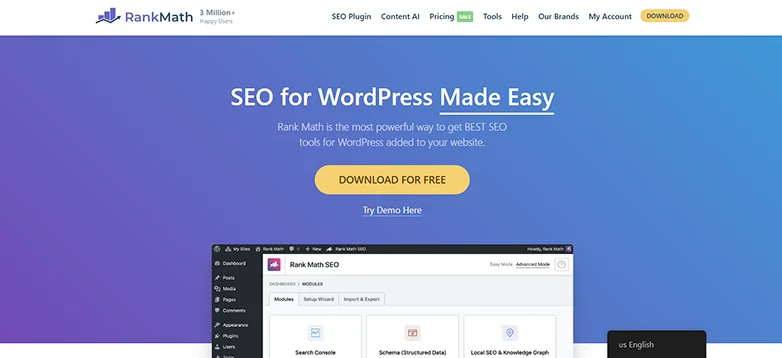
Rank Math is a full SEO system with redirects built in.
From experience, this is the most efficient option when you want to avoid plugin overload. Instead of installing a separate redirect plugin, you manage everything: SEO, schema, redirects and 404 tracking. in one place.
The biggest advantage is workflow. You spot a 404 error and fix it right away inside the same dashboard.
What stood out the most is that even the free version includes 404 monitoring and a robust redirect manager that allows regex rules, bulk actions and easy 301/302 management.
Best of all, the Rank Math free version outperforms most premium alternatives by allowing 5 focus keywords per post and offering extensive schema markup types (20+) at zero costs.
Pros:
- Combines SEO + redirects in one plugin.
- Simple and beginner-friendly interface.
- Built-in 404 monitoring.
- No need for multiple plugins.
- Great performance despite feature depth.
Limitations:
- Redirect module must be manually enabled.
- Can feel heavy if you only need redirects.
- Some advanced features are locked behind premium.
My Verdict: With over 3+ million active installations, I think Rank Math is the best choice if you want SEO + redirect management in one tool. I recommend you to go for it when:
- You already use Rank Math for SEO.
- You want a centralized workflow.
- You prefer fewer plugins with more functionality.
However, skip it if:
- You only need a lightweight redirect-only solution
3. All in One SEO (AIOSEO) – Best Premium SEO Redirect System

| Best Use Cases: | Managing redirects as part of a full SEO strategy.Large sites who want to bulk redirect.Avoids 404 errors during content updates.Agencies and businesses managing site migrations. |
| Ease of Use: | ⭐⭐⭐⭐☆ (4/5) |
| Standout Features: | Advanced Redirection Manager. (301, 302, 307, etc.)Automatic 404 detection and fixing.Full-site and domain redirects.Detailed redirect logs and tracking.Smart redirect suggestions on URL changes.Bulk redirect import/export. |
| Pricing: | Free + Premium plan starts from $49.50/year. (Renewals at $99/Year) |
AIOSEO is a top-tier SEO redirection plugin for WordPress websites around here. It is designed for people who want serious SEO control with automated redirect management.
I like it because it didn’t turn out like other redirect plugins which were just about adding redirects. AIOSEO is about protecting rankings while taking care of all redirects in your WordPress site. When you change or delete a page, AIOSEO can automatically detect it and suggest the right redirect before traffic is lost.
What stands out is automation. The system actively monitors your site and avoids any kind of SEO damage in real time.
Thus, if you run any content-heavy site, eCommerce store, or agency, this plugin redirect WordPress is worth the shot.
Pros:
- Advanced automation with auto-detect + suggest redirects.
- Built-in 404 monitoring and prevention.
- Handles bulk and full-site redirects easily.
- Integrated with a complete SEO toolkit (schema, sitemaps, and a lot more!)
Limitations:
- Redirect manager not available in the free version.
- Overkill if you only need simple redirects.
My Verdict: Again with over 3+ million active installations (Same as Rank Math), All-in-One SEO is the best premium SEO redirect plugin in WordPress. During testing, its Redirection Manager (PRO) was super easy to use yet packed with advanced features, offering 301, 302, and 307 redirects along with the full 404 error tracking.
4. Simple 301 Redirects – Best for Beginners
| Best Use Cases: | Creating simple 301 redirects with zero tech hassle. Fixing a few broken URLs quickly. Small websites or blogs with minimal redirect needs.Beginners avoiding .htaccess edits. |
| Ease of Use: | ⭐⭐⭐⭐⭐ (5/5) |
| Standout Features: | Extremely ease to use & simple interface. (URL → URL mapping)Bulk import/export via CSV.Wildcard redirects for folders.Works across any site type. (blog, eCommerce, and many more) |
| Pricing: | FREE |
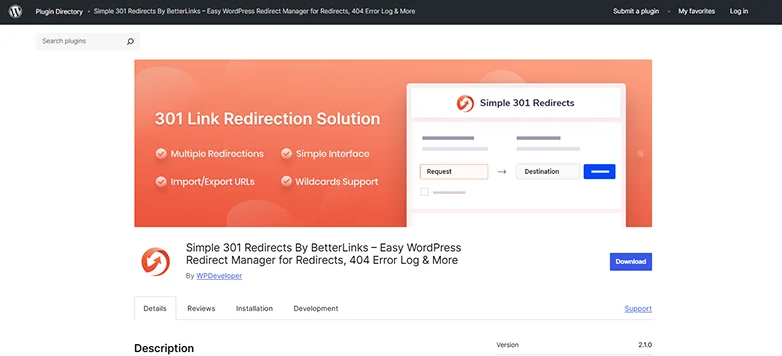
Simple 301 Redirects does exactly what the name suggests: nothing more, nothing less.
Simple 301 Redirects (By WPDeveloper) is another best WordPress redirect plugin for beginners. Wanna launch a marketing campaign with a new URL? Got “404 not found” errors? Or relaunching a website with a new URL?
This Simple 301 Redirects plugin has got your back.
From hands-on experience, you can install it easily when you don’t want to think about redirects too much. No dashboards, no logs, no complex rules. Just enter the old URL and the new one….and you’re done!
Plus, you can create redirects in seconds, and even import them in bulk if needed.
In simple words, Simple 301 Redirects is the best WordPress 301 redirect plugin. If your goal is to fix a little 404 errors right away, change a few post slugs or redirect old URLs to new ones, this plugin gets it done.
Pros:
- Super easy to use.
- Fast setup : redirects in seconds.
- Lightweight.
- No unnecessary features.
Limitations:
- No advanced SEO features.
- No 302 or conditional rules
- No built in 404 error tracking.
My Verdict: For new WordPress site owners or someone doing a quick fix, Simple 301 Redirect is the BEST “Go-To” plugin ever. It gives you the easiest way to handle redirects in WordPress, yet not great for long-term SEO management.
5. Safe Redirect Manager – Best Lightweight Option
| Best Use Cases: | High traffic or enterprise level sites.Developers who want advanced redirect handling.Projects that need super high performance. |
| Ease of Use: | ⭐⭐⭐☆☆ (3/5) |
| Standout Features: | Stores redirects as Custom Post Types. (scalable + portable)Regex and wildcard redirects.Built for performance. (no heavy logging)Developer-friendly with hooks and filters.Manages large volumes of redirects effortlessly. |
| Pricing: | 100% Free to Go! |
Safe Redirect Manager is one of the most lightweight options for redirect in WordPress plugin directory.
Developed by 10up, this WordPress redirect plugin focuses on doing one thing exceptionally well. And that is creating HTTP redirects with no bloat of excessive settings or performance heavy 404 logging.
I liked it because it stores redirects as Custom Post Types, when other plugins store them in the options table of heavy 404 monitoring. This makes Safe Redirect Manager highly portable plus scalable, even for enterprise-level traffic.
Best of all, it adheres to the WordPress mantra of “decision not options”. It offers only necessary fields such as “Redirect From”, “Redirect To” and “HTTP Status Code”.
Pros:
- Highly secure and stable.
- Supports multiple redirections such as 301 (Permanent), 302 (Temporary), 307 as well as 403, 404 and 410 status codes.
- Developer friendly.
- Super lightweight.
Limitations:
- No automatic 404 logging.
- Limited advanced features compared to other plugins in our list..
- Allows only 1000 redirects (To avoid performance issues, yet limits)
My Verdict: Safe Redirect Manager is one of the best lightweight redirect plugins for WordPress. It is the best-fit for website owners who are looking for a simple, fast and secure way to manage redirects without affecting the performance of the site.
From my side, Safe Redirect Manager is the superior choice for performance-oriented site owners, developers and WordPress users who want a professional grade lightweight plugin redirect WordPress.
6. 301 Redirects – Best for Easy Setup + Bulk Redirects
| Best Use Cases: | Easy to set up redirects with no tech hassle. Bulk redirect management via import/export.Fixing broken links after site restructuring.Beginners and growing sites. |
| Ease of Use: | ⭐⭐⭐⭐⭐ (5/5) |
| Standout Features: | 301, 302, 307 redirects.Built-in 404 error log for tracking issues.Bulk import/export.Redirect stats to track usage.Dropdown-based URL selection. (no manual typing needed at all! ) |
| Pricing: | Free + paid plans start from $49 for lifetime license. |
301 Redirects (by WebFactory) is a simple and high-rated free WordPress plugin that’s best-fit for new sites or when you’re reorganizing content. It allows you to create 301, 302 and 307 redirects easily. Plus, logs those pesky 404 errors so you can fix them.
I think it’s a super handy tool for managing traffic when you’re moved, deleted or changed the URL of your page. It ensures visitors (and Google) don’t hit a dead end.
The best part? You can set up individual redirects, or if you are moving a whole site, you can upload a CSV file to do them in bulk. It keeps logs of all 404 broken links to let you see what’s broken and fix it right away.
Pros:
- Very easy setup.
- Both manual + bulk redirects.
- Built-in 404 tracking.
- Flexible (works with posts, pages and custom post types)
Limitations:
- Advanced features (such as regex & automation) need paid plans.
- UI is simple but less powerful in comparison to others.
My Verdict: If you are thinking of using 301 Redirects By WebFactory, honestly, it’s one of those “set it and forget it” plugins for me, that actually lives up to the hype. The free version is more than enough for small sites and bloggers, yet the pro version is best recommended for agencies and anyone doing a big site overhaul.
7. 404 to 301 – Best for Automatic 404 Fixing
| Best Use Cases: | Redirecting all 404 errors automatically.Fixing broken links; no manual setup.Sites who change their URL many times. Beginners who want “set and forget” redirects. |
| Ease of Use: | ⭐⭐⭐⭐⭐ (5/5) |
| Standout Features: | Auto redirect all 404 errors to a chosen page.Option for 301, 302, 307 redirect types. 404 error logging. Email notifications for errors. Custom redirect per 404 URL. Exclude specific paths from redirects. |
| Pricing: | Free. |
404 to 301 (by Joel James) is the best 404 redirect WordPress plugin around here.
When you get hundreds of 404 errors, Google thinks your site is ignored. And the 404 to 301 WordPress redirect plugin fixes it right away. It immediately catches the “lost” user in your website and smoothly redirects them to a working page using a permanent 301 redirect.
You can also go deeper if needed into log errors, set custom redirects for specific URLs, or receive email alerts when issues pops up. Thus, this is perfect for users who change their URLs often.
Pros:
- Fully automatic 404 handling.
- Very beginner friendly.
- Multiple redirect types. (301, 302, 307)
- Optional logging and email alerts.
- Best user experience and SEO.
Limitations:
- Can lead to over redirecting. (not always SEO best practice)
- Less control compared to advanced redirect tools.
My Verdict: The 401 to 301 is the best WordPress redirect plugin that automatically fixes all 404 errors, and sends the user to a page you choose (mostly the homepage) using a 301 (permanent) redirect.
In simple words, Automatic 404 to 301 is best as a temporary “clean up” tool, not a permanent strategy.
Which WordPress Redirect Plugin Should You Choose?
Picking the right redirect plugin for WordPress is kinda tricky when you are not sure what you want. Consider these three factors when choosing your “BEST” WordPress redirect plugin:
How much control you need over your site
Your SEO setup
Site size and traffic
And to help you make the BEST decision, here’s a clear decision framework based on real world scenarios:
- If you want the best free all-rounder → Go with Redirection
- If you already use an WordPress SEO plugin → Pick Rank Math
- If you want hands-off SEO protection and automation → Choose AIOSEO
- If you’re a beginner and want quick fixes with zero tech hassle → Simple 301 Redirects is worth the shot.
- If you care about speed and performance of your website too much → Safe Redirect Manager is unbeatable.
- If you just want a simple setup plugin → Go with 301 Redirects
- If you want fully automatic fixes and zero manual work → Choose 404 to 301.
Making your decision-making more easier with a quick final decision table below:
| User Type | Recommended Plugin | Why It Fits |
| Most Users | Redirection | Best balance of power, flexibility and free features. |
| SEO Users | Rank Math / AIOSEO | Built-in redirects with full SEO integration. |
| Beginners | Simple 301 Redirects | Easiest setup with no learning curve. |
| Developers + Performance | Safe Redirect Manager | Lightweight, scalable and developer-friendly. |
| Automation Lovers | 404 to 301 | Automatically handles all 404 errors with minimal effort. |
Final Take
These are all the best WordPress redirect plugins you can pick from. The best thing is most of the best redirect WordPress plugins are free to use.
Redirect plugins directly impact your rankings, crawlability and user experience. Even a few broken URLs can quietly hurt SEO over time, which is why choosing the right plugin matters more than most site owners realize.
So what are you waiting for? Pick your top redirect plugin for WordPress right now!
Related articles:
- 7 Best Gutenberg Blocks Plugins for your WordPress Site (2026 Edition)
- 9 Best Free WordPress Block Themes for Full Site Editing
- 6 Best Fastest WordPress Themes in 2026 (Free & Paid)
FAQs
What is the redirection plugin for WordPress?
The redirection plugin for WordPress is a free tool that is used to send visitors and Google from an old, broken or changed URL to a new one. It redirects visitors (and Google) from “404 Not Found” errored page to a new main page using 301 redirects, with zero coding.
How to use the Redirection plugin in WordPress?
Simply install and activate the Redirection plugin in WordPress, run and setup wizard, and configure the basic options. Check the options to “Monitor permalink changes in WordPress posts and pages”, so the plugin automatically redirects when the post URL gets changed. And that’s it.
How do I add redirects in WordPress?
You can add redirects in WordPress by using a WordPress redirect plugin such as Redirection, Safe Redirect Manager and 301 Redirects.
Why use 301 redirects?
301 Redirects is one of the top redirect plugins in WordPress that you can use to manage your URL changes easily. Plus, it also preserves SEO ranking, boosts user experience and fixes broken links with no technical hassle.
What’s the difference between 301 and 302 redirects?
The difference between 301 and 302 redirects is, a 301 redirect is permanent, while a 302 is temporary. A 301 redirect transfers almost all link equity to the new URL. On the other hand, 302 generally doesn’t transfer any equity.
How do I redirect one website to another website?
You can redirect one website to another website in WordPress by using a WordPress redirection plugin. This way is mostly safe and needs no coding at all. There are many redirect plugins for WordPress such as Redirection and Safe Redirect Manager that offers a friendly user interface and manages WordPress site redirection easily.