
Still building pages with the default Gutenberg blocks and feeling limited?
- You try to design a landing page, but it looks plain.
- You want better layouts, but don’t want a heavy page builder.
- You need flexibility, without slowing down your site.
That’s exactly where WordPress block plugins come in.
They don’t replace your Gutenberg. They supercharge it. WordPress block plugins gives you:
- Advanced layout blocks.
- Ready-made design sections.
- Better typography and styling controls.
- Faster website building without bloat.
And the best part? Many of the most powerful Gutenberg block plugins are completely free.
Ready to upgrade your WordPress editor without installing a bulky page builder?
Let’s explore the 6 most popular WordPress block plugins in 2026.
Quick Comparison : Best WordPress Block Plugins
In a hurry? No worries! Here’s a quick look of all the popular block plugins for WordPress.
| Plugin | Best For | Free Blocks | Performance | Templates/Patterns | Dynamic Content | Ease of Use | Ideal User |
| Spectra | Page-builder-like power | 30+ | ⭐⭐⭐⭐☆ | Yes (Starter) | Limited | Beginner-Friendly | Businesses and marketers |
| Kadence Blocks | Balanced layout control | 20+ | ⭐⭐⭐⭐⭐ | Yes (Starter sections) | ❌ (Free) | Very Easy | Bloggers and developers |
| Stackable | Modern design layouts | 37+ | ⭐⭐⭐⭐☆ | Yes (Prebuilt) | Limited | Easy | Designers and agencies |
| GenerateBlocks | Speed & clean code | 9 | ⭐⭐⭐⭐⭐ | ❌ | ❌ | Moderate | Developers, perf-focused |
| Ultimate Blocks | Blogging & engagement | 25+ | ⭐⭐⭐⭐☆ | ❌ | ❌ | Very Easy | Bloggers and content creators |
| Otter Blocks | All-round flexibility | 20+ | ⭐⭐⭐⭐☆ | Yes (100+ designs) | Limited | Easy | Small businesses, marketers |
Most Popular WordPress Block Plugins
1. Spectra (Formerly Ultimate Addons for Gutenberg)

If you feel like Gutenberg is “almost” powerful enough but still missing key design elements, Spectra fixes that.
Built by the team behind Astra, Spectra is one of the most popular WordPress block plugins around here. It expands the native block editor with advanced design blocks, marketing elements and ready made layouts without turning your site into a heavy page builder setup.
What You Can Do with Spectra (Free Version)
- Add 30+ advanced customizable blocks.
- Create pricing tables, testimonials and call-to-actions.
- Create popups and marketing sections.
- Use dynamic content for blogs and business sites.
- Customize typography, spacing, colors visually.
- Import ready made starter templates.
It works smoothly inside the Gutenberg editor. No separate interface, no complicated learning curve.
Limitations of the Free Version
- Some advanced marketing blocks are PRO only.
- Advanced popup triggers are limited.
- Dynamic content options are restricted.
- Premium templates need upgrade.
Verdict: If you want Gutenberg block plugins that balance power and performance, Spectra is the first best recommendation I can give you.
2. Kadence Blocks
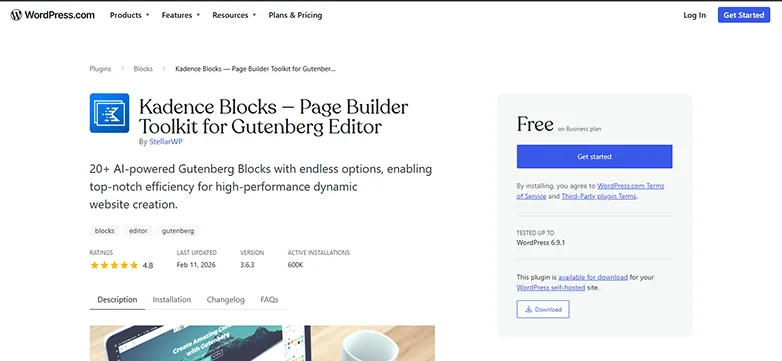
If you want precision and control with zero complexity, Kadence Blocks is one of the most versatile Gutenberg block plugins available. And its free version is impressively capable.
Rather than turning Gutenberg into a bulky builder, Kadence Blocks enhances the native editor with smart layout and design tools that feel clean, intuitive and performance-first.
What You Can Do with Kadence Blocks (Free)
- Build custom layouts with Row Layout and Advanced Gallery.
- Add responsive spacing, margin and padding controls.
- Use customizable buttons, over 1500+ icons and info boxes
- Create flexible column structures.
- Access pre-designed starter sections for faster building
It brings features only seen in page builders but keeps your site lightweight and fast.
Limitations of the Free Version
- Some advanced design blocks (like advanced sliders, menu, headers) need PRO version.
- No dynamic content features.
- Can’t add custom CSS directly to a block (Needs PRO – again)
Still, the free version is powerful enough to create sophisticated layouts without a premium upgrade.
Verdict: Kadence Blocks strikes a perfect balance between power and performance. And still, the free version is powerful enough to create sophisticated layouts without a premium upgrade.
3. Stackable – Gutenberg Blocks
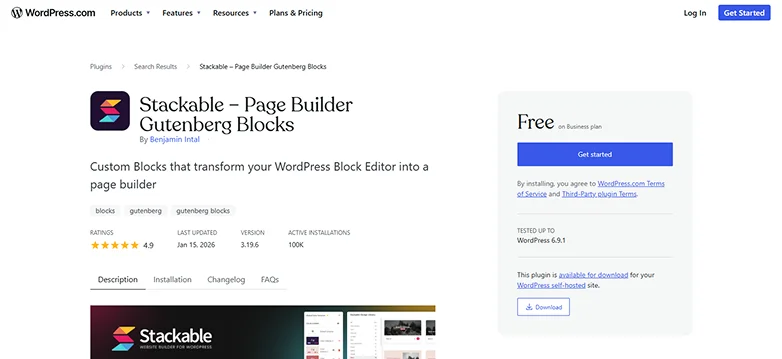
Stackable is also known as the “Elementor of Gutenberg”. Because it offers a high-end design interface, the native editor feels like a professional page builder.
If you want pixel-perfect designs without writing code, Stackable – Gutenberg Blocks is a standout choice among the free WordPress website builder plugins.
Stackable turns the default editor into a sleek design canvas with advanced blocks, ready-made sections and powerful style controls, while keeping your site lightweight and fast.
What You Can Do with Stackable (Free Version)
- Add 37+ flexible and high quality blocks like:
- Hero banners
- Feature grids
- Testimonials
- Pricing tables
- Call-to-action blocks
- Use responsive controls (spacing, alignment, visibility).
- Customize colors, typography, backgrounds, and gradients.
- Import prebuilt section layouts to build pages faster.
- Build complex layouts with intuitive block settings.
Stackable’s UI feels polished and modern and the blocks are designed for real website sections, not just basic content elements.
Limitations of the Free Version
- Many premium blocks such as sliders, advanced carousels are locked.
- The starter templates library is limited compared to PRO.
- Some effects and animations require upgrades.
Verdict: Stackable is one of the best WordPress block plugins if you want high end layouts and modern design. And to be fair, despite those limitations, the free version already gives you more layout flexibility than the core editor alone.
4. GenerateBlocks
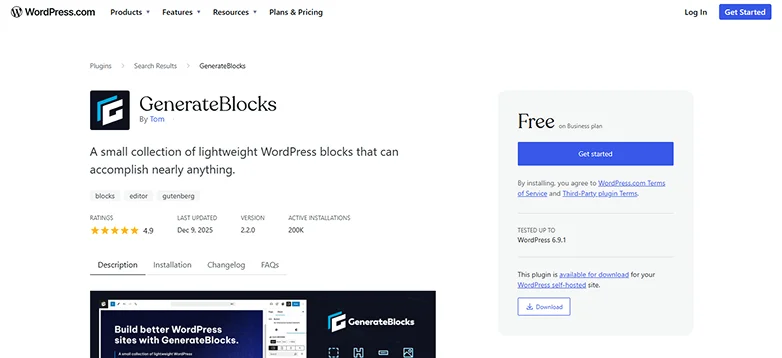
GenerateBlocks is the “minimalist’s choice.”
If performance and simplicity are your top priorities, GenerateBlocks is one of the most efficient choices among WordPress block plugins in 2026.
GenerateBlocks is lightweight and gives you ultra fast blocks you can use to create custom layouts without sacrificing speed or clean code.
What You Can Do with GenerateBlocks (Free Version)
- Create layouts using 9 blocks:
- Container.
- No Results.
- Text.
- Query.
- Image.
- Looper .
- Page number.
- Shape.
- Loop Item.
- Customize spacing, alignment, colors and typography.
- Keep your site lightweight with minimal CSS/JS footprint.
- Create complex responsive layouts with just a few blocks.
- Use utility first design principles without a heavy UI.
GenerateBlocks doesn’t overwhelm you with dozens of block options. It empowers you to build smart efficient layouts from the ground up.
Limitations of the Free Version
- No built-in predesigned block templates.
- Lacks some advanced content blocks (such as pricing tables, testimonials)
- No dynamic data.
- Design creativity relies more on user control than preset design.
Verdict: Generate Blocks not the richest library in terms of prebuilt elements, but that’s intentional to keep performance top-tier. Whether you’re a developer, blogger, or business owner, this plugin is perfect for people who want maximum control with minimal overhead.
5. Ultimate Blocks (Great for Bloggers)
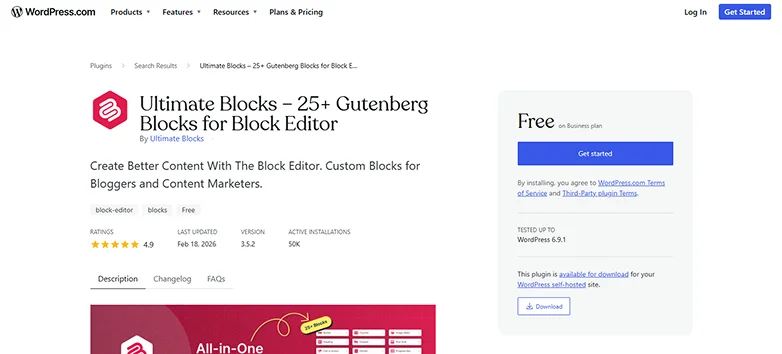
Ultimate Blocks is one of the most popular WordPress plugins for bloggers.
If you’re a blogger who feels limited by Gutenberg’s default content elements, Ultimate Blocks is the perfect upgrade. This plugin adds blocks that help you create engaging and reader friendly content without the need for a bulky page builder.
What You Can Do with Ultimate Blocks (Free Version)
- Add over 25+ Gutenberg blocks such as:
- Table of Contents.
- Star Rating.
- Review Box.
- Call-to-Action.
- Content Filter.
- Tabbed Content.
- Accordion .
- And many more.
- Improve content structure and readability.
- Interactive content such as Tabs, Content Toggles and Image sliders boosts engagement.
- Click to Tweet. Social Share and Countdown times.
- Build conversion ready posts and pages faster.
Ultimate Blocks makes your posts more useful and visually appealing especially for product reviews, tutorials and list posts.
Limitations of the Free Version
- Limited customization options and no dynamic data.
- Less layout and design blocks compared to full page builder plugins.
- Not good for building full site landing pages.
Verdict: Ultimate Blocks stands out as one of the best WordPress website builder plugins for bloggers and content creators. Plus, it already adds many core blogging blocks most WordPress blogging sites are missing.
6. Otter Blocks

If you want a feature rich Gutenberg block plugin that stays lightweight and practical, Otter Blocks is one of the most popular choices on the list.
Otter enhances your default editor by adding flexible blocks, dynamic sections and ready made layouts. Best of all, it is best-fit for bloggers, business owners and marketers who want more design power without a heavy page builder.
What You Can Do with Otter Blocks (Free Version)
- Add 20+ extra block for Gutenberg such as:
- Section & Row Layouts
- Advanced Heading & Text
- Image and Video Blocks
- Buttons & Dividers
- Pricing Tables
- Testimonials
- Counters & Icons
- And so on.
- Use over 50+ animations and 100+ ready-to-import designs available.
- Set visibility conditions to show and hide blocks.
- Use responsive controls for mobile and desktop.
- Add custom CSS to any block directly.
- Adds features to core WordPress blocks such as adding icons, standard buttons or background shapes to the core group.
For users who want a middle ground between simple blog blocks and full layout kits, Otter fits the bill.
Limitations of the Free Version
- Some powerful blocks (such sliders, animation effects) need PRO.
- Features like Masonry Gallery, Business Hours and Popup Builder are PRO-Only.
- No sticky blocks.
Verdict: Otter Blocks is one of the best block plugins for WordPress bloggers, small businesses and marketers who want design flexibility and higher performance, all within Gutenberg.
Final Thoughts
Gutenberg is no longer “basic.”
With the right block plugins for WordPress, it can rival traditional page builders without the speed issues, lock-in or complexity.
But here’s the real question,” Which one of them is the best pick?”
Let us help you choose the right WordPress block plugin:
- If you want near page-builder power → Spectra or Stackable
- If performance and clean code matter most → GenerateBlocks
- If you want layout precision with balance → Kadence Blocks
- If you’re a blogger focused on engagement → Ultimate Blocks
- If you want an all-rounder with practical features → Otter Blocks
In a nutshell, these are the most popular block plugins for WordPress in 2026.
The good news? All of these are free to start. That means you can test, experiment and create real pages before committing to any PRO upgrade.
In 2026, the smartest WordPress users aren’t installing bulky builders first. They’re extending Gutenberg strategically.
Related Articles:
- 17+ Free WordPress Themes for 2026 That Look Truly Premium
- How to Make WordPress Site Mobile-Friendly (Experts Tips)
- 7 Top Rated WordPress Themes With Demo Content (Free and Premium)
FAQs
Are Gutenberg block plugins free?
Yes, most of the many popular Gutenberg block plugins are free to get started. The free version mostly comes with core layout blocks and basic design customization options.
Do block plugins slow down WordPress?
Not always! While many old Gutenberg editor plugins or block plugins do slow down your WordPress site, most modern WordPress block plugins in 2026 are built to be lightweight and performance friendly.
Are WordPress block plugins better than page builders?
WordPress block plugins are powerful now, but page builders still have their own advantages. The Gutenberg block editor plugins are great if you want to stick close to your theme and want something simple. However, if you want complete design freedom and create conversion-focused pages, a page builder gets the job done.
Can I use multiple block plugins together?
Yes, technically you can. But it’s not always recommended. If you use multiple block plugins together, they can:
- Add duplicate blocks.
- Create UI clutter.
- Increase CSS and script load.
- Confuse workflow.
Thus the smarter approach is to test a few block plugins, choose the one that fits your workflow best and stick with it. This keeps your website lightweight and easier to manage in the long term.