
If your WordPress site isn’t running these 7 plugins in 2026, you’re leaving money, traffic and growth on the table.
Every business site should have tools (WordPress plugins) that extend WordPress’s core features, helping your business site attract more visitors, capture more leads and convert them all into paying customers.
From SEO plugins that boost your search rankings to security tools that protect your site from hacks, and from eCommerce solutions that streamline sales to automation and marketing plugins that save time, the right setup can be what separates successful business websites from the rest.
In this blog, I’ll reveal 7 top WordPress plugins that top-performing businesses are relying on in 2026.
Whether you’re running a small business or an enterprise site, this ultimate plugin toolkit will help you:
- Optimize performance.
- Enhance user experience.
- Grow business like never before.
Here are the tools that separate WordPress websites that thrive from those that struggle.
Quick Pick: Top WordPress Plugins for Businesses in 2026
In a hurry? Here’s a quick snapshot of all the must-have WordPress plugins for growing businesses.
| Plugin | Category | Why Businesses Choose It | Best For | Pricing |
| Rank Math | SEO | Improves rankings, optimizes content, and adds schema without technical effort | Businesses focused on organic growth | Free + Paid from $6.65/month |
| Wordfence | Security | Protects your site from malware, hacks, and login attacks | eCommerce, membership, and data-driven sites | Free + Premium from $149/year |
| WP Rocket | Performance | Speeds up your website immediately, improving UX and SEO | Growing and high-traffic websites | Starts at $59/year |
| WooCommerce | eCommerce | Turns WordPress into a fully customizable online store | Businesses selling products or services | Core plugin is free |
| FunnelKit | Conversion Optimization | Boosts revenue with optimized checkout and sales funnels | Stores running ads or scaling sales | Free + Paid from $99.5/year |
| WPForms | Lead Generation | Helps capture high-quality leads with beginner-friendly forms | Service businesses, SaaS, agencies | Free + Paid from $39.60/year |
| FluentCRM | Marketing Automation | Manages contacts and automates emails directly inside WordPress | Businesses wanting full data ownership | Free + Paid from $103/year |
| ConvertForce | Lead Capture & Conversion | Builds notification bars, popups, and slide-ins natively in Gutenberg without slowing down the site | Businesses capturing leads, announcing promos, and recovering exit traffic | Free + Pro plans available |
How We Chose the Top WordPress Plugins for 2026
In the WordPress ecosystem, there are more than 61,000+ WordPress plugins within its directory only. And with thousands of options here, I’ve only picked those that businesses actually rely on to grow, secure and optimize their WordPress sites.
Here’s what I tested on my staging site when shortlisting the top best WordPress plugins:
- Ease of Use: Friendly interfaces for admin with simple setup for any growing business with no tech-savvy guy in the team
- Active Development & Updates: Plugins must be regularly updated to stay compatible with the latest WordPress versions and security standards
- Performance Impact: Each plugin was tested to make sure it doesn’t slow down the site or conflict with other essential tools
- Scalability : The plugin should grow with the business whether that’s handling higher traffic, more products or extra features via addon
- Support & Documentation: Excellent tech support in times of emergency and easy-to-go documentation can save hours of troubleshooting
- Security & Reliability: WordPress Plugins must be secure, with no known vulnerabilities. Plus, they must be capable of protecting the site and its data
Top WordPress Plugins Every Business Website Needs in 2026
SEO & Traffic Growth Plugins
Rank Math

Rank Math is an all-in-one WordPress SEO plugin that lets you optimize every page and post of your WordPress site. This top WordPress plugin manages on-page SEO, schema markup, XML sitemaps and even AI-driven keyword suggestions with zero effort and zero coding. So even a non tech-savvy team can handle SEO with no complications.
Key Features:
- On-page SEO optimization.
- Content AI.
- Advanced Schema Generator.
- Built-in Analytics & Rank Tracker.
- WooCommerce and Local SEO options.
Best For: Small to medium businesses who want to compete in Google search. Also, agencies who manage multiple clients are looking for a light weight plugin.
Hidden limitation: Never try to activate conflicting SEO plugins alongside Rank Math. This can create duplicate meta issues and confuse search engines. Thus, I suggest you focus on a single SEO solution per site only.
Cost: The free version is available and the Pro starts from $6.65/Month (Billed annually).
Strategic Insight: Pair Rank Math with a lightweight caching plugin such as WP Rocket to maximize both SEO performance and site speed at once. This is a combination that is mostly overlooked by businesses as they only focus on content.
Security Plugins
Wordfence

Before most businesses think about growth, they underestimate one biggest risk: security.
A single malware attack, data breach or brute-force login attempt can turn operations upside down, damage customer trust and cost far more than any preventive solution.
This is exactly where Wordfence steps in.
Wordfence is one of the most trusted WordPress security plugins that protects your business site with enterprise-grade defense mechanisms. From a powerful firewall to real time threat detection, this security plugin actively safeguards your WordPress site. Thus, your team can finally focus on growing, not recovering from cyber incidents.
Key Features:
- Web Application Firewall (WAF).
- Malware Scanner.
- Login security.
- Real-Time Threat Intelligence.
- Advanced Manual Blocking and Country Blocking.
Best For: Businesses who manage their customer data, eCommerce stores with payments, membership platforms and any website where downtime or breaches straight off impacts revenue.
Hidden Limitation: Security scans can be resource intensive on smaller hosting environments. If your site is growing quickly, consider pairing Wordfence with quality hosting for better performance.
Cost: Wordfence comes with a good free version and the Premium plan starts at $149/year.
Strategic Insight: Security is far cheaper than recovery. That’s exactly why I suggest investing early in a powerful security plugin helps prevent revenue loss, SEO penalties, and reputation damage, risks many businesses only recognize after an attack.
Performance & Speed Optimization Plugins
WP Rocket
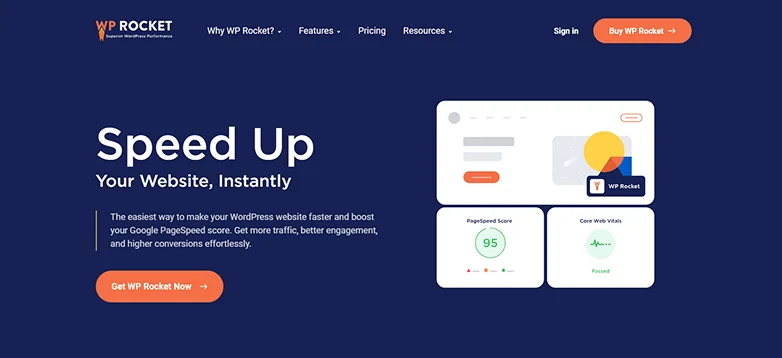
For business websites competing in crowded markets, performance often becomes the silent differentiator between winning and losing customers.
WP Rocket is widely regarded as the gold standard for WordPress performance optimization. Unlike many caching plugins that need a Pro-tech-level technical configuration, WP Rocket gives you speed improvements right after activation.
Key Features:
- Page Caching
- File Optimization
- Lazy load
- Cache Preloading
- Database and Critical Images Optimization
Best For: Growing websites, high traffic sites, eCommerce sites and platforms where page speed affects the conversions and search visibility.
Hidden Limitation: WP Rocket is a premium only plugin. While the investment is justified for serious businesses, very early stage sites with low traffic still prefers starting with a free alternative before upgrading
Cost: No free version available so the premium plans start at $59/year.
Strategic Insight: Use WP Rocket with an SEO plugin like Rank Math. Faster websites impact crawl efficiency, user engagement and ranking potential. It is a combination many businesses overlook when treating SEO and performance as separate things.
eCommerce Plugins
WooCommerce
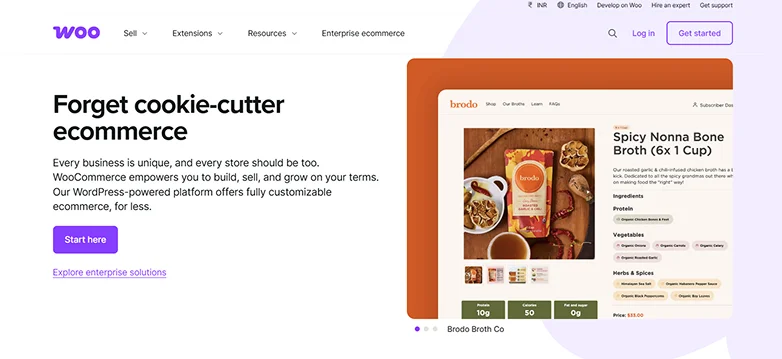
WooCommerce is the most popular plugin for making an online store on WordPress. Right now, it’s powering over 6.3 to 7 million live websites in early 2026! It turns a regular WordPress site into a full-on, customizable online shop. It lets you control everything from products to payments and customer service.
Key Features:
- Open source and customizable.
- Over 100+ payment gateways.
- Inventory and product management.
- Shipping and Tax automation.
- Analytics with reporting.
Best For: It is best for stores who want to take their business online for FREE. You can sell anything you want and create your own online store.
Hidden Limitation: WooCommerce needs a lot of care to work well. You have to keep it updated and make sure your website is fast and not slow.
Cost: WooCommerce is totally free to start. But as your store gets bigger, you might need to pay for some extra things to make it even better.
Strategic Insight: Think of WooCommerce as the basic setup for your online store. To make it really powerful and make more sales, you’ll want to add extra tools that help you track what’s working, automate some tasks, and improve your customers’ experience.
FunnelKit

FunnelKit supercharges WooCommerce by creating high-converting checkout pages, sales funnels, and tools to boost your revenue without spending more on ads or getting new customers.
Further, FunnelKit helps you generate more revenue from the visitors you already have, a strategy smart businesses prioritize.
Key Features:
- Sales Funnel & Checkout Optimization.
- Sliding cart and cart management.
- Built-in A/B testing.
- Analytics & Reporting.
- One click post purchase upsells and downsells.
Best For: eCommerce stores, businesses running ads, subscription services, or anyone wanting to get more money from each customer.
Hidden Limitation: FunnelKit delivers the best results when paired with a steady flow of traffic. Very small stores may not fully leverage its optimization features early on.
Cost: The free version is here and the premium starts from $99.5/Year.
Strategic Insight: Before spending more on ads, you must have to optimize your checkout. Even a modest increase in conversion rate can outperform large traffic investments.
Form & Lead Generation Plugins
WPForms
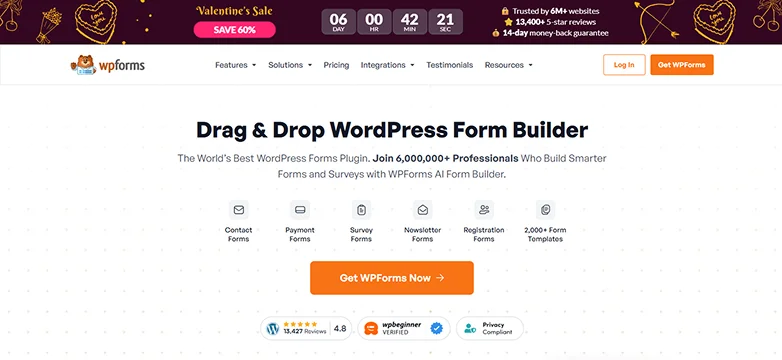
Getting traffic to your website doesn’t really matter if you don’t have a way to collect info from your visitors. Whether it’s for questions, demo requests, newsletter sign-ups, or support messages, forms are usually the first step in turning random visitors into actual leads.
WPForms makes it super easy. With a simple drag-and-drop builder, businesses can create professional, high-converting forms in just a few minutes. No tech skills or developers needed.
It’s made to be easy to use and fast, so lead capturing doesn’t slow down your growing business.
Key Features:
- Simple drag and drop builder.
- Over 2000+ pre-built templates.
- Advanced conditional logic.
- Spam protection.
- Fully responsive online forms.
Best For: Small to mid sized businesses, service providers, SaaS companies and teams who want to capture leads.
Hidden Limitation: While WPForms is powerful, advanced workflow automation will need CRM or marketing platforms.
Cost: A free version is available and Paid plans start from $39.60/year.
Strategic Insight: Never ever treat forms as simple contact tools as they are your conversion assets. Optimize form length, lower friction and align form fields with your sales process to improve lead quality.
Marketing Automation Plugins
FluentCRM
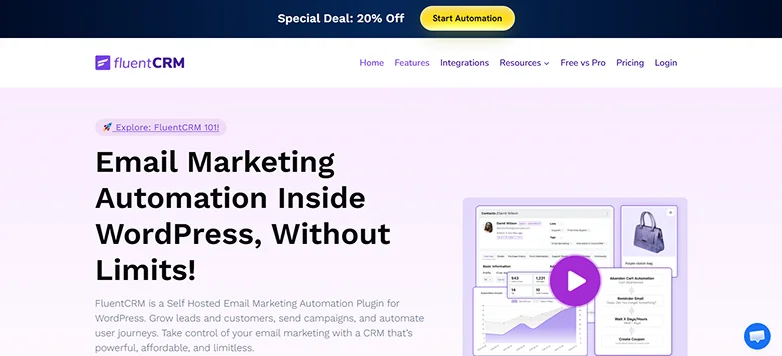
Capturing leads is just the start—real growth happens when you know how to keep those relationships going. If businesses only use third-party email tools, they end up with higher costs, scattered data, and less control.
FluentCRM changes that fully by bringing marketing automation right into WordPress. So you can manage contacts, create email sequences, set up automated emails and many more.
This way, you stay organized and keep full control over your audience’s data, making everything run smoother for your business
Key Features:
- Contact and List management.
- Email marketing automation.
- Automate Workflow.
- Deep integration with popular WordPress plugins.
- A/B testing, Smart Links for tagging and detailed reports.
Best For: Growing businesses, membership sites, course creators and eCommerce brands that want full-power control over customer communication.
Hidden Limitation: Since FluentCRM runs on your hosting environment, performance depends on your server quality.
Cost: The free version is available and the paid plans start from $103/Year.
Strategic Insight: Owning your marketing stack reduces long-term dependency on expensive SaaS tools while improving data visibility across your funnel.
ConvertForce

Most business sites get steady traffic but watch visitors leave without taking a single action. No newsletter sign-ups, no promo redemptions, no demo requests, just a quiet bounce.
That gap between traffic and conversion is exactly where ConvertForce earns its place.
ConvertForce is a Gutenberg-native WordPress plugin that lets businesses build notification bars, lightbox popups, and slide-ins directly inside the block editor. Whether the goal is announcing a sale, capturing email subscribers, running flash promotions, or nudging visitors toward a demo, ConvertForce delivers all three campaign formats inside one lightweight plugin without external page builders, shortcode wrappers, or bloated drag-and-drop overlays.
Because every campaign is built with native Gutenberg blocks, the editing experience stays identical to the one your team already uses for posts and pages.
Key Features:
- Three campaign types in one plugin: notification bars, lightbox popups, and slide-ins.
- Native Gutenberg block editor builder with no shortcodes or external editor required.
- Granular display rules by page, post type, device, and user role.
- Advanced triggers including Exit Intent, Scroll Depth, and User Inactivity (Pro).
Choose Plugins Today That Your Business Won’t Outgrow Tomorrow
Having to pick the right WordPress plugins is like building a solid foundation for your business to grow and succeed in the long run.
At first, a WordPress plugin may look fine, but as more people visit your site, your product list grows or your marketing gets more advanced, you’ll start to see problems pop up. And fixing those later can take a lot of time and money, so it’s better to choose the right plugins from the start.
Think of your top WordPress plugins as important tools for your business. Pick the right ones now, and your website will stay fast, secure, and keep up with your business as it grows.
Related Articles:
- 7 Best Gutenberg Blocks Plugins for your WordPress Site (2026 Edition)
- How to Make WordPress Site Mobile-Friendly (Experts Tips)
- 9 Best Responsive WordPress Themes in 2026 and Beyond
FAQs
Which WordPress plugins do I need for a business website?
Here are the top WordPress plugins you need for a business website:
- SEO plugin: Rank Math
- Security plugin: Wordfence
- Performance plugin: WP Rocket
- eCommerce or monetization plugin: WooCommerce
- Form plugin: WPForms
- Marketing automation plugin: FunnelKit
- Analytics plugin: MonsterInsights
Are WordPress plugins free or paid?
WordPress plugins come in both free and paid versions. In most cases, free WordPress plugins have limited features and support while the paid plugins for WordPress have better features and quality support.
Which plugin is best for SEO?
Rank Math is the best WordPress plugin for SEO.
How many plugins should a WordPress business site have?
There is no strict limit on how many plugins a WordPress business site has. Still I recommend having no more than 20 to 30 plugins which must be well-coded, developed by trusted companies.
Do WordPress plugins affect website speed?
Yes, WordPress plugins do affect your website speed. Every plugin you install and activate adds extra code (CSS, JS and images), database queries and PHP code. Thus, you must go with a lightweight and well-coded WordPress plugin for better speed.