WordPress itself is not the security problem. Your plugins are.
I recently reviewed the latest WordPress security data from Patchstack, and some of the numbers genuinely surprised me. In 2025, 11,334 new vulnerabilities were discovered across the WordPress ecosystem. This basically marks a 42% increase from the previous year.
And here’s where things get even more interesting. 91% of those vulnerabilities affected plugins and themes accounted for 9%. WordPress core, on the other hand, is still extremely secure.
However vulnerabilities aren’t the only concern. 46% were still unfixed or unpatched when they were publicly disclosed. After a vulnerability becomes public, attackers can move incredibly fast. Patchstack found that the weighted median time from public disclosure to mass exploitation was just 5 hours.
With WordPress powering 41.2% of all websites, it’s an attractive target for automated attacks and malicious botnets. Traditional hosting defenses alone blocked only around 12% to 26% of attacks in Patchstack’s analysis.
That’s where an additional security layer can make a difference.
Thus I tested and compared the best WordPress security plugins for 2026. I’ve evaluated and handpicked them completely based on their:
- Protection features
- Malware scanning
- Firewalls
- Login security
- Ease of use
- Pricing
- Overall value
Here’s what I found.
Quick Picks: Best Security Plugins For WordPress
In a hurry? No worries! Here are the best WordPress security plugins compared at a glance:
| Plugin | Best For | Malware Scanning | Firewall | Free Version | Starting Price |
| Wordfence | Best overall | Yes | Yes | Yes | $149/year |
| Sucuri Security | Malware monitoring | Yes | Limited in plugin | Yes | $229/year |
| Really Simple Security | Beginners | Limited | Pro | Yes | $69/year |
| All-In-One WP Security | Free all-in-one security | Limited | Yes | Yes | $89/year |
| MalCare | Malware scanning & cleanup | Yes | Yes | Yes | $99/year |
| Advanced IP Blocker | Traffic control | Yes | Yes | Yes | Free |
6 Top WordPress Security Plugins For 2026
1. Wordfence
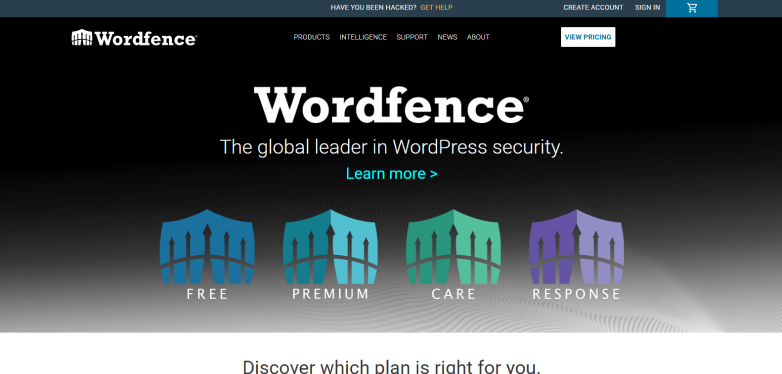
Wordfence is an all-in-one WordPress security plugin that combines a web application firewall, malware scanner, login protection, vulnerability detection, IP blocking and security monitoring, all in one place. Its security tools run directly within WordPress, giving it visibility into your site’s files, users, plugins, themes, and traffic.
Apart from this, it is also one of the most widely used WordPress security plugins, with 5+ million active installations on WordPress.org.
When I tested it on my live WordPress site, it immediately detects hidden security issues and configures a Web Application Firewall to block automated threats while also offering malware scanners for free. Although no plugin comes without flaws. Its deep scans spiked my CPU usage on shared hosting. Plus, the users experience a 30 day delay in malware signature updates.
Key Features:
- Endpoint web application firewall
- Server side malware scanner
- Free one-click malware removal
- Extensive threat intelligence
- Built-in login security and 2FA
- Multi-site dashboard
- File integrity monitoring
- Live traffic monitoring
- Country blocking
- Incident recovery and repair tools
Pricing:
- Free version available
- The premium plan starts from $149/Year.
My Verdict: Wordfence is my pick for the best overall WordPress security plugin here. It offers one of the most complete combinations for WordPress website protection. The downside? Its number of settings can initially feel like a lot if you’re a beginner. And it also takes a lot of CPU usage. But if you want powerful WordPress security without installing several different plugins, Wordfence is a great choice.
2. Sucuri Security

Sucuri Security is another best WordPress security plugin that provides robust malware scanning, file integrity monitoring, security hardening, activity auditing, blocklist monitoring and post-hack recovery. Yet compared to other security plugins for WordPress, this free WordPress security plugin mainly focuses on monitoring, detection and hardening, while its more advanced firewall protection comes through Sucuri’s Firewall service.
Apart from this, Sucuri has been a well known name in website security for years and its WordPress plugin is available for free from the WordPress plugin repository.
When I tested it on my WordPress site, no doubt, the tool effectively flags outdated files and allows easy security hardening. Still, I felt the user interface a bit clunky. The other downside is frequent false alarms and advanced firewall protection needs premium upgrades and technical DNS configurations which can get tricky for beginners.
Key Features:
- Remote malware scanning
- File integrity monitoring
- Security activity auditing
- WordPress security hardening
- Blocklist monitoring
- Post-hack security actions
- Sucuri Firewall integration
- Core integrity checking
- Last login monitoring
- Security alerts and notifications
Pricing:
- Free WordPress security plugin available.
- The premium plan starts at $229/year.
My Verdict: Sucuri Security is a good choice if you want malware monitoring, file integrity checks and WordPress hardening without paying for a security plugin from day one. I especially like it for users who want a more focused security experience instead of a dashboard packed with dozens of settings.
The roadblock? Its free WordPress security plugin doesn’t give you the complete Sucuri security experience. If you want its advanced WAF and traffic protection, you need a paid Sucuri Firewall plan. However, if your priority is website monitoring and security hardening, Sucuri is still good-to-go.
3. Really Simple Security
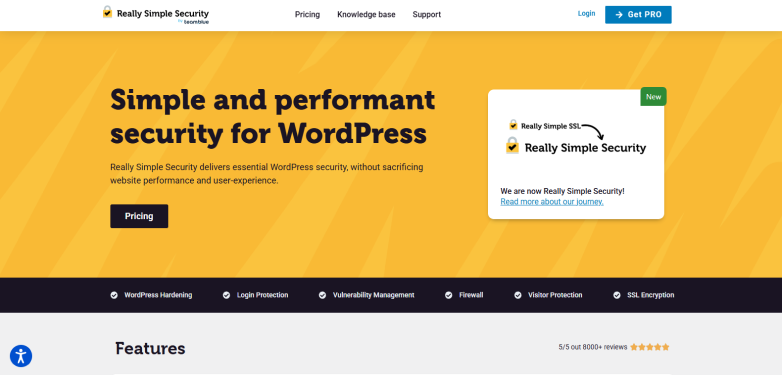
Really Simple Security (formerly known as Really Simple SSL) is the most lightweight and user friendly, entry level security plugin for WordPress. It includes WordPress hardening, two-factor authentication, login protection, vulnerability detection and SSL-related security features.
What makes it different from many other top WordPress security plugins is its focus on simplicity. The plugin uses a modular approach, so disabled security features don’t load unnecessary code and its onboarding is designed to get the basic security settings configured quickly.
When I tested this, the setup was lighting fast, barely taking a minute. Plus, it smoothly migrates HTTP to HTTPS while always being lightweight and modular.
All in all, the plugin works just fine. The only limitation I heard of is its advanced features like application firewall and robust two-factor authentication needs a paid upgrade. On top of this, dynamic mixed content resolution and core setting modifications can occasionally impact site performance or cause conflicts with third party themes and plugins, but not always.
Key Features:
- WordPress hardening
- Two-factor authentication
- Login protection
- Vulnerability detection
- SSL and HTTPS enforcement
- WordPress firewall in Pro
- Security headers
- Limit login attempts
- Passkey login
- IP and region blocking
Pricing:
- Free version available
- The premium plan starts at $69/year.
My Verdict: Really Simple Security is my pick for beginners for those who don’t want to spend hours configuring a security plugin. But, If you want a complete security suite with advanced malware scanning and deep threat detection, check out the next WordPress security plugin.
4. All-In-One WP Security & Firewall
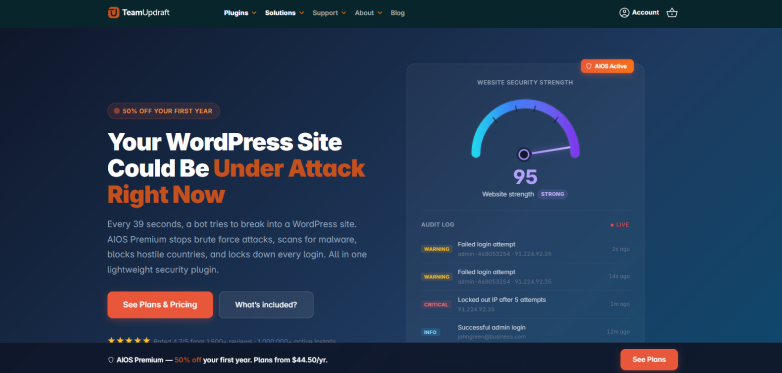
All-In-One Security, also known as AIOS, is an all-in-one WordPress security plugin from the team behind UpdraftPlus.
One thing I noticed about AIOS is that it tries to make security easier for both beginners and advanced users. Its security settings are divided into basic, intermediate, and advanced levels. Thus you can gradually improve your website security.
During testing, I found its security score and step-by-step approach useful for understanding what was actually missing from the site. However, the number of settings can still feel overwhelming when you start exploring the advanced options.
Key Features:
- Web application firewall
- Login lockdown and brute-force protection
- Two-factor authentication
- File integrity monitoring
- Database security
- IP blocking
- Spam protection
- Security audit logs
- Fake Googlebot detection
- WordPress hardening
Pricing:
- Free version available
- Premium starts from $89/year
My Verdict: If you want a lot of WordPress security features without immediately paying for a premium plugin, go for it. Its free version already includes a firewall, login security, 2FA and several hardening features. Just keep in mind that its interface isn’t as simple as Really Simple Security, especially when you start opening the advanced settings. But if you like having more control over your site’s security and want a powerful free option, AIOS is definitely worth considering.
5. MalCare

MalCare is another powerful WordPress security plugin that features malware scanning, malware removal, firewall protection, vulnerability detection and bot protection.
What makes it different from many other security plugins for WordPress is that its deep malware scanning happens off-server. So it doesn’t put extra load on your WordPress hosting. Plus, it includes login protection, two-factor authentication, activity logs, vulnerability scanning and virtual patching.
Apart from this, MalCare is currently trusted by 400,000+ sites across 120 countries, which makes it one of the most famous names in WordPress security World.
When I tested it on my WordPress site, I liked how simple the setup was. The plugin connects with the MalCare dashboard and starts scanning the website without making the process complicated. Moreover, I also liked the off-server scanning because it helps avoid the CPU spikes that can happen with security plugins that perform heavy scans directly on your hosting server. But, the biggest limitation is that some of its most useful features, such as daily scans, advanced firewall protection and one-click malware cleanup, are available only with paid plans.
Key Features:
- Off-server malware scanning
- One-click malware removal
- Real-time Web Application Firewall
- Vulnerability scanning
- Virtual patching
- Bot protection
- Two-factor authentication
- Login protection
- Activity logs
- Geo-blocking
- File and database malware scanning
Pricing:
- Free version available
- The Premium plans starts from $99/year.
My Verdict: MalCare is my pick for users who want strong malware protection without putting too much load on their WordPress server. Its off-server scanning is one of its biggest advantages. Yet the free version is limited and you need a paid plan for advanced protection and malware cleanup.
6. Advanced IP Blocker

Last but not the least, if you want a plugin to control suspicious traffic, and for blocking malicious IP addresses, this free WordPress security plugin is the best one out there.
It combines IP blocking, country blocking, ASN blocking, Web Application Firewall, bot protection, rate limiting, login protection and threat scoring in one place. Also, i6 comes with more advanced security tools such as attack signature detection, file integrity monitoring and vulnerability scanning.
One thing I noticed about Advanced IP Blocker is that it gives you much more control over your website traffic compared to some other WordPress security plugins. You can block individual IP addresses, entire countries or networks and even create custom security rules based on IP, country, ASN, URL and user-agent. It also includes a setup wizard that helps beginners configure some of the important security settings.
During testing, I found the number of security controls impressive, for those who want detailed control over their website traffic. Features like the WAF, rate limiting, bot verification, geo-challenge and threat scoring can help protect your website against different types of automated attacks. However, this also creates its biggest problem. The number of settings can feel overwhelming if you’re new to WordPress security. On top of that, you gotta be careful when creating blocking rules because incorrect configurations can potentially block legitimate visitors or even lock you out of your own website.
Key Features:
- Country and ASN blocking
- Threat scoring
- Rate limiting
- Bot verification
- Attack signature engine
- Two-factor authentication
- File integrity monitoring
- Vulnerability scanner
- Security audit logs
- Geo-challenge
Pricing:
100% Free WordPress security plugin.
My Verdict: If you want detailed traffic control and a powerful free security plugin, Advanced IP Blocker is definitely worth considering.
Final Words: What Is The Best Security Plugin For WordPress Websites?
In a nutshell, these are all the best wordpress security plugins for 2026. If you’re still confused which security plugin for WordPress websites is the best, then here is my quick recommendation:
- Best overall: Wordfence
- Best for malware monitoring: Sucuri Security
- Best for beginners: Really Simple Security
- Best free all in one option: All-In-One WP Security & Firewall
- Best for malware scanning and cleanup: MalCare
- Best for advanced traffic control: Advanced IP Blocker
In the end, installing a WordPress security plugin alone doesn’t make your WordPress website completely secure. So, choose the one that actually matches your website, technical knowledge and security needs.
Related Articles:
- 7 Best Gutenberg Blocks Plugins for your WordPress Site (2026 Edition)
- How to Start an Online Business With Zero Inventory in 2026
- Ways to Improve Your WordPress Website’s Security And Speed Using .htaccess
FAQs
Which WordPress security plugin is the best?
Here are the best WordPress security plugins:
- Wordfence
- Sucuri Security
- Really Simple Security
How do I protect my WordPress site from hackers?
You can protect your WordPress site from hackers by following the essential security guidelines outlined in the Hardening WordPress Handbook by WordPress.org. Overall, the guidelines says you need to keep your WordPress core, plugins and themes updated as well as install firewall protection plugins.
How often is WordPress hacked?
The average WordPress site faces automated probing attacks every few minutes, with thousands of sites compromised daily due to poor maintenance. On top of that, security firms report that every WordPress site is attacked or probed on an average of once every 26 minutes.
How secure are WordPress websites really?
WordPress core software is secure on its own as less than 1% of security flaws come from it. The total WordPress website safety depends on how you manage your plugins, themes and server settings.