
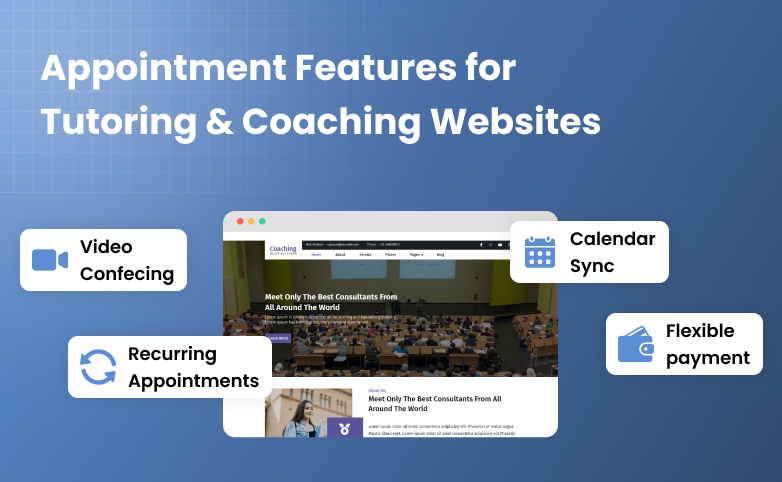
Tutoring and coaching businesses are built around appointments.
No matter whether you’re teaching a student one-on-one, running a group class or helping a client work toward a specific goal, your schedule is at the center of your business.
But managing those appointments can get complicated pretty quickly.
A student might want to book a weekly lesson. Another client may need a one-time coaching session. Someone else might be purchasing a package, joining an online session or booking from a completely different time zone. And if your appointment system can’t handle these different needs, you can end up spending more time managing bookings than actually teaching or coaching.
That’s exactly why having the right appointment features matters.
Want to know what are the exact must-have appointment features for tutoring websites? And how can you add these appointment features to your WordPress business site? Let’s find out!
9 Essential Appointment Features Your Tutoring or Coaching Website Needs
1. Two-Way Calendar Sync
Tutors and coaches always manage their availability across more than one calendar.
You may have personal commitments in Google Calendar, coaching sessions in Outlook, or other work appointments in Apple Calendar. And even if you use only one calendar for both personal and work scheduling, you sure don’t want to block busy timeslots with two bookings.
If you don’t sync your bookings, it won’t be long before you actually double book an appointment. Thus two-way calendar syncing is very important.
When you two-way sync your bookings across different calendars before accepting every booking, your availability can stay synchronized across platforms. This way, whenever you make any changes or add an appointment, the system automatically blocks that slot in your connected calendar.
For tutoring and coaching businesses, this can help you:
- Give students and clients more accurate availability.
- Spend less time checking multiple calendars manually.
- Avoid double bookings and scheduling conflicts.
- Keep personal and business schedules aligned.
- Automatically block unavailable time slots.
Let’s understand this with an example: Suppose you’re a math tutor. Now you have a doctor’s appointment added to their Google Calendar at 5:00PM. But at the same time, a student wants to book your lecture for algebra. With two-way calendar synchronization, that time can automatically become unavailable for new tutoring bookings.
The result? Students see the availability you actually have so you get fewer scheduling conflicts to worry about.
2. Automated Email & SMS Reminders
Getting a student or client to book an appointment is only half the job. You also need them to show up on time.
Missed appointments can quickly become a problem for tutors and coaches when every session represents valuable teaching time or lost revenue. And manually reminding every student about their upcoming lesson isn’t exactly the best use of your time.
Thus this is where automated email and SMS reminders come in. Most of all appointment booking systems let you send automatic confirmations and reminders. Means you don’t have to worry yourself by reminding each and every student.
For example, a tutoring business could send:
- An email confirmation immediately after booking.
- A reminder 24 hours before the lesson.
- An SMS reminder a few hours before the session.
- A follow up message after the appointment.
This keeps students updated without adding another task to your daily schedule. Best of all, these reminders can also include important session details such as the meeting time, appointment link or instructions for joining the session.
3. Video Conferencing Integration
Online tutoring and coaching have made it possible to work with students and clients from almost anywhere. But there’s a problem again.
If someone books a session on your website and then has to wait for you to manually create a meeting, copy the meeting link, and send it to them, you’ve done nothing but added extra work to an otherwise simple booking process.
Video conferencing integration is another important appointment feature for tutoring and coaching businesses.
With the right setup, a video meeting can be created automatically when an appointment is booked. The meeting details can then be included in the confirmation or reminder sent to the student or client.
This can be useful for:
- One-on-one online tutoring.
- Language lessons.
- Career coaching.
- Fitness and wellness coaching.
- Academic counseling.
- Group coaching sessions.
This way, you can allow a student to book a lesson online. After the booking is confirmed, the student gets the appointment details along with the video meeting link.
No separate email. No manually creating a meeting for every lesson.
The booking and online session become part of the same workflow.
4. Time Zone Conversion
Working with local students is simple. But what happens when your students or coaching clients live in different cities, countries, or time zones?
A session scheduled for 10:00 AM in India isn’t necessarily 10:00 AM for a student in the United States or Europe. So if your booking system doesn’t handle time zones properly, even a simple appointment can turn into confusion.
That’s why the next most important feature for tutoring and coaching websites is automatic time zone conversion if your clients are international. Even if they aren’t any international clients at the moment, you must pick a booking system with all future-proof features. Who knows when your tutoring business grows and starts getting international clients too.
Overall, your booking system must show appointment times according to your client’s local time zone.
For example, a career coach based in India might have availability at 7:00 PM local time. A client booking from London should see the corresponding local time rather than having to calculate the difference manually.
A clear time zone experience makes the booking process much easier for everyone.
5. Prepaid Package & Lesson Bundles
Not every tutoring or coaching relationship revolves around a single appointment.
Many businesses sell multiple sessions as a package.
A tutor can offer a 10 lesson mathematics package. A language teacher can sell 20 individual lessons. A business coach can offer a monthly package that includes four coaching sessions.
In these scenarios, asking clients to book and pay for every individual appointment is just a waste of time. That’s why you should always go for a booking software that lets you create and sell prepaid packages and lesson bundles.
Students or clients can purchase a package upfront and then use their available sessions to book appointments over time. For example:
10-Session Tutoring Package:
- Students purchase 10 lessons.
- Students book the first lesson.
- The system tracks the remaining sessions.
- Students book additional lessons as needed.
- Once all 10 sessions are used, the package is completed.
For businesses built around repeat sessions, packages turn individual bookings into a more structured client relationship.
6. Flexible Payment Gateways & Deposits
Booking an appointment is one thing. Getting the payment for that appointment is another.
Different tutoring and coaching businesses can have completely different payment requirements. Some want students to pay the full amount while booking a lesson. Others want to collect a deposit first and the remaining amount later. And if you’re selling packages or higher value coaching programs, you need even more flexibility.
Thus, having flexible payment options can make your booking process much easier.
If you want to offer multiple payment gateways, accept full or partial payments, or set different refund conditions, your system must support all of it.
The important thing is that the payment process should fit your coaching business model. Thus when students can pick a service, select a suitable time, make the required payment, and get their booking confirmation in one flow, there is less back-and-forth for everyone.
And for you as a tutor or coach, it also means fewer in-person payment confirmations to deal with.
7. Custom Intake Forms & Fields
Not every student or client comes to you with the same requirements.
A math tutor may want to know which topics a student is struggling with. A language tutor may want to know their current skill level. A career coach needs to understand the client’s current role and what they want to achieve.
Thus, why ask everyone to fill out the same basic booking form?
You can collect the info using a custom intake form and custom conditional fields. Also, before booking a tutoring session, you could ask students about:
- Their current grade or education level.
- The subject or topic they need help with.
- Their current skill level.
- Their learning goals.
- Any specific questions they want to discuss.
A coaching business may need completely different information.
And this is where custom fields become useful.
You can ask the right questions before the appointment instead of spending time sending emails later to understand what the student or client actually needs.
It also gives you something else: Time to prepare.
If you already know what a student is struggling with before the lesson starts, you can prepare the right materials or plan the session.
So, the booking form becomes more than a way to collect contact details. It becomes the first step in understanding the person you’re going to teach or coach.
8. Group Sessions & Class Capacity
One-on-one appointments are not the only way tutoring and coaching businesses deliver their services.
You run group classes, exam preparation sessions, workshops, webinars or group coaching programs where several students or clients attend the same session.
But there is one thing you need to control. How many people can actually join the session?
Suppose you are running an online exam preparation class with a capacity of 15 students. If your booking system keeps accepting bookings after those 15 spots are filled, you can soon end up with an overcrowded class.
That’s exactly why group sessions and class capacity matter.
You should be able to create a session where multiple students can book the same time slot while still keeping the number of participants under control.
For example: Saturday Exam Preparation Class
- 10:00 AM
- 90-minute session
- 15 students maximum
The first student books a spot.
Then another.
And another.
After all 15 spots are taken, the session should no longer be available for additional bookings.
This is useful if you offer different types of services.
A private tutoring lesson may have a capacity of one. A small group lesson could have five students. And a workshop may have 30 or more participants.
So, instead of forcing every appointment into the same one-to-one format, your booking system can support the way you actually teach or coach.
9. Recurring Appointments & Flexible Scheduling
Some students need just one lesson.
Others may need you every week for several months.
A student could have an English lesson every Monday. Another may book mathematics lessons twice a week before their exams. A coaching client may want to meet every two weeks as part of a longer program.
Now, imagine creating every one of those appointments manually.
It may be manageable with a few students. But as your number of clients grows, this can quickly become another repetitive task.
That’s where recurring appointments can make things easier.
Instead of booking every lesson separately, students or clients can schedule a series of appointments based on the service or program they choose.
For example, a tutor could offer: Weekly English Lessons:
- Every Monday
- 6:00 PM
- 60-minute session
- 8 lessons
The student can book the recurring schedule rather than going through the same booking process eight times.
But there is another side to recurring appointments.
Schedules change.
A student may have an exam on one Monday. A tutor may be unavailable on a particular date. A client may need to move one coaching session to another day.
So, recurring appointments should not make your schedule rigid.
The goal is simple: make ongoing appointments easier to manage without making them difficult to change.
How to Add These Appointment Features to a WordPress Website
By now, you can see that appointment booking for tutoring and coaching businesses is not just about putting a calendar on your website.
You need to manage calendar availability, reminders, online meetings, time zones, packages, payments, intake forms, group sessions, recurring appointments, and much more.
And managing all of this manually? Well, that can become a lot of work pretty quickly.
If your tutoring or coaching website is built with WordPress, you can add these appointment features via a WordPress appointment booking plugin. So no hassle of writing thousand lines of code just to build your own booking system from scratch.
A WordPress booking plugin can bring many of these functions directly into your website. But there’s one thing to keep in mind. Not every WordPress appointment booking plugin offers the same features.
Some plugins are built for simple appointment scheduling. Some do offer the features but are too expensive. And the rest? They show you a long feature list yet becomes difficult to manage.
Thus, if you want to add these appointment features to your WordPress tutoring or coaching website, the next step is finding a plugin that actually supports the way your business works.
And that’s exactly what we’ll look at next.
Top 5 WordPress Appointment Booking Plugins for Tutoring & Coaching Websites
Now that we know what features actually matter for tutoring and coaching businesses, the next question is: which WordPress plugin can help you add them to your website?
There are a lot of appointment booking plugins available for WordPress. But they don’t all work in the same way. Thus, we’ve picked five WordPress appointment booking plugins that are worth considering for tutoring and coaching websites.
1. BookingPress
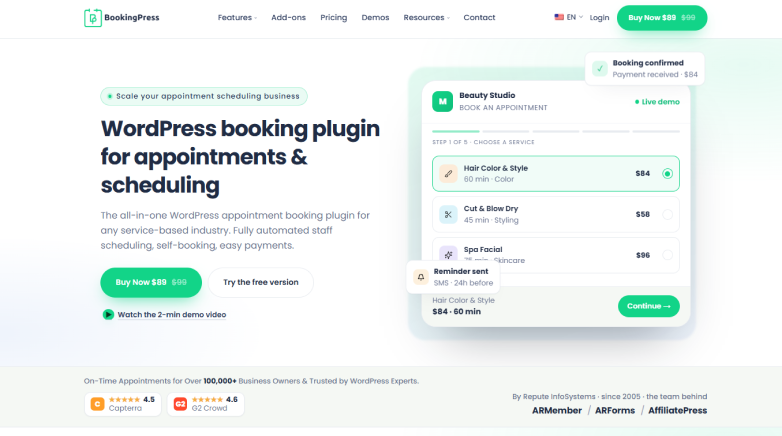
If you’re looking for an appointment booking plugin that covers everything from basic scheduling to more advanced tutoring workflows, BookingPress is one option to consider.
This plugin features 60+ premium addons at zero extra cost including recurring appointments, service packages, group appointments, custom fields, deposits and staff management. Plus, you also connect Google Calendar, Outlook, and Apple Calendar, while integrations with Zoom, Google Meet and Microsoft Teams helps with online lessons and coaching sessions.
For tutoring and coaching businesses, this means you can set up different services, allow students or clients to choose available time slots, collect the required info, take payments, and manage recurring or group bookings from your WordPress website.
Another thing worth mentioning is the number of payment options. BookingPress offers 22+ payment gateways to accept secure online, full or deposit, payments. And if you’re a professional coaching center, you can also accept in-person payment via POS System.
And if you are running more than one coaching centre, BookingPress let you manage unlimited locations with branch-specific staff, and different services, service duration, and pricing.
Overall, BookingPress can be useful for tutors, coaches, online educators, and businesses that need an all-in-one WordPress appointment booking system.
2. MotoPress Appointment Booking
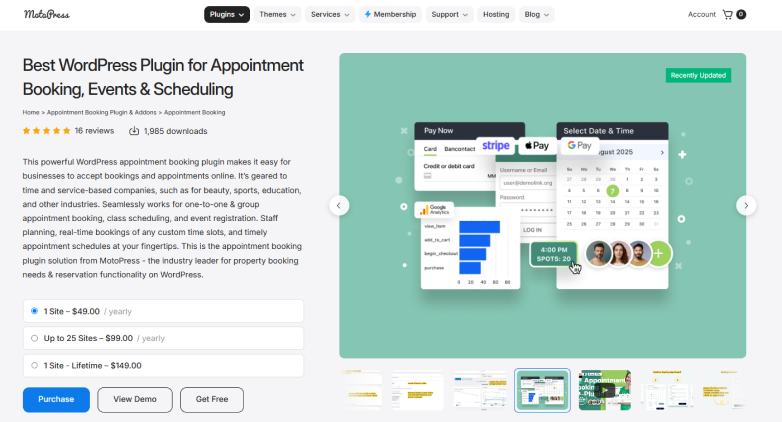
MotoPress Appointment Booking is another WordPress appointment booking plugin for coaching businesses.
It allows you to create services, manage employee schedules, add booking forms, and create supporting group bookings for shared time slots. As for online payments, the options are quite limited yet doable. You can accept full or deposit payments through options such as PayPal and Stripe, as well as bank transfer or on-site payment.
Apart from this, MotoPress also has integrations for online appointments, including Google Meet and Zoom so it can work for tutors and coaches who provide their services remotely.
Although it’s less feature-rich compared to BookingPress, MotoPress is still a good plugin you can look at.
3. FluentBooking

FluentBooking is a top-tier WordPress scheduling plugin that serves as a self-hosted alternative to platforms like Calendly, making it an excellent choice for coaching websites.
From one-on-one to group meetings, you can use it for private tutoring sessions as well as webinars, group discussions, or other sessions. FluentBooking also automatically converts meeting times based on the user’s time zone so your students can book as per their own local time.
4. LatePoint
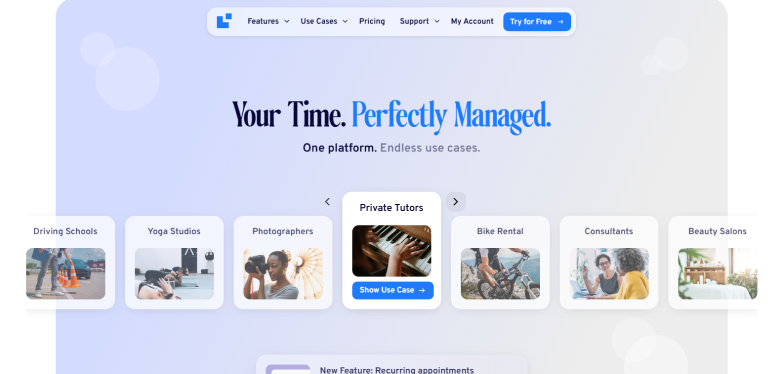
LatePoint is easily one of the best WordPress booking plugins for building a premium coaching booking website. Thus if you want a system that looks slick, feels effortless for your clients and doesn’t need a computer science degree to manage, this is the tool for the job.
Besides having almost every appointment feature for tutoring websites, LatePoint is designed with a modern app-like interface. It turns the chore of scheduling a coaching session into a smooth, satisfying experience that actually helps convert casual website visitors into paying clients.
The downside? It has less native integrations compared to plugins mentioned above. LatePoint integrates smoothly with Stripe, PayPal, and BrainTree. You can make students or clients pay upfront to secure their session, deposit a partial amount or simply pay in person.
THus, if your tutoring or coaching business needs recurring lessons, group bookings, payments, calendar synchronization, and online meetings, LatePoint is worth considering.
5. Hydra Booking
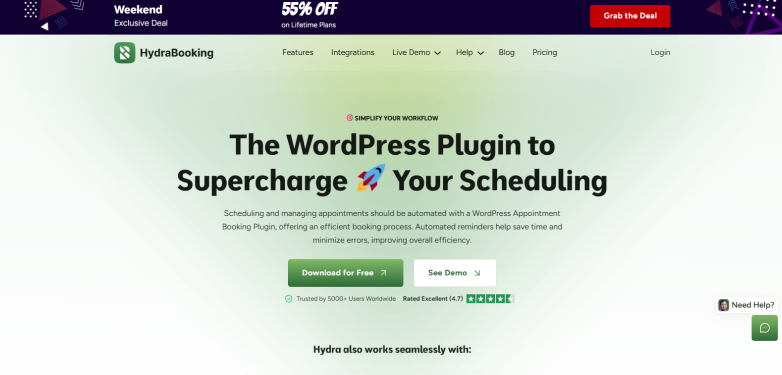
Hydra Booking is another WordPress appointment scheduling plugin on this list.
If you are running a coaching business, you know how frustrating it can be to jump between emails, calendars, and payment apps just to get a single client on your schedule. Hydra Booking fixes all of that by bringing everything into one streamlined system
It offers native two-way sync with Google Calendar and Apple Calendar so you never double-book yourself. When a client reserves a spot, it can automatically generate a Zoom or Google Meet link and send it straight to their inbox. Plus, if you charge for your consultations, Hydra Booking integrates directly with PayPal, Stripe, and WooCommerce, allowing you to secure your deposits or full payments upfront before anyone ever lands on your schedule.
So, if you’re looking for a WordPress booking plugin that combines appointment scheduling with calendar synchronization, recurring meetings, group sessions, online meetings, and payment functionality, Hydra Booking is another option to explore.
Conclusion
The right appointment features can turn a basic WordPress website into a complete booking system for your tutoring or coaching business.
From two-way calendar sync and automated reminders to recurring appointments, lesson packages, group sessions, custom intake forms, online meetings, time zone conversion, and flexible payments, these appointment features for tutoring websites can save you time as well create a better experience for your students.
We tested the plugins covered in this guide, and BookingPress is the appointment booking plugin we personally use and recommend for tutoring and coaching websites.
Its 60+ premium add-ons at no extra cost, 22+ payment gateways, calendar integrations, video conferencing integrations, recurring appointments, packages, group appointments, custom fields and other scheduling features make it best-fit for everything from one-on-one tutoring to larger coaching centers.
If you want an all-in-one WordPress appointment booking plugin for tutoring or coaching, BookingPress is the one we’d recommend checking out first.
Because a good booking system should take work off your plate, never add more work.
Related Articles: