
Selling digital products has never been more popular. Digital downloads like eBooks, music, templates and stock photos as well as WordPress plugins, sell like crazy.
Yet still, turning ideas into income isn’t as simple as uploading a file and clicking “publish.” Let’s say you’re selling eBooks, templates, or any digital downloads; you need a setup that’s reliable, scalable and above all else, easy to manage.
Thankfully, that’s where WooCommerce steps in.
In this WooCommerce guide, you’ll learn how to sell digital products with WooCommerce in 2026, from setting up your first product to optimizing payments, access control and delivery. We’ll also cover best practices, plugins and everything you must know as a business owner.
Ready to make a smooth digital selling experience without technical headaches? Let’s see how.
What Are Digital Products in WooCommerce?
In WooCommerce, digital products are online assets which are sold online, eliminating the overwhelming process of physical shipping, storage and inventory management.
In simple words, you can say these are items that only exist virtually.
WooCommerce digital products include eBooks, music, software, PDF templates and the list goes on and on.
These WooCommerce digital products are delivered to customers via download link or granted access to a restricted area right after the purchase or checkout is done.
As for businesses, selling digital products or downloads in WooCommerce can turn out to be a great source of income. Here are some benefits that attracts millions of businesses to sell digital products:
- Zero shipping or inventory costs
- Highest profit margins
- Sell same product again and again with no restock tension
- Worldwide reach with no extra hassle
- Automated process from payment to file delivery
Why Use WooCommerce to Sell Digital Products and Downloads?

Want to sell digital products with WordPress?
If you have the itch to go into the business for yourself and sell digital products, WooCommerce is one of the most flexible and beginner friendly platforms for selling digital products with WordPress.
Whether you’re offering eBooks, templates, software, courses or downloadable files, it gives you full control over how you sell, deliver and grow your digital business.
Here’s why so many creators and businesses choose WooCommerce for digital downloads:
- Built Specifically for WordPress Users: If you already have a WordPress site, WooCommerce can feel like a natural extension. You manage everything from products to payments right from your WordPress dashboard.
- Completely FREE: WooCommerce core plugin is 100% FREE to go. You don’t have to pay a single penny to get started and sell digital products on WooCommerce.
- Sell Any Type of Digital Product: WooCommerce lets you sell almost every kind of digital product, from eBooks, Videos, software files, audio files to images.
- Full Control Over Pricing and Access: WooCommerce is a WordPress plugin which gives you complete ownership of your pricing structure.
- Secure Digital File Delivery: WooCommerce automatically manages secure file delivery so only paying customers can access downloads.
- Seamless Payment & Checkout Experience: WooCommerce is known for having tons of popular payment gateways, making the checkout experience a breeze for customers.
- Works Perfectly with Plugins for Growth: One of the biggest plus points of Woo is its massive plugin ecosystem. You can grow your digital product selling business up to no limits.
How to Sell Digital Products with WooCommerce (Step by Step)
Thinking about how to sell digital products with WooCommerce?
Stop thinking and start selling digital products with WooCommerce right now! Why? because it’s easier than it appears.
You don’t need advanced technical or coding skills at all. Just the right setup ….and that’s it!
Step 1: Install WordPress & WooCommerce
Firstly you must need a WordPress site and the WooCommerce plugin in place.
If you already have WordPress set up, you can skip directly installing WooCommerce.
However, if you don’t have WordPress installed, simply follow this beginner friendly guide and get started.
As for WooCommerce, just follow these steps to setup your eCommerce store with WooCommerce:
- To install WooCommerce, first go to WordPress Dashboard → Plugins → Add Plugin
- Now search for WooCommerce
- Next, click Install Now, then Activate

On this stage, WooCommerce will automatically launch a setup wizard to guide you through the basics.
Just complete the WooCommerce Setup Wizard and go with the flow.
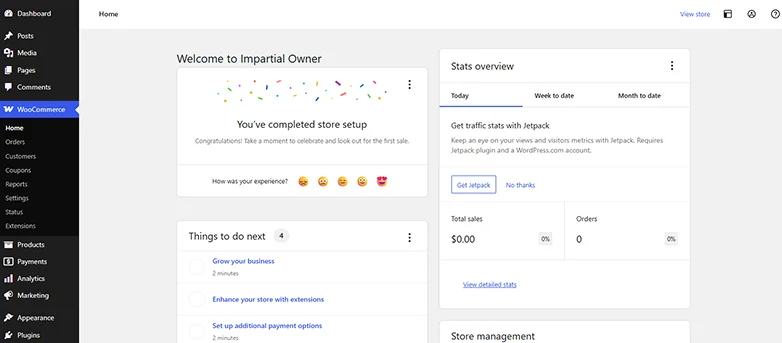
During setup, you’ll be asked to configure:
- Store location and currency
- Payment methods (PayPal, Stripe, etc.)
- Basic tax and shipping settings
- Recommended features (optional)
Since you’re selling digital products, you can skip shipping settings completely.
Step 2: Create a Digital Product
Well, as an expert with WooCommerce, we already have one online store that sells physical products.
As we are planning to sell eBooks on our online store, we can show you the same as well. Just follow the steps and do as we do to create your first WooCommerce digital product:
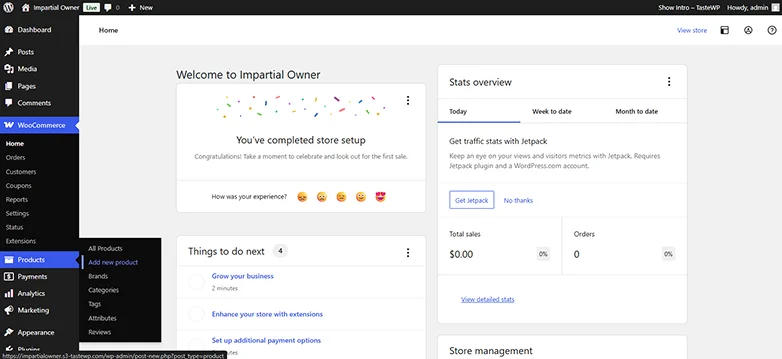
Firstly head straight to your WordPress Dashboard → Products → Add New Product
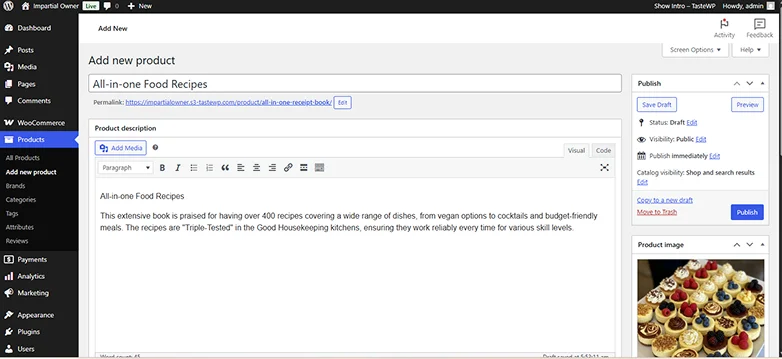
Next, enter your product name and description along with a product image if you have any. Make sure to use engaging text to highlight benefits and features of your digital product.
This is the most important step for specifying your product as digital. Now scroll down to set the Product data and type.
Under the Product Data section, simply select “Simple Product”. And next top that, tick on Virtual and Downloadable:
- Virtual: No shipping is needed
- Downloadable: Allows customers to download the file after purchase

Once you check Downloadable, a section appears where you can upload your file(s)
So just simply click on “Add File”, upload your digital product (PDF, ZIP, MP3, eBook, course files, software, etc) and give the file a name.

Step 3: Set Pricing and Security Rules
At this step, you’ll set your digital product’s pricing and some limits for security reasons. This way, you can be at ease as customers can buy your digital product easily while keeping your files secure.
First thing first, let’s set the product price.
In this same tab, you can see options for Regular Price and Sale Price. If you can’t, just go to Product Data → General tab, and you’ll see :

- Regular Price: Enter the standard price of your product.
- Sale Price: Optional but you can still set a temporary discounted price with schedule.
Expert Tip: Offering a small launch discount or limited time sale can skyrocket early sales. Also, you can schedule the period of sale price so no risk.
Next, WooCommerce allows you to define who can access your files and how many times:
- Download Limit: Restrict how many times a customer can download the file
- Download Expiry: Set the number of days the download link is active
This prevents unauthorized sharing and keeps your digital content safe and sound.

If you’re selling digital content through memberships or subscriptions:
- Use plugins like ARMember or Paid Memberships Pro
- Restrict access to digital products based on membership level
- Offer recurring subscriptions for ongoing downloads or updates
Expert Tip: Combining WooCommerce with a membership plugin is perfect for selling courses, premium content, or digital bundles.
At last, Digital products may have specific tax rules depending on your country:

- Enable Digital Goods Tax status and class if needed only
- Make sure your currency matches your target market
This makes sure to give a smooth checkout experience for all and avoids legal headaches later. At the end, once everything is set, don’t forget to hit the “Save Draft”.
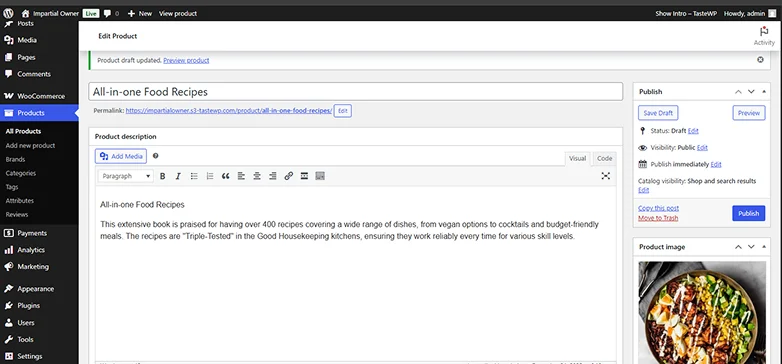
Step 4: Configure Payments
After finally creating your first digital products, now you can configure payment methods if you haven’t already.
For configuring payments in WooCommerce, just head to WooCommerce → Settings → Payments.

From here, you can install and enable your favourite payment methods.
WooCommerce lets you accept payments via popular payment gateways and options such as credit cards, Apple Pay, Google Pay, and much more.

As we are talking about digital products here, you must not enable offline payments.
Thus. click Set up to enter API credentials or account details and connect to your business account.
We recommend testing your setup using sandbox or test mode for just-in-case scenarios.
Step 5: Test Before Launch

Before going live with your digital products, it’s must to test everything. Even a small error in checkout, download links or payments can hurt your customers’ experience and sales.
We recommend using a test account to buy your own digital product once. Experience the complete checkout process yourself as a customer. In the end, remember to confirm that the payment gateways work and funds are received from your account.
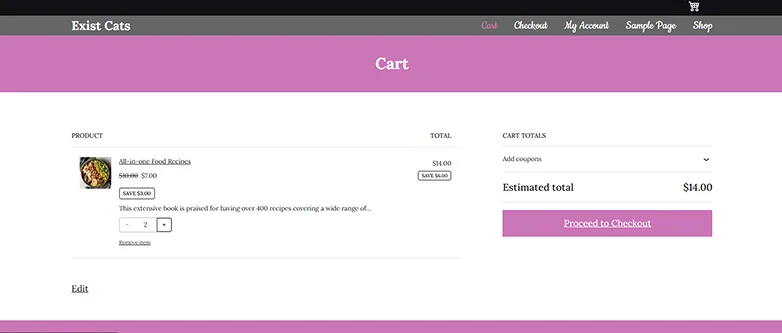
Furthermore, test the WooCommerce digital downloads delivery to make sure all the file downloads correctly and verify the download limit, discount period or expiry date works as intended.

You can test your online store on mobiles phones, tablets or laptops too. Testing across multiple devices checks the responsive design and how your download links look.
At last, once everything satisfies your curiosity from all perspectives, hit that “Publish” button and make your WooCommerce digital product go live!
Best Plugins for Selling Digital Products with WordPress
WooCommerce is sure powerful on its own, but a few plugins can supercharge your digital product sales, from subscriptions and memberships to better delivery, marketing and automation.
Here are the best addons to make your WordPress digital store work smarter:
WooCommerce Subscription
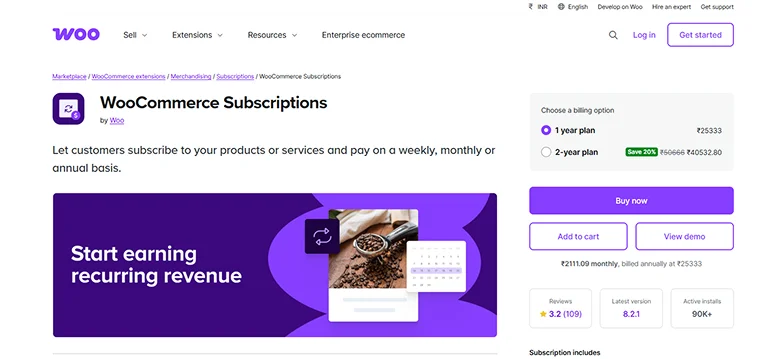
Want recurring revenue?
This WooCommerce add-on lets you sell subscriptions, recurring plans and even membership access. This is perfect for digital libraries, professional news sites and more.
ARMember
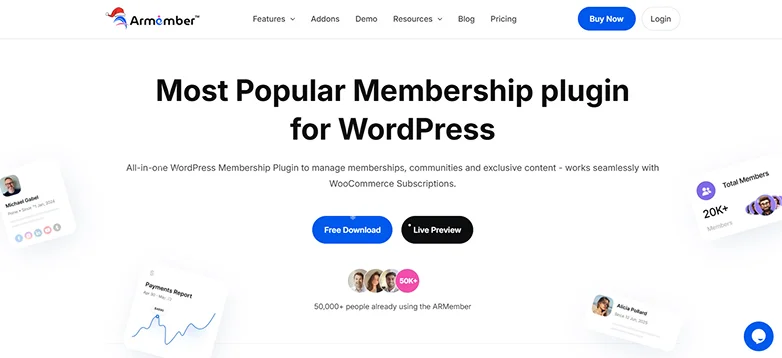
Turn your WooCommerce digital downloads and products into members only content. From drip content, unlimited members levels to online courses, ARMember gives a professional membership experience.
AffiliatePress
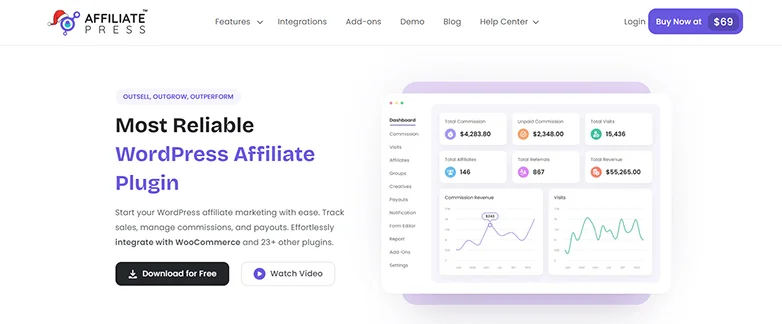
Want more people selling for you?
AffiliatePress is a WordPress plugin, smoothly working with WooCommerce, EDD and 23+ other plugins. It allows you to create your own affiliate program with zero coding.
Email & Marketing Automation
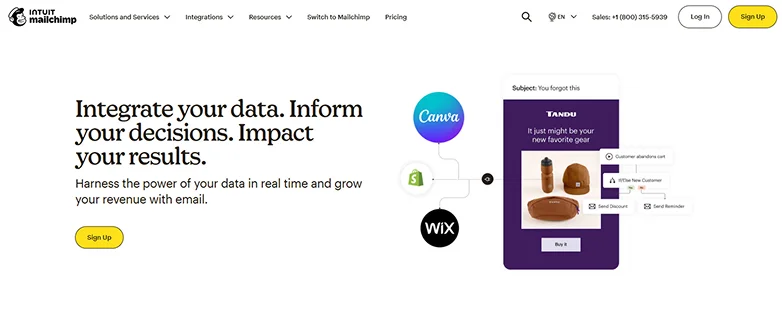
Want to give your online store an automation boost? Here are some popular email marketing tools to integrate which allows you to send welcome email, abandoner cart reminders and product updates automatically:
- MailChimp
- ActiveCampaign
- Klaviyo.
Analytics & Conversion Tools

You must optimize your website’s performance for more digital downloads sales with tools such as:
- MonsterInsights.
- Hotjar,
- And WooCommerce Google Analytics Pro.
WooCommerce Auto Complete Order Status
Want to remove manual order processing? This lightweight WooCommerce Auto Complete Order Status plugin automatically marks orders as “completed” when payment is successful, making it perfect for digital or virtual products where no shipping is needed at all.
It’s a simple set-and-forget WooCommerce plugin that lowers admin work, speeds up delivery and makes sure your customer gets a smooth shopping experience.
Final Tips: How to Sell Digital Downloads on WooCommerce
Selling digital products on WooCommerce is simple and straightforward.
Just with the right WooCommerce setup and good marketing strategy, you can skyrocket your business via digital downloads.
To help you start on the right foot, here are a few best practices that can make your online store more professional, secure and profitable:
- Optimize your product page with a clear title and description .
- Add categories and tags to help customers search for your downloads.
- Use download limits and expiry dates for security reasons.
- Offer multiple payment options and methods.
- Keep a backup of all digital products in case of any issue .
- Show high quality images for WooCommerce digital downloads such as PDF cover, a few screenshots or audio snippets of intro.
- Start email campaigns for promoting new products or special discounts offers.
- Starts affiliate marketing (using AffiliatePress) for more sales.
- Test your online store regularly to make sure everything is working as expected.
Related Articles
- How to Launch Your Online Store with WooCommerce [Tutorial]
- 10 Best Multipurpose WordPress Themes in 2026 for Any Business
- How to Install WordPress (Complete Tutorial)
FAQs
Can I sell digital products on WooCommerce?
Yes, Of Course! You can sell digital products on WooCommerce by selecting the “Virtual” and “Downloadable” options under the Product Type section when creating any new product.
How to add a digital product in WooCommerce?
Here’s how to add a digital product in WooCommerce:
- Go to WordPress → Products → Add New Product
- Next, enter the product title, description and image
- After this, Under Product Data, select Simple Product. Then check Virtual and Downloadable.
- Once you check Downloadable, a section appears where you can upload your WooCommerce digital downloads file.
- Once done, simple save the draft and hit the Publish
Can you use WordPress to sell digital products?
Yes, You can use WordPress to sell digital products by installing WooCommerce. WooCommerce is a popular WordPress eCommerce plugin that allows you to sell any kind of product with ease.
How do I sell my digital products?
If you want to sell your digital products, you’ll need WordPress and WooCommerce. The WooCommerce plugin can help you turn your regular WordPress site into an full-power eCommerce store for selling digital products as well as physical products.
Which platform is best for selling digital products?
Here are the best platforms for selling digital products and downloads:
- WooCommerce: Great for selling both physical and digital products
- Easy Digital Downloads: perfect for selling all types of digital products
- ARMember: Ideal for selling memberships and subscriptions
- ARForms: Best for creating order forms with payment gateways