- 1 Why Most Portfolio Websites Feel Slow (And How the Right Theme Fixes It)
- 2 What Creatives Actually Need From a Portfolio WordPress Theme
-
3
8 Fast Portfolio WordPress Themes Creatives Love in 2026
- 3.1 1. Astra – The Reliable Portfolio Theme Almost Every Creator Starts With
- 3.2 2. GeneratePress – The Speed-First Theme for Creatives Who Hate Slow Websites
- 3.3 3. Minimalio – A Clean and Minimal Portfolio Theme That Lets Your Work Speak
- 3.4 4. Kadence – The Modern Designer’s Choice for Flexible Portfolio Layouts
- 3.5 5. Kalium – A Creative Portfolio Theme Built for Visual Storytelling
- 3.6 6. Neve – A Fast and Beginner-Friendly Theme for Freelance Portfolios
- 3.7 7. Creative Minimalist – A Stylish Theme for Showcasing Creative Projects
- 3.8 8. OceanWP – Most Flexible Portfolio Theme for Agencies and Large Portfolios
- 4 Quick Reality Check: Free vs Premium Portfolio Themes
- 5 How to Pick the Right Portfolio Theme (Without Overthinking It)
- 6 Before You Install a Portfolio Theme, Do These 3 Things
- 7 Final Words
Here’s a hard truth most creatives learn too late:
A beautiful portfolio website means nothing if it loads slowly.
Research consistently shows that 53% of mobile visitors leave websites that take more than a few seconds (Only over 3 seconds) to load. And for freelancers, designers, photographers and developers, that delay can mean lost clients, missed opportunities and lower credibility.
Yet many portfolio websites struggle with performance simply because of the wrong theme choice.
- Heavy animations
- Bloated code
- Poorly optimized layouts
All of these can turn even the best creative portfolio into a frustrating experience.
That’s why choosing the right portfolio WordPress theme matters more than most people realize.
Today, I’ll show you 8 of the fastest portfolio WordPress themes for creatives in 2026. These best WordPress portfolio themes are not only fast, but flexible with beautiful designs so your work loads at lighting speed and converts visitors into paying clients.
And make sure you stick around for number 7, as it’s insanely fast and most creatives don’t even know about it.
Why Most Portfolio Websites Feel Slow (And How the Right Theme Fixes It)
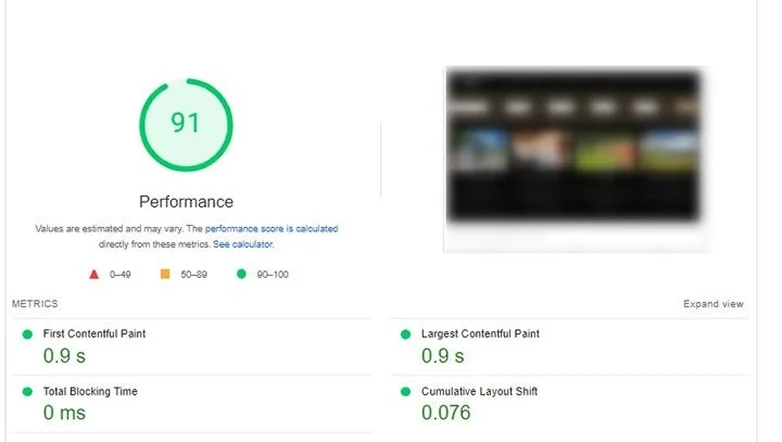
Many portfolio websites look beautiful but feel frustratingly slow.
This mostly happens due to theme overload. A portfolio website, no matter whose, is mostly filled with high resolution images, complex animations, multiple sliders, complex page builders and large image scripts as well as tons of (unused) plugins.
And these are the features that creatives rarely need.
When a theme is poorly optimized, it loads extra CSS, JavaScript, and design elements even when your page doesn’t use them.
The result?
- Slower loading times.
- Poor mobile performance.
- Lower search visibility.
- Visitors leaving before seeing your work.
A fast portfolio WordPress theme solves this problem with performance-first design. Lightweight themes use clean code, minimal scripts and optimized layouts so your portfolio loads within a blink of an eye.
That means visitors can focus on what matters most – your work.
What Creatives Actually Need From a Portfolio WordPress Theme

Not every WordPress theme works well for creative portfolios.
Designers, photographers, developers and illustrators need themes that highlight their projects with no distractions.
That’s why I recommend you to go with only the best portfolio themes that focus on clarity, speed and flexibility, rather than just dumping hundreds of features you may never need or use.
A good portfolio theme should help you:
- Showcase projects visually.
- Load pages quickly.
- Customize layouts easily.
- Look professional on all devices.
Let’s look at the key things creatives should prioritize when choosing a portfolio theme.
Your Work Should Be the Star
A portfolio website exists for one reason: To showcase your work.
Unfortunately, many WordPress themes add so many design elements that they distract from the actual projects. Large banners, flashy transitions and complicated layouts can make the site feel cluttered (Plus, unprofessional which can lower credibility).
The best portfolio themes use clean layouts that highlight your projects clearly.
Look for features like:
- Grid or masonry project layouts.
- Large image displays for visuals.
- Simple typography.
- Minimal design distractions.
Speed Matters More Than Fancy Effects
Fancy animations sure appear impressive, but they most of the time slow down your portfolio website.
Creative portfolios already rely heavily on images, videos and design files. And if the theme also adds heavy animations or scripts, the site can become painfully slow.
Fast loading websites improves your:
- User experience.
- SEO performance.
- Client trust and professionalism.
The fastest portfolio WordPress themes prioritize lightweight code and optimized designs.
Afterall, in most scenarios, simple and fast beats flashy and slow.
Flexibility Without Coding
Most creatives want control over their portfolio design. But not everyone wants to write code.
Thus a good portfolio theme is what makes customization easy through built-in tools or compatibility with popular page builders.
Go for themes that allow you to:
- Customize colors and typography.
- Adjust portfolio layouts.
- Add project pages easily.
- Change sections without touching code.
This flexibility lets you design a unique portfolio without spending hours learning technical settings.
Mobile Matters More Than Ever
With over 60% of global web traffic (Over 6.9 billion owning smartphones)coming from mobiles in 2026, mobile-first designs are a must.
If your theme isn’t optimized for new smart phones, several problems can appear:
- Images may not scale properly.
- Layouts can break on smaller screens.
- Navigation becomes difficult.
- Pages load slower on mobile networks.
The best WordPress portfolio themes use responsive design so your portfolio looks great on every screen size.
When your website works smoothly on mobile, visitors can explore your projects anywhere, and that increases the chances of turning them into clients.
Now that you know what makes a great portfolio theme, let’s explore some of the fastest and most reliable portfolio WordPress themes creatives are using in 2026.
8 Fast Portfolio WordPress Themes Creatives Love in 2026
1. Astra – The Reliable Portfolio Theme Almost Every Creator Starts With

With over 2.3 million active installations, Astra is a top-tier WordPress portfolio theme for beginners and creators. Thanks to its speed, ease of use and extensive customization options, you need zero coding skills to design your portfolio your way.
Highlights of Astra
- Lightweight with the base size of less than 50kb
- Optimal loading – less than 0.5 seconds
- High performance due to clean code
- Full responsive portfolio templates
- 300+ pre-built websites templates
Price:
- Free version available
- The Pro starts from $69/Year and $319/one time
2. GeneratePress – The Speed-First Theme for Creatives Who Hate Slow Websites
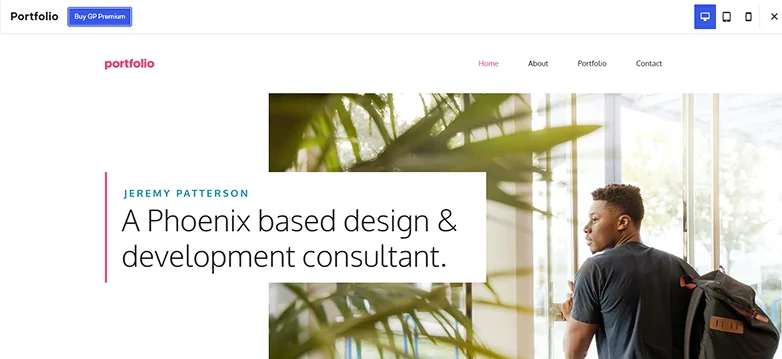
GeneratePress is another best WordPress portfolio theme for creatives and developers who love minimal footprint and modern designs. This best portfolio theme is ultra lightweight with high performance to provide you with a fast and secure foundation for your WordPress portfolio website.
Standout Features of GeneratePress
- Minimal footprint, weighting less than 10kb (gzipped)
- Zero code dependencies so no more “render-blocking” errors that slow down sites.
- High speed score near perfect (up to 100%) on Google PageSpeed Insights and GTmetrix.
- Block-based theme builder
- 80+ starter sites with 200+ patterns
- Advanced hook system and local font library
Price:
- Free version available
- The premium starts from 59/Year
3. Minimalio – A Clean and Minimal Portfolio Theme That Lets Your Work Speak
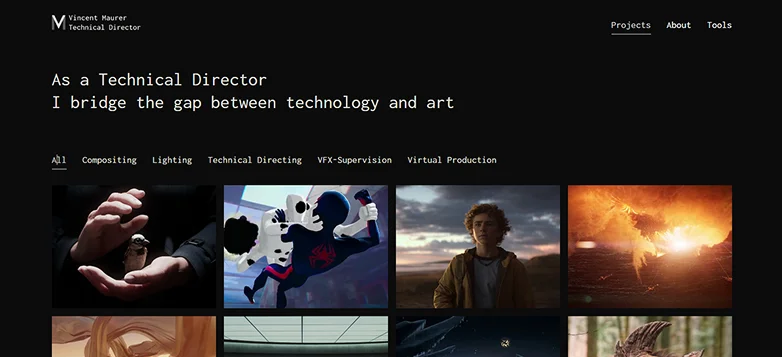
If you are looking for a lightweight WordPress theme, especially designed for portfolios, Minimalio is the one. It is one of the fastest WordPress portfolio themes I’ve come across that delivers both – excellent speed and mind-blowing designs for portfolios. Means you are getting the best of both sides, speed plus beautiful portfolios.
What You’ll Love About Minimalio:
- Lightweight
- Fast loading under 1 second
- Fully responsive
- Compatible with page builders such as Elementor, Beaver Builder, Gutenberg, and more.
- Custom portfolio post type.
Price:
- Free core theme
- The premium theme starts from $29/Year and $79 for lifetime.
4. Kadence – The Modern Designer’s Choice for Flexible Portfolio Layouts

Kadence is the most lightweight and flexible WordPress themes for portfolios. What I liked is how easy to use this theme is with Gutenberg editor. Best of all, you can fully customize it your way with advanced header, footer builder and extensive colors plus font settings.
Key Things to Know About Kadence:
- Drag and drop header and footer builder
- Block-based system for galleries, advanced rows and responsive designs
- Highest speed score (Mobile PageSpeed 100)
- Fastest loading time around 426ms in benchmarks
- Smoothly integrates with WooCommerce if you’re planning to sell your services via WooCommerce.
Price:
- Free version available
- The premium starts from $69/Year
5. Kalium – A Creative Portfolio Theme Built for Visual Storytelling
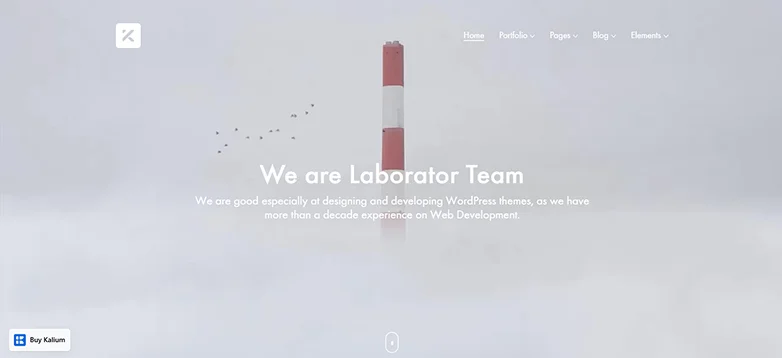
Kalium is a premium WordPress theme for professional creatives. It’s the best-pick for those who want to highlight visual storytelling through their portfolio layouts. What made it stand out the best was Kalium integrates with many premium plugins such as WooCommerce, Elementor, Yoast SEO, Contact Form 7, MailChimp, Polylang and more.
Things that will make you love Kalium:
- Unique portfolio types with endless styles
- Amazing header builder
- Ultimate Font manager with over 17000 fonts
- Optimized for SEO and speed with over 100 mobile
- Works perfectly with Gutenberg, Elementor and WPBakery
- Full visual editing
Price:
- No free theme
- The Kalium WordPress theme portfolio starts from $59/Year and $199 / One-time.
6. Neve – A Fast and Beginner-Friendly Theme for Freelance Portfolios
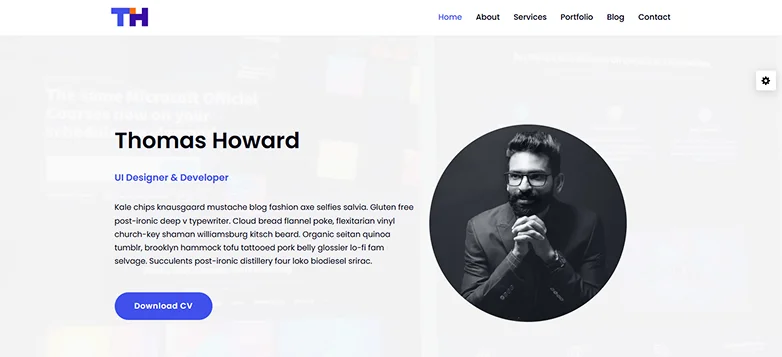
Neve is another great and well-known free WordPress portfolio theme. Although it also has a premium version, the free version itself is more than enough for many freelancers and hobbyist portfolios. Plus, it’s also flexible and easy to use even for non-tech users and beginners who just started getting the hang of WordPress.
Top Features of Neve:
- Built-in portfolio support with grid layout and project filtering
- One-column/full-width WordPress portfolio templates
- Fast WordPress theme with over 99 to 100 PageSpeed Insights Mobile.
- Lightweight code under 50kb
- Easy customization options
Price:
- Core theme free
- The premium theme starts from $69/Year
7. Creative Minimalist – A Stylish Theme for Showcasing Creative Projects
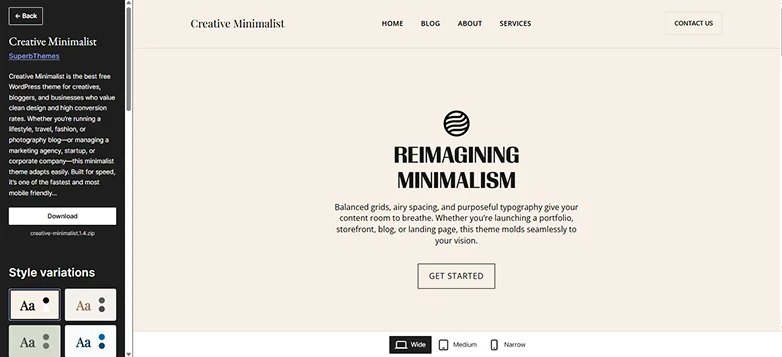
Creative Minimalist is truly one of the best free WordPress portfolio themes for creatives, bloggers and businesses who want stylish and high conversion portfolios. However, don’t forget it’s a child theme of Bakery and Pastry by SuperbThemes.
Built for speed, it’s one of the fastest and mobile-first themes. And what I liked the most is it works smoothly with page builders such as Gutenberg, Brizy, Elementor, Visual Composer and Divi Builder.
Creative Minimalist’s Key Highlights:
- Amazing block editor patterns and styles
- Fully customizable
- WooCommerce, AdSense, affiliate banners and Schema markup ready
- Awesome blogging tools and dark mode fir writers
- Easy to use
- Perfect pick for photography, fashion, travel blogs, or agency sites.
Price: 100% free to go!
8. OceanWP – Most Flexible Portfolio Theme for Agencies and Large Portfolios
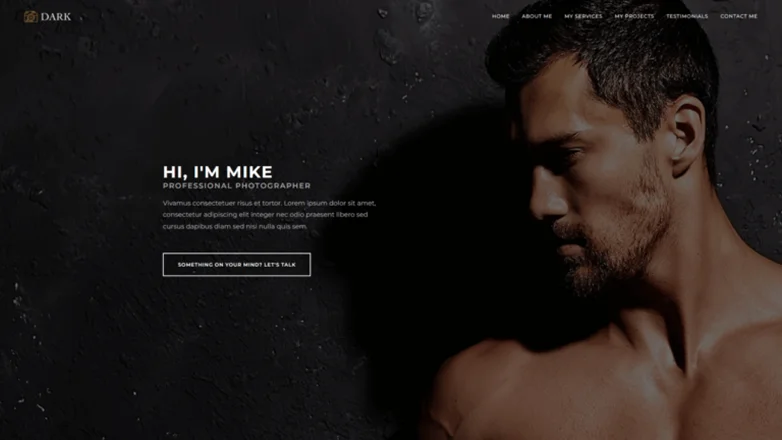
OceanWP is one of the best portfolio WordPress themes for being highly versatile and fully customizable. This theme is fully customizable as well as responsive across all devices I’ve tested – smartphone, tablet, and laptop. And thanks to its high-quality code, all the options work seamlessly for a great user experience.
OceanWP At a Glance:
- Over 240+ templates for Elementor and Gutenberg
- Popup builder and custom post types
- Effortless customization and endless styling options
- SEO friendly and SEO ready
- Works perfectly with most popular plugins such as LearnDash, LiterLMS, WooCommerce, EDD and more.
Price:
- Free version available
- The premium plan starts from $35/Year.
Quick Reality Check: Free vs Premium Portfolio Themes
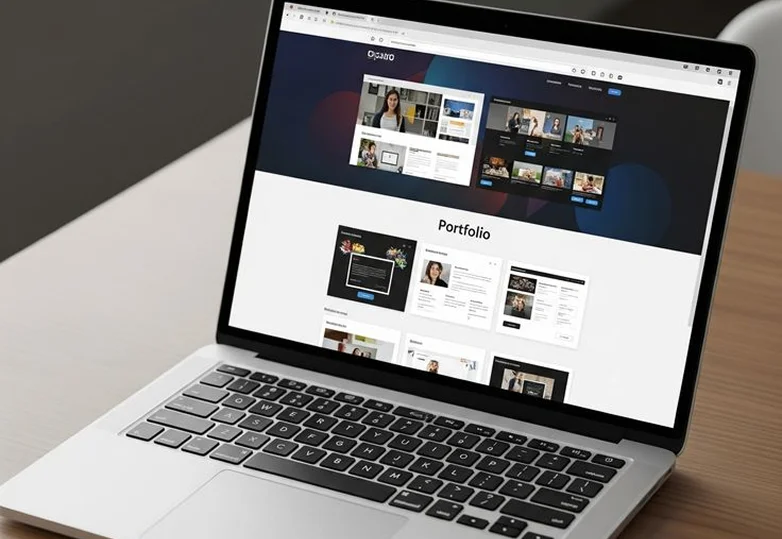
Not every creative needs a premium theme. In most cases, free portfolio WordPress themes are more than enough to make a fast and professional portfolio site.
The real difference always comes down to design flexibility and advanced features.
| Feature | Free Portfolio Themes | Premium Portfolio Themes |
| Cost | Completely free to use. | Paid license (one time or yearly). |
| Design Options | Basic layouts and limited customization. | Advanced layouts, animations, and portfolio styles. |
| Portfolio Templates | Few starter templates. | Large collection of ready made portfolio demos. |
| Support | Community forums or documentation. | Dedicated support from theme developers. |
| Updates | Regular but limited. | Frequent updates with new features. |
| Best For | Beginners, freelancers, small portfolios. | Agencies, photographers, and advanced portfolios. |
How to Pick the Right Portfolio Theme (Without Overthinking It)

The best way to pick the right portfolio theme right away always boils down to matching your work style, skill level and goals without endless trial and error.
There are chances you love a theme at first sight but not later. Thus, always start with your priorities such as speed, ease of use and budget.
- Define your needs and creative type: Photographers need galleries while agencies look for filters and extensions, and on the flip side, minimalists seek straight up designs and speed.
- Check Core Criteria: I suggest you to go with a theme that loads in less than 1s and has 90+ PageSpeed. Also, your budget matters too.
- Customization: Always go with a theme that gives you full freedom with no code to design your portfolio your way.
- Support: Let’s hope you won’t need it but it’s still always best to have a backup in case your premium theme doesn’t work.
Before You Install a Portfolio Theme, Do These 3 Things

Installing a theme is easy, but preparing your portfolio properly makes a big difference in how professional your website looks.
Organize Your Best Work First
Never upload everything at once. Choose your best 6–10 projects first because a focused portfolio always looks best.
Optimize Your Images
Large images can slow down even the fastest themes. Thus, always compress images before uploading them to WordPress.
Note: If you’re thinking I can only use optimized images rather than going for a whole new theme just for speed, forget it. For achieving the best speed, you need both – Optimized images + fast WordPress theme.
Decide Your Portfolio Layout
Think about how you want to present your work:
- Grid galleries.
- Case study pages.
- Project showcases.
Planning this in advance makes setting up your portfolio much easier.
Final Words
In a nutshell, the best portfolio WordPress themes are the ones that help your work shine. Plus, the one that never makes your visitors stare endlessly at the endless loading buffer screen.
The key is to choose a WordPress portfolio theme that aligns with your:
- Creative style.
- Portfolio goals.
- workflow.
When the portfolio theme stays lightweight and beautiful at the same time, your projects naturally take center stage!
Related Articles: