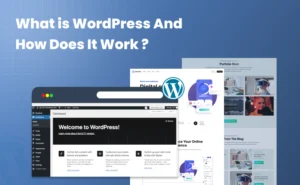

If you’re new to WordPress, chances are you’ve already asked yourself, “What is a WordPress theme, and how do I choose the right one?”
Many new WordPress users and beginners mistakenly think a theme is just about design, yet it’s not.
A WordPress theme controls how your site looks, feels and works but choosing the wrong one can slow your site down, limit customization or even hurt conversions.
In simple words, your WordPress theme is the complete foundation of your website experience.
Whether you’re building a blog, business site, online store or membership site, the right WordPress theme can boost its speed, SEO and user engagement. On the flip side, choosing the wrong one can silently cost you both traffic and sales.
That’s why, we’ll explain everything in the simplest words possible so you can understand what exactly is a WordPress theme and its types. In the end of this article, we are sure you can confidently pick a WordPress theme that actually works for your website.
What Is a WordPress Theme?
A WordPress theme shows the design of your website. It is a collection of design files that controls how your website looks and feels. From layout, colors, fonts, menus to overall structure, you can control everything.
In simple terms, a WordPress theme decides how your content is displayed, not the content itself.
You can think of it like this:
- WordPress site= A person.
- WordPress Theme = The clothes worn by that person.
The first impression is the last impression. You meet tons of people everyday but a few catch your eye before even talking. It’s because of their outfit most of the time. It doesn’t change who that person is, but it sure gives a good first impression. And sometimes, a good first impression is all you need.
The same way, when you install a WordPress theme, it instantly changes your site’s appearance without affecting your posts, pages or data.
What Does a WordPress Theme Control?
A WordPress theme manages the visual and structural parts of your website such as:
- Page layouts (homepage, blog, product pages, etc.)
- Typography and color schemes
- Header, footer and navigation menus
- Sidebar and widget areas
- Mobile responsiveness
- Basic design styling and spacing
Some modern themes also include built in customization options, templates and block patterns to help you design pages faster with zero coding.
However, you must keep in mind a WordPress theme doesn’t control everything. It can’t manage your:
- Website’s functionalities (online forms, memberships, payments) as you need WordPress plugins for that.
- SEO tools or performance optimization (Although it does affect it but never controls)
- Security or backup (We recommend using a good WordPress theme to avoid giving loophole to hackers and that’s it)
How Does a WordPress Theme Work?
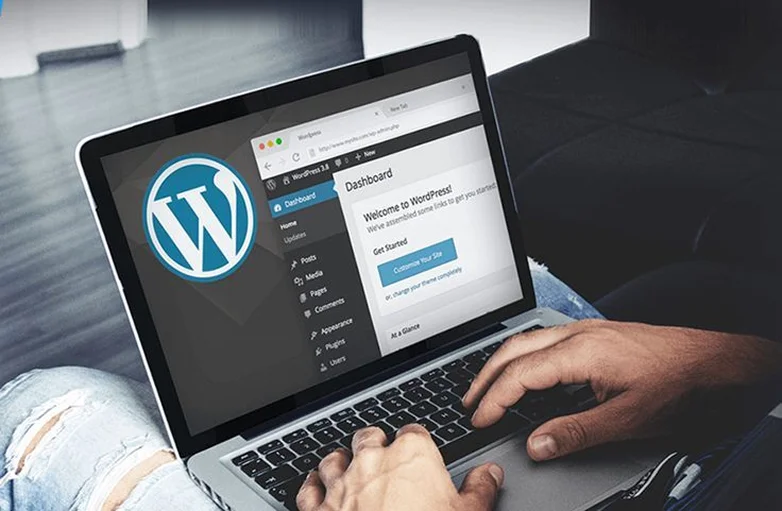
A WordPress theme is a folder of design files that represents how your website looks and feels without changing or affecting its content.
In simple words, think of it as a combination of files, templates and instructions that controls how your site looks to visitors – always picture perfect.
Here are the Core Components of a WordPress Theme:
- Template Files: Control the layout of different pages like your homepage, blog posts, product pages or archives.
- Stylesheets (CSS): Decide fonts, colors, spacing and the overall visual appearance.
- Functions (PHP): Adds dynamic features like menus, widgets and custom post types.
- JavaScript Files: Also lets you add interactive elements like sliders, popups or mobile menus.
- Images and Assets: Comes with icons, logos and theme specific graphics to complete the design.
Types of WordPress Themes (With Examples)

You’ll be surprised to know even WordPress themes have types. No one WordPress theme is the same as another, all have different features that make them standout and unique.
As discussed earlier, it’s just the same as clothes. Clothes have types such as party wear, casual dress or seasonal outfits. The same way, WordPress themes come with their own types too.
Let’s see what we have to dress up our website to steal the spotlight right away:
Block Themes vs. Classic Themes
Block themes are great if you want simple drag and drop control over your site. On the other hand, Classic themes are perfect if you prefer stability and time tested themes.
Block Themes
- Built for the new WordPress Block Editor (Gutenberg).
- Offer full site editing, letting you design headers, footers and templates using blocks.
- Highly flexible, easy to customize without coding.
- Examples of block based WordPress themes are Twenty Twenty-Three, Kadence Blocks, Blocksy.
Classic Themes
- Designed for the older WordPress editor.
- Deep customization needs theme options panel or page builders.
- Stable and popular choice however is less flexible for full site editing.
- Popular classic WordPress themes are Astra, OceanWP and GeneratePress.
Multipurpose vs Niche Themes
While Multipurpose themes give you full freedom and flexibility, Niche themes save time with industry specific designs and features.
Multipurpose Themes
- Designed to work for any type of website.
- Highly flexible with many templates and page layouts.
- Examples: Astra, Divi and Avada.
Niche Themes
- Built specifically for a certain type of site or industry.
- Faster setup with pre-built layouts for your niche.
- Examples: Storefront (eCommerce), Education LMS Theme and Real Estate Pro Theme.
Free vs Premium WordPress Themes
These are not types of WordPress themes, but more like options. All types of WordPress themes we have discussed so far will never be completely free.
Now we are not saying there aren’t any best free WordPress themes. There sure are, but if you are looking for a premium feeling, advanced features and tons of third party integrations, you sure gotta pay a good buck.
Free Themes
- Available in the WordPress.org repository.
- Budget friendly so perfect for small blogs or personal sites.
- Basic features with limited support.
- A handful of best free WordPress themes are Astra Free version, Neve Free version and Twenty Twenty-Three(WordPress’s default theme).
Premium Themes
- Advanced customization, built-in templates and premium support.
- Great choice for business sites, online stores or professional websites.
- Most paid WordPress themes are SEO friendly, high performance and works smoothly with page builders.
- Best premium or paid WordPress themes are Divi, Avada, Enfold and GeneratePress Premium versions.
How to Choose A WordPress Theme for Your Website?
Thinking about how to pick a WordPress theme that suits your site the best? You are in the right spot!
Let’s say, you can think of it like shopping for the perfect outfit, it should fit your style, your goals and your audience.
Thus, here’s a step by step way to for shortlisting and picking the right WordPress theme:
1. Define Your Website Goals

Before looking for your best-fit WordPress themes, ask yourself:
- Is this theme for a blog, business site, portfolio or online store?
- Do you need membership features, course support or e-commerce integration?
The reason for asking such questions is simple. If you’re planning to make a niche-specific site such as for a cafe or spa, going for a niche-specific theme is the best idea.
Your theme should match your site’s purpose, or you’ll spend more time customizing than creating content.
2. Check for Mobile Responsiveness

Over 60% of web traffic comes from mobile devices and our smart phones only. Thus, your theme must look great on any screen it appears. Whether it be a tablet, old version phone, or flip phone.
That’s why, always look for responsive designs and try to test the free version of themes on mobiles and tablets firsthand.
Bonus: mobile friendly themes usually rank better in Google search.
3. Evaluate Customization Options
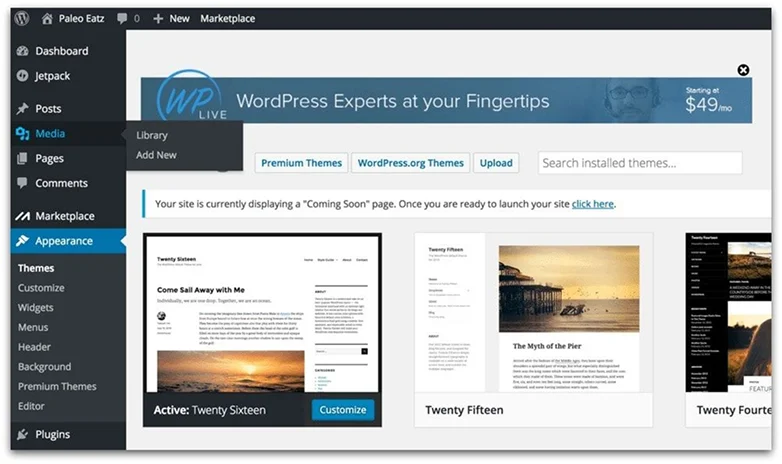
Not all themes allow the same level of control. So, you should always look for the WordPress theme that comes with:
- Built-in Theme Customizer or block editing support
- Color palettes, fonts and layout options
- Compatibility with page builders like Elementor or Gutenberg
- Flexibility makes your site grow without switching themes later
4. Performance & SEO Optimization

A beautiful theme is useless if it slows down your site or hurts SEO. That’s why we always recommend to look for a WordPress theme which is:
- Lightweight with fast loading code
- SEO friendly markup and schema
- Clean and minimal code with no unnecessary bloat
Fast and SEO ready themes always boosts your user experience, rankings and conversions.
5. Consider Plugin Compatibility
Your theme should work seamlessly with essential WordPress plugins like:
- eCommerce: WooCommerce, Easy Digital Downloads
- Membership/LMS: ARMember, LifterLMS, LearnDash
- Forms: ARForms Gravity Forms, NinjaForms
Thus, you must always check the theme documentation or demo to confirm integration support.
6. Free vs Premium: Weigh the Options
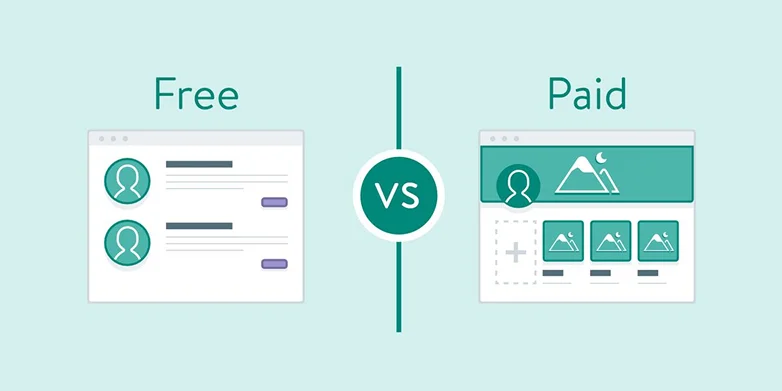
Free themes are perfect for testing or small projects. However, we simply can’t turn an blind eye to the advantages of premium themes. Most premium themes offer advanced features, templates and professional support which is actually great for businesses or serious blog sites. Plus, they also give off those premium vibes when they go live.
7. Check Ratings, Reviews, and Support

A theme might look pixel-perfect there are many other factors to consider beforehand, especially when you are paying for a theme.
You’ve to ask and check:
- How frequently is this WordPress theme updated?
- Are bugs fixed quickly?
- Does the developer provide active support?
Trust me these factors will save you from headaches in future and make your website more secure.
Most premium themes let you preview live demos. Interact with them, check responsiveness, and see how intuitive the customization options are, so it’s the closest thing to “trying it on” before committing.
Think of it as trying out a dress to see how it feels, fits and looks. After getting out of the trail room, you can decide whether it’s worth it or not.
Final verdict: Which WordPress Theme is best?
And that’s it!
Till now, we hope you’ve got a complete idea of, “What is a WordPress theme?” and “How to pick the right WordPress theme that suits your site the best?”.
WordPress themes are a collection of design files that controls how your site looks, feels and works. You can control everything from layout, colors, fonts, menus to overall structure of your site.
However, there is no “one-size-fit” for all WordPress sites when it comes to picking the best WordPress theme. Still, there are sure some best WordPress themes worth your time such as:
- Astra: Best all-arounder multipurpose theme
- GeneratePress: Best minimalist WordPress theme for speed & performance
- Storefront: Great for online stores and eCommerce sites by WooCommerce
- Sydney: Best choice for business and professional websites
- Kadence WP: Popular for its perfect mix of aesthetic, features and performance
At the end of the day, choosing the right WordPress theme is about matching your goals, design preferences and functionality needs.
Take your time, test demos, install free versions and pick a WordPress theme that will grow with your website, not hold it back.
FAQS
Here are the things and factors to keep in mind when picking the right WordPress theme for your site:
-Responsiveness
-SEO friendly
-High performance and speed
-Deep customization options
-Regular updates
-Easy to understand documentation and reliable support
-User reviews and ratings
WordPress themes is a folder of files that allows you to define your website’s look, feel and all over functionality. It comes with templates, stylesheets, scripts and images to enhance the design of your website.
Here are the best WordPress themes for your site:
-Astra
-Sydney
-Divi
-Neve
-Kadence WP
The two types of WordPress themes are block themes and classic themes. Block Themes is a modern WordPress theme for Full Site Editing and blocks for full customization. Meanwhile, Classic themes are traditional WordPress themes with PHP templates and WordPress customizers.
No, you can’t use WordPress without a theme. The core WordPress must need a theme to render your content such as posts, pages or images on the front end. Even when you first install WordPress, there’s still WordPress default theme activated.