You could have the best eCommerce products, the smartest SaaS solution or the most insightful blog, but none of it matters if nobody visits your website. Traffic puts your content in front of people, brings potential customers to your business and creates more opportunities for conversions.
However, in 2026, AI is taking over the internet. Thus, it’s also changing how people discover information, data and products online. As a result, a lot of websites have seen a massive drop in their organic search traffic.
According to First Page Sage’s 2026 Report, overall organic search traffic volume dropped by 24.8% across tracked sites heading into late 2026. The worst part? Media and publishing websites have been hit the hardest, suffering organic search traffic declines between 38% and 47.8% year-over-year.
And the situation gets even worse. When Google AI Overviews appear on a search results page, the click through rate for the #1 organic result drops by 58% (falling from ~17.8% down to ~7.4% on desktop, per DataForSEO.
If you’re reading this, we assume you’re already a victim of AI or other competitors taking your organic traffic. But losing organic traffic doesn’t mean losing your audience.
In this guide, we’ll show you how to get more traffic to your WordPress website, increase your website’s authority and attract meaningful traffic.
Summary Comparison
If you don’t want to scroll till the end, here’s a quick snapshot of all the time-tested website traffic strategies to increase your WordPress site traffic.
Worth mentioning that this framework is just a basic idea that worked for us. Just because this plan worked for us, doesn’t mean it’s going to work within the same time period for you. How each strategy works depends on how much effort you have in implementing it smartly.
| Strategy | Time to See Results | Effort Level | Best For |
| AI / GEO Optimization | 1-3 Months | Medium | Informational blogs & tutorials |
| First-Hand Experience | 2-4 Months | High | Reviews, SaaS, & niche authority sites |
| Content Refreshing | 2-6 Weeks | Low | Established sites with older posts |
| Long-Tail SEO | 2-5 Months | Medium | New websites competing against giants |
| Short-Form Video | Immediate – 1 Month | High | Visual niches, lifestyle, & B2B |
| Email Newsletters | Immediate (once built) | Medium | Building loyal, repeat visitors |
| Community Engagement | Immediate | Low | Driving targeted, high-intent clicks |
To make it easy for you, we’ve divided all the best possible ways into two categories. You can decide on which to work first based on whether you want long term traffic or instant short-term traffic. You’re also free to use all ways step-by-step.
Category 1: Search & AI Visibility (Long-Term Traffic)
1. Optimize for AI Overviews & Generative Search (GEO)

If you have a blog or newsletter website, optimizing a WordPress site for AI overview and Generative Engine Optimization (GEO) means structuring content so AI search engines (like Google AI Overviews, ChatGPT Search and Perlexity) can easily extract, verify and cite your answers.
Back then, most SEO only meant traditional keyword repetition. But now, AI takes content from clear and authoritative sources that directly answers specific user questions.
Write short, clear and direct answers and step-by-step explanations right below clear H2 and H3 headings, so AI models can lift exact facts without wading through fluff. In short, the goal is to spoon-feed your content to AI, so it can show your content or products as a result.
Besides, you can use structured lists, comparison tables and scannable sections to organize key takeaways, while backing claims with concrete data, real benchmarks and first-hand experience that generic AI summaries cannot replicate on their own.
Especially for WordPress blogs websites, make sure you have a clear author name and bio.
2. Double Down on First-Hand Experience (E-E-A-T)

Google wants to show people content that is helpful and reliable and created with real experience. And this becomes even more important when AI can generate hundreds of articles on almost any topic within minutes.
Just think about it. If someone searches on Google or any other search engine (Well, mostly 90% Google) for the “best WordPress booking plugins”, do they really need another article listing the same features copied from plugin websites? Um…Probably not. They want to know which plugin actually works well, what its limitations are, how easy it is to set up and whether it is worth paying for.
That’s why first-hand experience matters. Have you ever bought a product without reviews? or hearing about it from someone you know, be it your friend, neighbour, business partner or family. You believe a piece of information because you believe the person delivering it. That’s the halo effect.
Because you already have a positive, trusting impression of a friend, neighbor or family member, that positive feeling spills over onto whatever product or data they share.
Let’s say you are writing a product review, test the product before recommending it. Also, if you are explaining a WordPress feature, try it on your own website. Share screenshots, actual results, setup problems and things you learned while using it.
Besides, you can also:
- Real examples. Show how you used a tool or applied a particular strategy.
- Original screenshots. Add screenshots from your own testing – not just stock images. How else are you supposed to gain people’s trust?
- Honest observations. Explain what worked, what didn’t and where users may face difficulties.
- Author information. Add a clear author bio that explains your experience and expertise.
No doubt, this takes more time than simply collecting information from other websites. But it gives readers something they can’t get from another generic article.
After all, people don’t just want information; they want to know whether they can trust it.
3. Refresh and Consolidate “Decaying” Content

Have you ever published a blog post, watched it rank well on Google for a few months….and then noticed its traffic slowly declining? Well, this is quite common.
Search intent changes, competitors publish better content, statistics become outdated and Google updates its search results. Even a well performing article can lose its position over time.
So, rather than publishing new articles every week, take some time to review the content you already have.
Start with Google Search Console. Open the Performance report, compare the last three months with the previous period and look for pages that have lost clicks or impressions. Plus, you can also check which queries are bringing traffic to those pages.
After you find a declining article, don’t immediately rewrite the entire thing. First, understand why it has lost traffic.
Sometimes, however, the problem is not outdated information. You may have several articles targeting almost the same keyword or search intent. In that case, consider combining them into one more complete resource.
Apart from that, a few things you can review while updating old content:
- Replace outdated statistics, pricing, screenshots, and examples
- Combine overlapping articles when they serve the same search intent
- Add missing information based on what people are searching for today
- Remove sections that no longer help readers
- Improve internal links to relevant pages on your website
Your solo goal is to make meaningful improvements that ACTUALLY help readers or buyers.
4. Master Programmatic & Long-Tail SEO
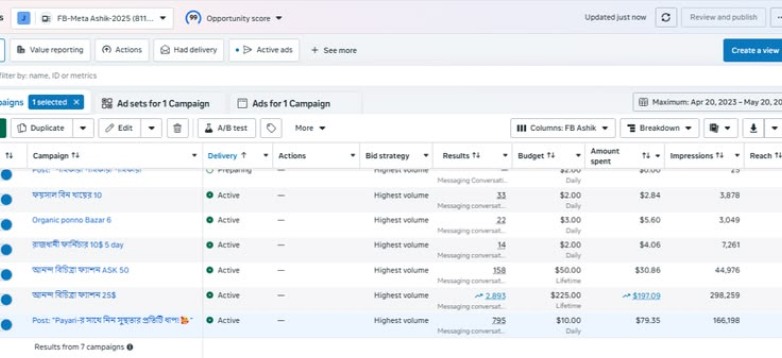
Trying to rank for broad keywords like “WordPress hosting” or “SEO plugins” can be difficult when your website is competing with established brands.
But….what if you target more specific searches?
Allow us to explain. If someone searching for “cute outfits for girls” is probably still exploring their options. But, someone searching for “Cute winter outfits for girls to wear in the city” already has a more clear requirement.
These specific searches are known as long tail keywords. They mostly have lower search volume but they can attract visitors who know exactly what they are looking for.
So, what can you do? Start by finding the questions and problems your target audience searches for. Google autocomplete, People Also Ask, Search Console and keyword research tools – all these exist to discover these kinds of queries.
You can then create useful content around them. For a WordPress website, this could include:
- Tutorials for specific WordPress problems
- Comparisons between two plugins or tools
- Solutions for particular industries or business types
- Location specific service pages
- Answers to common questions about a product or feature
On top of that, you can also use programmatic SEO when your website has a large number of similar pages to create.
Just don’t forget simply replacing a few words in the same template won’t work. Each page must have information that is actually relevant to that audience.
So, focus on creating pages that answer specific searches rather than producing hundreds of nearly identical URLs. A smaller collection of useful pages is much better than a large collection of pages that offer nothing new.
Category 2: Active Distribution & Community (Immediate Traffic)
Search engines are not the only place where people discover websites; your potential readers are also already spending time on YouTube, Instagram, Reddit, LinkedIn or their email inbox.
So why wait for them to find your latest blog post through Google?
Take your content to the platforms where your audience is already active. These strategies can help you bring visitors to your website without depending entirely on organic search rankings.
5. Turn Every Blog Post into Short-Form Video

Not everyone wants to read a 2,000-word article to find an answer. Some people would rather watch a 30 second video (Like reel, Tiktok, YT Shorts and more) that explains the same thing.
This is one reason short form videos are popular among new generations (Well, short attention span is another reason, but we’ll not dive into psychology today).
You don’t have to create a complete new topic for every video either. Your existing blog posts already contain plenty of ideas that you can turn into short videos.
For instance, you have written an article about improving WordPress website speed. Then, you can create separate videos explaining how to compress images, remove unnecessary plugins or enable caching.
Furthermore, you can publish these videos on YouTube Shorts, Instagram Reels and TikTok. Simply add a relevant link to your full article in the platform’s available link section or profile so interested viewers can explore the topic further.
But…don’t just read your blog post aloud in front of a camera. Nobody needs that. Pick one useful point from the article and explain it in a simple way. You can use screen recordings, short demonstrations, captions or voiceovers to make the video easier to follow.
One blog post can give you several short videos. And each video gives your content another opportunity to reach people who may never have discovered your website otherwise.
6. Build an Owned Audience via Email Newsletters

Social media platforms and search engines can change their algorithms at any time. One update can lower your reach even if you have spent years building an audience.
But your email list is different.
When someone subscribes to your newsletter, you get a direct way to reach them. No need to depend on another platform’s algorithm.
This is why email marketing is still a useful way to bring visitors back to your website.
Start off by adding a newsletter signup form to your website. You can then place it below blog posts, in the sidebar, as a small popup or anywhere where your visitors can see it. Just make sure visitors understand what they will receive after subscribing.
Suppose you run a WordPress blog, then you can offer subscribers:
- Your latest blog posts and tutorials
- Exclusive guides, checklists or downloadable resources
- Useful WordPress tips and resources
- Product comparisons and recommendations
After people subscribe, don’t send an email only when you want them to visit a new article. Share something useful in the email itself.
You can explain one tip, share a quick observation or highlight an interesting update before linking to the full article to give subscribers a reason to open your emails instead of treating them as another promotional message.
Moreover, make it easy for people to unsubscribe. A healthy email list is about reaching people who actually want to hear from you. And when you publish something new, you already have an audience you can reach with no middle platform or algorithm.
7. Engage in Niche Communities (Reddit, Quora, & Substack)

People are always asking questions online. They discuss problems, compare products, share recommendations and look for solutions in communities.
Luckily, your potential website visitors, be it a reader or buyer, are already part of these conversations.
Platforms like Reddit, Quora and Substack can help you reach them. But there is one thing to understand: simply dropping your website link into every discussion is not a traffic strategy.
Most communities don’t like that.
The smart thing to do is look for questions related to the topics you cover. Read the discussion, understand what people are asking and provide a useful answer based on your knowledge.
For instance, if you run a WordPress website, you can participate in discussions yourself about product conflicts, website speed, form builders, hosting problems or booking systems.
- On Reddit, find subreddits and contribute to discussions where you can genuinely help .
- On Quora, answer questions with clear explanations and examples.
- On Substack, you can publish useful notes, share your expertise and participate in conversations with writers in your niche .
You can link to your website when it adds more value to the discussion. For example, someone asks for a detailed tutorial and you have already written one that answers their question, sharing that resource makes sense.
But don’t make every answer about promoting your website. Some communities have strict self-promotion rules so read their guidelines before sharing links.
The idea is simple. Become a useful contributor first. Because when people find your answers helpful, they are more likely to visit your website and explore your other content.
Final Word
So….there you have it! Seven different ways to bring more visitors to your WordPress website in 2026.
One thing we want you to understand is that there is no magic button that can suddenly skyrocket your website traffic overnight. Some strategies like community engagement and short form videos can bring visitors quickly. Meanwhile, others like SEO, content refreshing and first-hand experience take time to show results.
The best approach? Never depend on just one traffic source!
Work on improving your existing content, make your website more visible in search results and take your content to platforms where your audience already spends time. And yes, keep an eye on your analytics to understand which efforts are actually bringing visitors.
After all, more traffic is good, but meaningful traffic is what helps your website grow.
Related Articles: