Getting your WordPress website to rank in search results takes more than publishing a few well-written articles. You need to take care of things such as XML sitemaps, meta descriptions, schema markup, internal links and a whole lot of other SEO details. And if you’re managing all of that manually, things can get complicated pretty quickly.
One of the first SEO plugins I came across when working with WordPress was Yoast SEO. It seemed to be everywhere and almost every WordPress SEO guide I read mentioned it. Thus naturally, I assumed it was the only plugin worth considering. But as I learned more about SEO and started exploring other plugins, I realized there was quite a bit more to choose from.
Rank Math, SEOPress, AIOSEO and The SEO Framework are just a few of the alternatives available. They all promise to make SEO easier, but they approach it in different ways.
If you’re looking for the best WordPress SEO plugin for your website, you’ve come to the right place. I researched and compared ten SEO plugins for WordPress, exploring their features, setup processes, and optimization tools to narrow it down to these ten options.
Here, I’ve focused on what each plugin does best, what you get with its free version, and when you might need to invest in a premium plan.
Quick Look: Best WordPress SEO Plugins Compared (2026 Edition
Pressed on time? No worries! Here are the best WordPress SEO plugins compared and ranked at a glance.
| Rank | WordPress SEO Plugin | Best For | Free Version | Premium Starting Price |
| 1 | Rank Math | All-in-one SEO tools. | Yes | $8.99/month |
| 2 | The SEO Framework | Lightweight, automated SEO. | Yes | $7/month |
| 3 | SEOPress | Flexible SEO and multiple websites. | Yes | $49/year |
| 4 | AIOSEO | Beginner-friendly SEO setup. | Yes | $49.50/year |
| 5 | Yoast SEO | On-page SEO and readability. | Yes | $118.80/year |
| 6 | Slim SEO | Automated SEO with minimal setup. | Yes | $59/year |
| 7 | SmartCrawl | SEO audits and WPMU DEV integration. | Yes | $60/year |
| 8 | Squirrly SEO | AI-powered keyword research. | Yes | $19.99/month |
| 9 | SEO SIMPLE PACK. | Basic metadata management. | Yes | No premium plan |
| 10 | ThinkRank SEO. | AI-assisted SEO and MCP integration | Yes | $49.50/year |
How We Test And Compare the Best SEO Plugins
There are plenty of lists of the best SEO plugins for WordPress, so what makes this one different?
I didn’t just go through their feature lists and repeat what their websites claim. I looked into each plugin’s core functionality, explored its free and premium versions and compared how it handles the different parts of WordPress SEO.
Besides, I’ve focused on the free and paid SEO plugins for WordPress, since you don’t always need a premium subscription to take care of the basics. Most of these SEO plugins offer enough functionality in their free versions to get started. You might only need to upgrade when you want access to more specialized features, such as advanced schema markup, local SEO tools, or automated link management.
The bottom line is that these plugins all help with SEO, but they don’t necessarily do it in the same way. As I compared them, here’s what I paid attention to:
- Setup. Unless you’re already familiar with WordPress SEO, getting started can feel a little overwhelming. I looked at how easy it was to install and configure each plugin, whether it offered a setup wizard, and if you could migrate settings from another SEO plugin.
- Ease of use. Having installed and configured a plugin, you don’t want to spend the next few hours figuring out where everything is. I considered how intuitive the dashboard was, how easily you could find important settings, and whether the interface was manageable for beginners.
- On-page SEO. You’ll also want something to help optimize your actual content. I checked how each plugin handles meta titles, meta descriptions, schema markup, content analysis, readability and other on page SEO factors.
- Technical SEO. Before worrying about individual blog posts, you’ll want to get the technical side of your website in good shape. I looked at features such as XML sitemap generation, robots.txt management, canonical URLs, redirects, and tools for figuring out the basic SEO issues.
- Extra features. The best SEO plugin for WordPress should ideally help you do more than just optimize page titles and descriptions. Thus I also looked at additional features such as local SEO, WooCommerce SEO, keyword tracking, analytics, internal linking, and integrations that extend the plugin’s functionality.
After comparing all these factors, I whittled the list down to ten WordPress SEO plugins. Here’s now what made the cut.
The Best SEO Plugins for WordPress (Ranked & Compared)
1. Rank Math
Rank Math is one of the first SEO plugins I’d consider if you’re looking for an all-in-one SEO toolkit for WordPress. It packs quite a few features into its free version, including on-page SEO analysis, XML sitemaps, schema markup, redirections and Google Search Console integration. You can also optimize your content for multiple focus keywords and get suggestions to improve your SEO score directly from the WordPress editor.
What I like the most about Rank Math is that it doesn’t stop at the usual SEO settings. It also offers features such as keyword rank tracking, advanced schema generation, analytics and AI-powered content tools in its paid plans. Thus whether you’re managing a personal blog or several client websites, there’s quite a bit to work with.
Notable features
- On-page SEO analysis
- Advanced schema generator
- XML sitemap generation
- Keyword rank tracking
- Google Search Console integration
- 404 monitoring and redirects
- AI-powered content tools
Pricing:
- Free version available
- The Pro starts at $8.99/month, billed annually (renewal price)
2. SEO Framework

If you prefer an SEO plugin that takes care of the essentials without filling your WordPress dashboard with unnecessary settings, The SEO Framework is worth a look. It automatically generates SEO titles and descriptions, manages canonical URLs, creates XML sitemaps plus adds structured data to your website. Besides, you get features such as robots.txt management and social metadata without having to set up everything yourself.
Unlike some of the more feature-heavy WordPress SEO plugins, The SEO Framework takes a fairly minimal approach. Its free version covers a lot of the basics, while premium extensions let you add features such as local SEO, content analysis and SEO monitoring when you need them.
Notable features
- Automatic metadata generation
- XML sitemap management
- Canonical URL management
- Structured data generation
- Robots.txt management
- Local SEO extension
- SEO monitoring
Pricing:
- Free version available
- The Pro starts at $7/month, billed yearly.
3. SEOPress
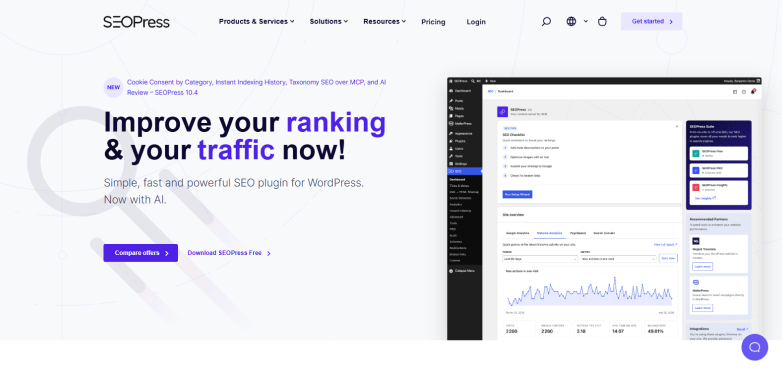
SEOPress is another best WordPress SEO plugin that gives you plenty of control over how your website looks in search results. You can manage meta titles and descriptions, generate XML and HTML sitemaps, configure redirects and add structured data.
The good news? SEOPress stands out for its approach to pricing and site management. The free version covers essential SEO tasks. And, the SEOPress PRO unlocks additional features such as advanced schemas, local SEO, WooCommerce SEO and more.
Notable features
- XML and HTML sitemaps.
- Advanced schema markup.
- Redirect management.
- Local SEO tools.
- WooCommerce SEO.
- Google Analytics integration.
- White-label options.
Pricing:
- Free version available
- The PRO starts at $49/year for one website.
4. AIOSEO
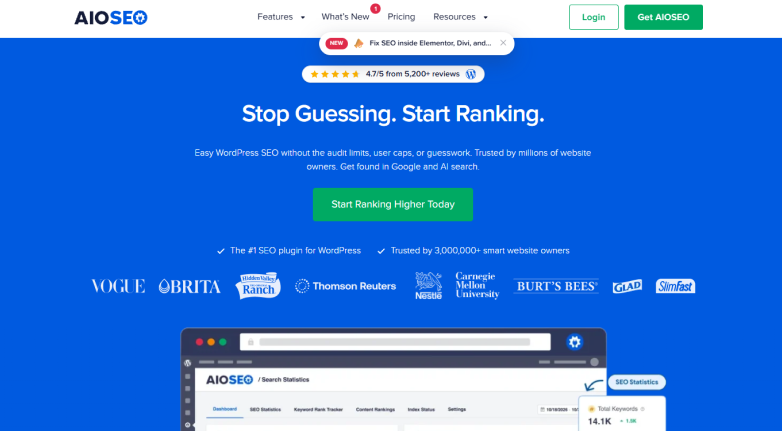
AIOSEO, short for All in One SEO, is a popular WordPress SEO plugin that aims to make website optimization easier, even if you’re not particularly familiar with SEO.
When I tested it, I realized it comes with a setup wizard that lets you set up your website’s SEO settings, alongside with the tools for managing meta title, descriptions, XML sitemaps, and schema markup.
The best part? You get TruSEO analysis which checks your content and gives you suggestions to improve its on-page optimization.
But AIOSEO offers quite a bit more than the usual SEO essentials. Depending on your plan, you can access features such as local SEO, WooCommerce SEO, internal link suggestions, redirect management and keyword rank tracking which makes it a useful WordPress SEO tool if you want to manage more of your website’s SEO directly from WordPress rather than relying on several separate tools.
Notable features
- TruSEO content analysis
- Smart schema markup
- XML sitemap generation
- Local SEO optimization
- Internal Link Assistant
- Redirect management
- Keyword rank tracking
Pricing:
- Free version available
- The Basic plan starts at $49.50/year (promotional first-year price; regular price $99/year).
5. Yoast SEO

Yoast SEO is probably one of the first names you’ll come across when searching for SEO plugins for WordPress. It’s been around for years and offers a simple way to manage your website’s on-page SEO. You can edit meta titles and descriptions, generate XML sitemaps, add schema markup and use its content and readability analysis to improve your articles before publishing them. Besides, it gives you suggestions for using your focus keyphrase naturally throughout your content.
Thus, if you’re looking for more than the basic optimization features, Yoast SEO Premium adds tools such as internal linking suggestions, redirect management, AI-powered optimization and access to the Yoast SEO Academy.
Notable features
- SEO content analysis
- Readability analysis
- XML sitemap generation
- Schema markup
- Internal linking suggestions
- Redirect automation
- AI-powered optimization
Pricing:
- Free version available
- The Premium plan starts at $118.80/year (excluding VAT)
So, these were the top 5 SEO plugins for WordPress. Now let’s check the rest.
6. Slim SEO

If you’re not a fan of complicated SEO settings and just want a plugin that takes care of the basics well, Slim SEO is worth considering.
It’s designed to automate most of the basic SEO tasks. Thus, you don’t have to spend time setting up every little detail. It automatically generates meta titles and descriptions, creates XML sitemaps, adds schema markup and manages breadcrumbs as well as redirects. Also, you can migrate SEO data from other popular plugins, including Yoast SEO, Rank Math and AIOSEO.
But Slim SEO isn’t limited to basic metadata and sitemap generation. Its Pro version adds a visual schema builder, contextual internal link suggestions, broken link monitoring, Google Search Console integration, and a writing assistant. Thus if you want a lightweight SEO plugin that handles most of the routine work automatically, Slim SEO is a good option.
Notable features
- Automatic meta tags
- XML sitemap generation
- Schema markup
- Breadcrumb management
- Automatic redirects
- Internal link suggestions
- Broken link monitoring
Pricing:
- Free version available
- The Pro starts at $59/year for one website.
7. Smartcrawl
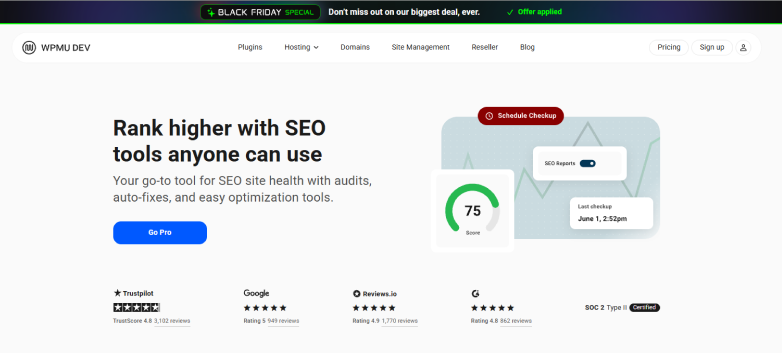
SmartCrawl is a WordPress SEO plugin from WPMU DEV that tries to balance useful optimization features with a fairly simple (but functional)interface I would say.
It comes with a one-click setup wizard, XML sitemap generation, meta title and description controls and real-time content analysis. Plus, you can always run SEO checkups to find issues with your website and get recommendations for improving its search engine visibility.
What makes SmartCrawl interesting is its integration with the wider WPMU DEV toolkit. You get features such as schema markup, redirects, breadcrumbs and Moz integration, while SmartCrawl Pro adds scheduled SEO audits, URL crawling, automatic linking, and location-based redirects. It’s particularly worth considering if you’re already using other WPMU DEV plugins to manage your WordPress websites.
Notable features
- One-click setup wizard
- SEO checkups and reports
- XML sitemap generator
- Real-time content analysis
- Schema markup builder
- 301 redirect management
- Moz integration
Pricing:
- Free version available
- The Pro access starts at $60/year through WPMU DEV’s Pro Basic membership (check current promotional pricing).
8. Squirrly SEO

Squirrly SEO takes a slightly different approach to WordPress SEO by combining traditional optimization tools with AI-powered keyword research and content recommendations.
Its SEO Live Assistant gives real time suggestions as you write, helping you optimize your content for your target keywords. On top of that, you get keyword research, SEO audits and Focus Pages which help you recognize the pages that need more attention and what you can do to improve their search performance.
But Squirrly SEO goes beyond the usual on-page optimization features. Its AI-powered ranking projections help you find the right opportunities and prioritize SEO tasks based on your website’s potential. Also, you can use its cloud-based platform to manage SEO for non-WordPress websites.
Overall, if you want more guidance than a typical SEO plugin provides, Squirrly SEO is worth exploring.
Notable features
- AI-powered keyword research
- SEO Live Assistant
- Focus Pages
- SEO audit suite
- Ranking projections
- Content optimization
- Advanced SEO analytics
Pricing:
- Free version available
- The PRO starts at $19.99/month, billed annually.
9. SEO SIMPLE PACK
Not every WordPress website needs a full fledged SEO toolkit. Sometimes you just want a simple plugin to manage your meta tags and social sharing settings.
That’s where SEO SIMPLE PACK comes in. This free SEO WordPress plugin lets you set up meta titles and descriptions, Open Graph tags, Twitter Cards and a lot more other basic SEO settings.
Best of all, unlike Rank Math or AIOSEO, SEO SIMPLE PACK doesn’t try to include every SEO feature under the sun. It’s more of a lightweight metadata management plugin. So, if you’re comfortable handling things like keyword research, content analysis, and technical SEO with other tools, it’s a simple free SEO plugin for WordPress that manages the basics well.
Notable features
- Meta title management
- Meta description settings
- Open Graph tags
- Twitter Card support
- No index settings
- Custom post type support
Pricing:
- Free plugin available
- No separate premium plan listed.
10. ThinkRank SEO
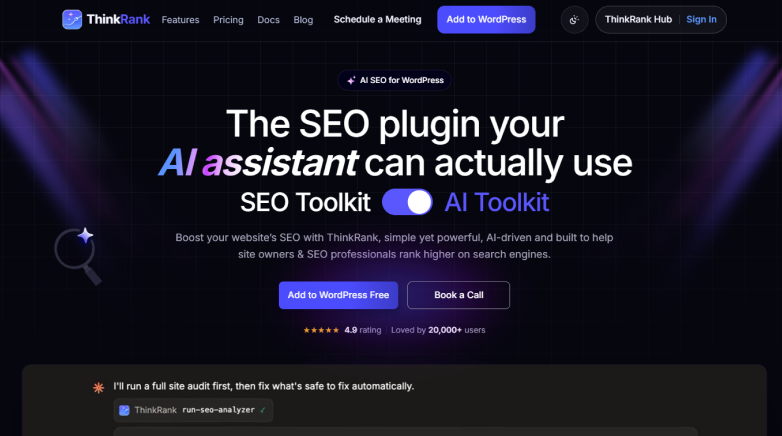
ThinkRank SEO is a newer WordPress SEO plugin that brings traditional SEO tools and AI-powered optimization together. Along with features such as meta titles, descriptions, XML sitemaps, schema markup and real-time content analysis, it comes with a built-in Model Context Protocol (MCP) server.
This lets you connect AI assistants such as ChatGPT, Claude and Cursor to your WordPress website and manage SEO tasks through natural-language instructions. Best of all, you can simply ask your AI assistant to generate metadata, review SEO issues or update schema. No need to constantly switch between different dashboard settings.
On top of that, ThinkRank also includes Google Search Console insights, an SEO audit tool, local SEO features and support for popular page builders. Its free version offers AI tools that work with your own API key, and ThinkRank Pro adds features such as rank tracking, AI-powered internal linking, redirect management and advanced schema controls.
Notable features
- AI SEO assistant
- Built-in MCP server
- Real-time SEO analysis
- Schema markup management
- XML sitemap generation
- Google Search Console insights
- AI-powered internal linking
Pricing:
- Free version available
- The Pro starts at $49.50/year for one website (promotional first-year price; regular price $99/year).
Final Word
Choosing the best WordPress SEO plugin really comes down to what you need from it.
If you’re looking for an all-in-one SEO toolkit, Rank Math, AIOSEO and SEOPress are the ones I would recommend personally because we’re also using them on our websites.
Yoast SEO is still a solid choice if you want simple content optimization, while The SEO Framework and Slim SEO make sense if you’d rather keep things simple.
There are also a few options worth looking at if you have more specific needs. SmartCrawl brings SEO audits and optimization tools into one place, Squirrly SEO puts more emphasis on AI powered guidance and keyword research and SEO SIMPLE PACK covers the basic metadata you need without trying to do everything. ThinkRank SEO is another option to explore if you’re interested in connecting SEO workflows with AI assistants.
One thing I would suggest you must keep in mind is that installing an SEO plugin won’t automatically improve your search rankings. You’ll still need useful content, a well-structured website, relevant keywords and a good user experience. The plugin simply helps you take care of many of the technical and on-page SEO tasks along the way.
Thus, before settling on one, think about how much control you want, which features you’ll actually use, and whether the free version covers your needs. There’s no point paying for a long list of features if all you really need is help managing titles, descriptions, and XML sitemaps.
Start with the best WordPress SEO plugin that fits your current website, and upgrade only when you have a clear reason to do so.
Related Articles: