
Before you create your WordPress website, you’re probably thinking about things like themes, plugins, and how it looks. But there’s one decision that really impacts how fast, secure, and reliable your site will be – your hosting.
Pick the wrong hosting, and even the best coded WordPress site can struggle with slow load times, crashes and security issues.
Choose the right one and your website will run smoothly from day one.
This is where WordPress hosting comes in. Now, it may sound a bit technical, yet WordPress hosting is simply a type of web hosting that’s set up to work perfectly with WordPress websites
It offers a server environment configured to increase your WordPress site’s speed, security and handle the platform more effortlessly compared to any generic hosting setups.
But here’s what confuses the most beginners:
- Is WordPress hosting actually different from regular web hosting?
- Is it just a marketing label?
- And more importantly: which type do you really need?
In this blog, I’ll explain what WordPress hosting is, why it matters, how it compares to regular hosting and exactly how to choose the best one for your website goals.
What is WordPress Hosting?

WordPress hosting is a type of website hosting to get your WordPress site online with ease. It comes with a server environment which is already configured for:
- High performance.
- Better security.
- Improved uptime.
- Smoother compatibility with WordPress features.
At its core, each and every site needs hosting. A website needs a place where its files, database and content are stored so visitors can access it online. WordPress hosting goes a step beyond this by specifically setting up the server to meet the unique needs of WordPress sites.
However, here’s the thing that many beginners miss:
WordPress can technically run on almost any hosting. But that doesn’t mean every host is designed to help it perform its best.
Think of it like running professional editing software on a basic laptop. It may work, but the experience will likely be slower, laggy and harder to manage.
WordPress hosting gets rid of that “lagginess” by creating an environment where WordPress can run smoothly.
This is especially valuable if you:
- Plan to grow your traffic.
- Care about website speed.
- Want advanced security.
- Prefer fewer technical headaches.
WordPress Hosting vs Web Hosting : What’s the Difference?

WordPress hosting is a type of web hosting but not all web hosting is for WordPress. The difference is how the server environment is configured and the level of platform-specific support you get.
Traditional web hosting has a wide range of websites, regardless of the technology they use. Whether a site is built with HTML, Joomla, Drupal or a custom framework, generic hosting lets you run them all.
WordPress hosting, on the other hand, is intentionally designed to meet the technical needs of WordPress only. The servers are set up to improve WordPress site’s performance, security and lower the manual work to maintain a WordPress site.
Think of it this way:
- Web hosting is built for compatibility.
- WordPress hosting is built for efficiency.
While both can get your WordPress site online, the experience of managing and growing that site can feel very different depending what hosting you choose.
Key Differences at a Glance
| Feature | Web Hosting | WordPress Hosting |
| Optimization | Supports multiple platforms. | Configured specifically for WordPress. |
| Performance | Standard server setup. | Often includes caching and performance tuning. |
| Security | General protections. | WordPress-focused security measures. |
| Updates | Usually manual. | Often automatic for core WordPress components. |
| Ease of Use | More control, but requires setup. | Much faster launch and management. |
| Support | Broad technical support. | Teams familiar with WordPress issues. |
So, Which One Should You Choose?
If you want full flexibility and don’t mind doing some technical setup, traditional web hosting can be a good fit.
But if your website is built completely on WordPress…and especially if performance, uptime and ease of management matter to you, WordPress hosting will definitely give you a smoother and more reliable experience.
It’s also worth clearing up a common misconception:
WordPress hosting is not always a separate product. Most of many popular hosting providers offer WordPress-optimized plans within their regular hosting packages.
The real decision isn’t about choosing a completely different technology. It’s about choosing an environment designed to help WordPress perform at its best.
Types of WordPress Hosting (Quick Decision Guide)

Picking the right WordPress hosting completely depends on your goals, traffic expectations, budget and technical comfort level.
Thus, here are the most common hosting types you’ll encounter in your WordPress journey, explained in a way that helps you decide fast, leaving no room for confusion.

Best for: Beginners, hobby sites and low-traffic blogs
Shared hosting is the most affordable entry point here. Here, multiple websites share the same server resources (CPU, RAM, bandwidth) which keeps costs low. Yet not to forget, you are sharing a single server with tons of other sites.
Pros
- Low price (cheapest option).
- Easy setup.
- Cost effective for new sites with limited traffic.
- Beginner friendly.
- Good support.
Cons
- Performance can slow real quick with traffic on other sites (“Bad Neighbor” Effect)
- Limited server resources
- Basic security and support
In short, it’s only a good pick if you’re just starting and don’t expect heavy traffic right away.
Managed WordPress Hosting
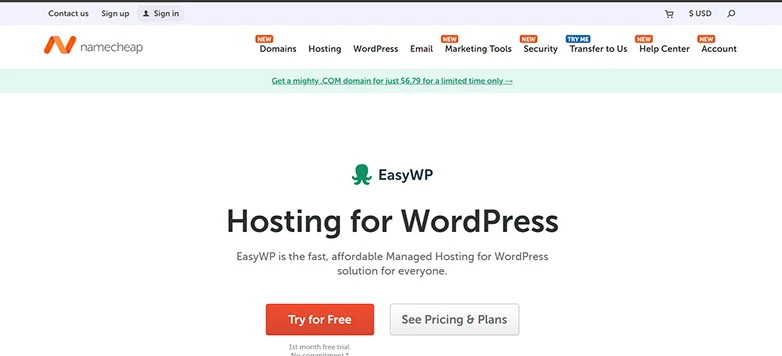
Best for: Business sites, professional blogs and online stores
Managed WordPress hosting is a premium service where all technical backend is taken care of for you, yet not for cheap. The provider optimizes performance, handles updates, improves security and sometimes also includes expert support specifically for WordPress.
Pros
- Higher performance.
- Automatic WordPress updates.
- Built-in caching and performance tools.
- Top tier security.
- WordPress-savvy support.
Cons
- Higher cost than shared hosting (Around $20 to $30 per month).
- Less control over server configuration.
- Some hosts blocks specific plugins.
In a nutshell, Managed WordPress hosting is a great choice if you want top tier performance and security without technical headaches.
VPS WordPress Hosting
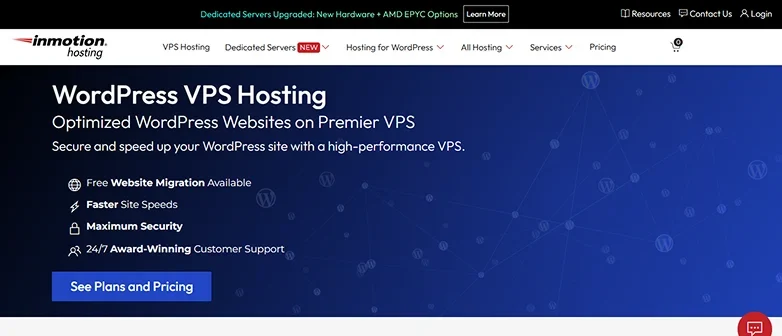
Best for: Growing sites, increasing traffic and performance first websites.
Virtual Private Server (VPS) hosting gives you a virtual slice of a server dedicated to your site only. It’s more powerful and stable than shared hosting with configurable resources.
You can think of this as upgrading from a noisy apartment (Shared hosting) to your own private condo in the same building. The building is the same (the server),but you have your own locked-off space with your own appliances and dedicated resources (RAM and CPW) that no bad neighbors can mess up.
Pros
- Guaranteed resources.
- Better performance and speed.
- More control over server settings.
- Advanced security.
Cons
- Requires some technical know-how.
- Costs more than shared plans.
Thus, VPS WordPress Hosting is a good choice if your site is growing and you want customizable performance. Also, don’t mind doing some technical tweaks here and there.
Cloud WordPress Hosting
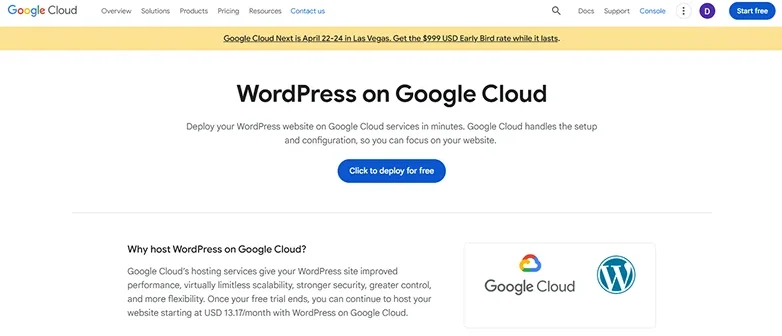
Best for: Websites who get unpredictable traffic and want high availability.
Cloud hosting is a type of hosting that uses a network of virtual servers. It does not use a single physical one, that’s why resources can scale dynamically based on demand. It simply follows the “Pay As You Go” pricing model.
More traffic = more price. Low traffic = low price. It’s as simple as that.
Pros
- Exceptional uptime.
- Scales with traffic.
- Pay for what you use.
- Better security.
Cons
- Pricing can spike anytime.
- Setup complexity depends on the provider.
- Less support.
In simple words, Cloud WordPress hosting is best-fit for fast growing sites or those expecting traffic spikes yet wants to offer the best experience to users.
Dedicated WordPress Hosting
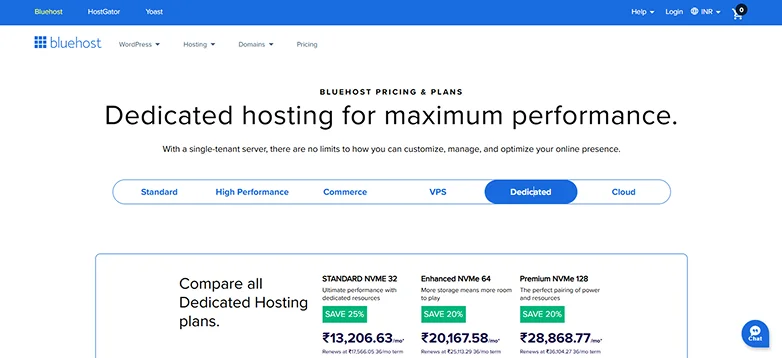
Best for: High traffic enterprises and mission critical sites
With dedicated hosting, you get a complete physical server exclusively for your website. This offers full-power performance, no limit customization and top tier security.
Pros
- Full server control.
- Top tier performance.
- Advanced security.
- Easily handles high traffic.
Cons
- Expensive.
- Needs proper server management knowledge.
- Difficult to upgrade.
Thus, a dedicated WordPress hosting is only best for large businesses or sites with heavy traffic demands.
Comparison Table: Best WordPress Hosting Types
| Hosting Type | Best For | Performance | Control | Cost | Ease of Use |
| Shared | Beginners and blogs | 🌟 | Low | 💰 | ⭐⭐⭐ |
| Managed | Business sites and online stores | ⭐⭐⭐ | Medium | 💸 | ⭐⭐⭐⭐ |
| VPS | Growing sites | ⭐⭐⭐⭐ | High | 💸💸 | ⭐⭐ |
| Cloud | Scalable sites | ⭐⭐⭐⭐ | Medium | 💸💸 | ⭐⭐⭐ |
| Dedicated | Enterprise traffic | ⭐⭐⭐⭐⭐ | Very High | 💸💸💸 | ⭐ |
How Much Does WordPress Hosting Cost?
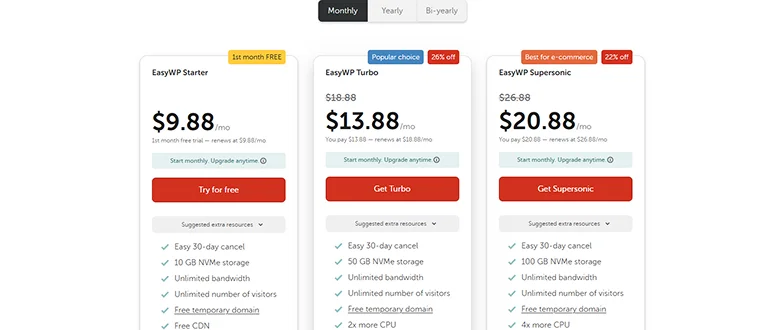
WordPress hosting mostly costs between $3 to $100+ per month.
Understanding the cost of WordPress hosting means knowing what you get for that price, how it grows with your needs and what kinds of trade-offs you’re making.
WordPress hosting costs fully depend on the hosting provider you pick.
Still if you say so, here’s a realistic look at approx. price ranges and what to expect at each tier:
| Hosting Type | Typical Monthly Cost | Best For |
| Shared WordPress Hosting | $2 – $10 | Beginners who want hosting for simple sites. |
| Managed WordPress Hosting | $15 – $60+ | Business and professional sites. |
| VPS Hosting | $20 – $100+ | Growing sites and developers. |
| Cloud WordPress Hosting | $10 – $70+ | High traffic sites who want more uptime. |
| Dedicated WordPress Hosting | $80 – $300+ | Enterprise websites with high traffic. |
Note: Many hosts advertise promotional prices that rise right after the first term (renewal rates can be 2× to 3× more than introductory cost). Make sure to always check renewal pricing before you commit.
Final Thoughts: Pick the Best WordPress Hosting
A right WordPress hosting is a solution that supports your website goals, traffic and technical needs. The best hosting for one site can be the wrong choice for another.
Thus, to make a smart decision, you must understand what matters most and what trade‑offs you’re making.
Here’s how to make a smart decision:
- Decide your website type and goals.
- Think of performance and speed.
- Check security features.
- Evaluate technical support.
- Factor in for scalability.
- Check price and long term cost.
Still if you can’t decide, here’s a quick decision maker table for you to pick the right WordPress hosting type solely based on your goal:
| Your Goal | Best Hosting Type |
| Just starting | Shared |
| Want hands-off performance | Managed |
| Growing traffic | VPS or Cloud |
| Expect spikes | Cloud |
| Enterprise traffic | Dedicated |
The best WordPress hosting balances performance, security, support and room for growth, not just price.
If your WordPress site is mission critical, investing in managed or cloud hosting pays off in uptime, speed, and peace of mind. For beginners, shared hosting works but plan ahead so you can grow as your traffic grows.
Related Articles:
- 7 Top WordPress Plugins for Business Websites You Can’t Ignore
- How to Make WordPress Site Mobile-Friendly (Experts Tips)
- 9 Best Free WordPress Block Themes for Full Site Editing
FAQs
What is WordPress hosting?
WordPress hosting helps you get your WordPress site online faster and keep it running smoothly. It comes with pre-configured servers, one click installation, advanced security and automatic updates as well as expert WordPress-savvy support.
What is the use of WordPress hosting?
WordPress hosting is a type of website hosting to get your WordPress site online with ease. Here are some key uses and benefits of using a WordPress hosting:
- Easy on click install and setup.
- Automatic update and maintenance.
- High speed and performance.
- Better security.
- Expert WordPress support.
What are the different types of hosting in WordPress?
Here are the different types of hosting in WordPress:
- Shared hosting
- Managed WordPress hosting
- Virtual Private Server (VPS) hosting
- Cloud hosting
- Dedicated server hosting
- Reseller hosting
Which hosting is recommended by WordPress?
WordPress official recommends these three hosting providers for their optimized high performance, security and ease of use:
- Bluehost.
- SiteGround.
- DreamHost.
Can I run WordPress without hosting?
Yes, you can create and test a WordPress site for free without hosting. You can use tools such as Local, XAMPP or MAMP to run your site on your computer only. If you wanna make your WordPress site online, you must get a hosting.
What is the difference between website hosting and WordPress hosting?
Website hosting is a general service that gives you a server to store your website files and make it online. It works for any kind of website. WordPress hosting, on the other hand, is a type of website hosting that only works for WordPress sites. It also comes with software already installed and features that makes your WordPress site faster and secure.