No one wants to wait hours for an email reply when they have a question. They want answers now. Thus, live chat has become a must have feature for businesses in 2026.
Doesn’t matter whether you’re running an online store or offering services, live chats makes it easier for visitors to:
- Reach you out
- Get their questions answered
- Make purchasing decisions
At WordPressThemesBook, we’ve been working with WordPress for years and one thing we’ve learned is that customers always value speed, convenience, and personalized support.
With that in mind, we tested a wide range of WordPress chat plugins to find tools that genuinely help businesses communicate better with their visitors.
Of course, of all the plugins we tested, 7 of them made our final list.
Keep reading to discover everything you need to– about WordPress chat plugins– What they are, how and what features to look for, etc.
Overview: Our Top Picks for the Best WordPress Live Chat Plugins
Want the highlights first? Here’s a snapshot of the best live chat plugins for WordPress.
| Plugin | Best For | Free Plan | Starting Price |
| Tawk.to | Free live chat and customer support | Yes | $29/month (optional paid add-ons) |
| 3CX Live Chat | Voice and video support | Yes (up to 10 users) | $300/year (paid plans) |
| Tidio | AI-powered customer support | Yes | $24.17/month |
| Olark | Simple live chat and visitor tracking | Yes | $29/agent/month |
| LiveChat | Large businesses and support teams | No (14-day free trial) | $228/year |
How We Test And Compare WordPress Chat Plugins
A live chat plugin may look impressive on its feature page. But what happens when a customer sends a message while your team is busy? Can you reply from your phone? Can you see what product a visitor is asking about? Does it help you recover a potential sale, or is it simply another chat window on your website?
Here is what we pay attention to:
- Installation and ease of setup. How easily can you install the plugin, connect your account, configure the chat widget and make it ready for visitors?
- Live chat experience. Can visitors start conversations easily? Can they share their details, receive quick replies and continue conversations without unnecessary steps?
- Agent dashboard and team management. How easy is it to manage multiple conversations? We look at shared inboxes, agent assignments, conversation history, canned responses, and other tools that help support teams handle more customers.
- Mobile app and notifications. Not every business owner sits in front of a desktop all day. Thus we check whether the plugin offers a dedicated mobile app, push notifications, and the ability to respond to customer messages while away from the website.
- Chatbots, automation and AI. Can the plugin automatically answer common questions, collect visitor information or route conversations to the right team member?
- WooCommerce and third party integrations. For online stores, a WooCommerce chat plugin can be very very useful when agents need customer, product, cart, or order information.
- Pricing and free plan limitations. Is the free version actually useful or does it come with restrictions? We compare agent limits, conversation limits, paid features and subscription costs to understand what you get for your money.
- Security, privacy, and customer support. Since live chat can involve customer names, email addresses, and order-related information, we also consider data handling, available security options, documentation, and support quality.
We also look at 3 practical situations while evaluating the plugins: a visitor asking a pre-sale question, an existing customer needing support with an order and a customer trying to reach your team outside working hours.
Where a hands-on demo, trial or free version is available, we go through the actual setup and available workflows. For features that we cannot test directly, we cross-check the official documentation, product pages, and pricing details rather than treating every marketing claim as a tested result.
After all, a simple live chat plugin might be perfectly enough for a small blog, while a busy WooCommerce store may need mobile apps, automation, customer information, and multiple agents working together.
Thus, all in all, our comparison is about understanding which WordPress chat plugin makes the most sense for your business, your support requirements and your budget.
Best WordPress Live Chat Plugins for 2026
1. Tawk.to
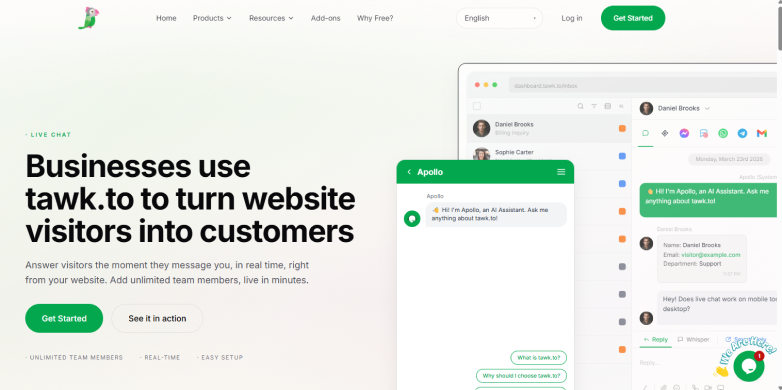
If you’re looking for the best WordPress live chat plugins in 2026, Tawk.to takes the #1 spot as the best free option on the market.
When testing Tawk.to on a WordPress site, the biggest surprise is that “free” actually means free. You do not hit a paywall after 50 conversations or get forced into a paid tier the moment you add a second team member. Instead, Tawk.to makes its money through optional paid add-ons, leaving the core software completely open.
You install the official plugin from the WordPress repository, sign in to your Tawk.to account and pick your site widget. The chat bubble goes live on your site in under five minutes with zero coding. Beyond basic chat, the free account includes a built-in ticketing system for follow-up emails, canned shortcut replies and a customizable Knowledge Base where visitors can look up FAQs themselves.
One of the few downsides is its busy dashboard. Because Tawk.to packs live chat, ticketing, a CRM, and a knowledge base into one interface, the backend feels a bit cluttered compared to sleek paid rivals. On top of that, the free chat widget shows a small “powered by Tawk.to” link, and removing that badge costs $29/month per property.
Features worth knowing
- Unlimited agents and chats
- Real time visitor monitoring
- Trigger messages
- Built-in knowledge base
- Ticketing system
- Manage messages from live chat, email, WhatsApp, and social channels
- Mobile and desktop apps for iOS, Android, MacOS and Windows
- Optional AI and hired agents
What You’ll Pay
- The core plugin for live chat, ticketing and knowledge base is $0 forever
- Remove branding (Whitelabel): $29/month
- AI Assist Add-on: Free limited tier, with paid plans starting at $29/month
- Voice Agents: From $49/month + usage
- Data Enrichment: From $59/month
2. 3CX Live Chat
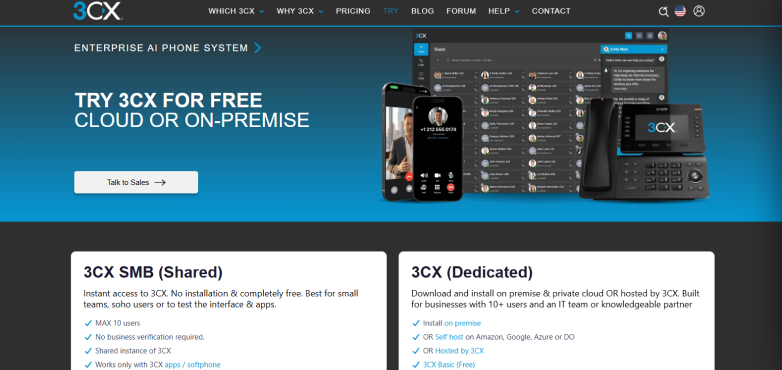
If you’re looking for a chat plugin that refuses to charge you per agent, 3CX Live Chat is one of the most generous tools on the market.
When we compared and tested it on a standard WordPress setup, the standout feature was immediately clear. This WordPress chat plugin is a direct bridge to a full business phone system.
Setting up the plugin takes a little extra legwork compared to simple chat widgets. Because this is more of a connector than a traditional WordPress plugin, you have to connect it to a separate 3CX account. After you link your site, your team handles everything via the 3CX web client, desktop app or mobile app.
During testing, the workflow felt snappy and built for real time problem solving. If a customer is confused over text, you can click a single button to escalate the chat into a free, browser-based voice or video call. No phone numbers or external meeting links required. On the front end, the widget loaded cleanly without bogging down our test pages, though we did notice the chat bubble sits a bit tight against the screen edge on the mobile browser.
The trade-off is it does have automated AI bots yet to greet visitors or answer FAQs when your team goes offline. Plus, because 3CX is a business phone platform first and a chat tool second, the backend admin panel has plenty of telecom settings you won’t need if you only want basic text chat.
Features worth knowing
- One-click voice and video
- Unified messaging inbox
- Generous free tier
- Solid speed performance
- WhatsApp integration
- GDPR privacy controls
- Desktop and mobiles apps for iOS, Android and desktop clients
- Business hours and holiday routing
What You’ll Pay
- 3CX SMB Free: $0/month forever for up to 10 users
- Paid 3CX plans start at $300/Year (The extra 10% applies to licence renewals of 3+ years, at 24SC and above. Hosting is not discounted. Renewal figures are annual equivalents.)
3. Tidio
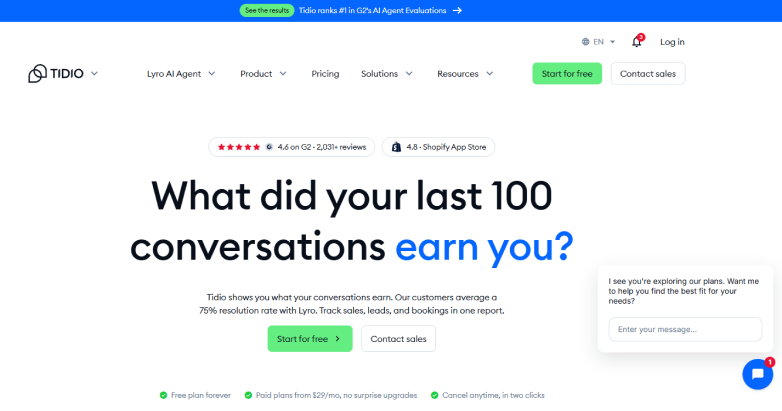
Next on our list is Tidio, an all-in-one live chat plugin for WordPress that handles both human support and automation in one toolkit. It combines a sleek live chat widget, a shared multichannel inbox and a conversational AI agent called Lyro in one dashboard.
Installing the Tidio Live Chat & AI Chatbots plugin from the WordPress directory takes less than five minutes. After connecting to a Tidio account, the widget blends cleanly into a site.
What stands out most in daily use is how smoothly it bridges automated bots and human agents. When a visitor types a question, you get a live typing preview before they even hit send. If you are offline or busy, Lyro steps in. And the thing we love the most about this AI bot is it actually pulls exclusively from your site’s existing FAQ pages, PDFs and help articles. In real-world stores, it reliably resolves around 67% to 75% of routine inquiries on its own before handing complex tickets off to a human.
The only place it falls short is the conversation-based billing. Tidio bills based on how many billable human conversations you handle each month. High-traffic sites with small teams will burn through limits quickly. Apart from that, your base subscription doesn’t cover heavy AI usage. After a one time allowance of 50 Lyro AI chats, extra AI conversations cost roughly $0.50 each (or require an add-on pack starting around $33/month). Removing the “Powered by Tidio” branding also costs an extra $20/month on lower tiers.
Features worth knowing
- Lyro AI agent
- Real time live chat
- Manage live chats, Facebook messenger, Instagram DMs and customer emails
- Ready-made chatbot flows
- WooCommerce Integration
- Proactive visitors triggers
- Live typing preview
- Mobile apps for iOS and androids
What You’ll Pay
- Free version available
- The premium plan starts from:
- 100 Billable conversations: $24.17/month
- 50 Lyro AI conversations: $32.50/month
- 2000 visitors reached with Flows: $24.17/month
4. Olark
Olark keeps things refreshingly simple.
In hands-on testing, this WordPress plugin stood out for its clean, no-nonsense interface, strong commitment to accessibility and a rock-solid WordPress integration that never bogged down your site’s speed.
The cloud-hosted script runs externally, meaning it won’t drag down your core web vitals or overload your server database. Plus, you can actually see what pages your visitors are looking at right now, letting your team jump in with a targeted, helpful greeting rather than waiting around.
Best of all, Olark puts real efforts into accessibility compliance (WCAG 2.1 AA), and finding what a customer said three weeks ago is painless with their searchable chat history and email summaries.
The catch? The entry-level price looks great on paper but core extras like advanced automation, detailed reports or specialized add-ons (like visitor co-browsing) are billed via modular “PowerUps” that can drive up your monthly total if you aren’t careful. Besides, compared to Tidio’s Lyro, Olark’s automated tools feel a bit old-school.
Features worth knowing
- Real time visitor tracking
- Targeted automated messages
- Searchable chat transcripts
- Agent groups and routing rules
- Customizable chatbot design
- CRM and helpdesk integration
- Advanced analytics and reporting
- Custom pre-chart and offline forms
What You’ll Pay
- Free version available
- The premium plan starts from $400/month for standard AI website agent
- Full-featured Live Chat (no AI): $29/agent/month
5. LiveChat
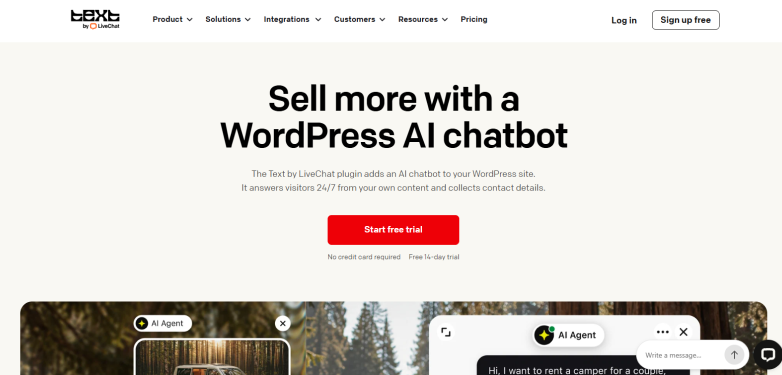
If you run a high-traffic store or a dedicated support desk and want the most polished agent experience on the market, LiveChat is tough to beat.
Of course, plenty of plugins try to be an all-in-one marketing suite, but LiveChat stays laser-focused on making real-time conversations fast, smooth and profitable.
Getting the LiveChat WordPress plugin running took me less than five minutes. You install it, connect your account and your widget is live with no code.
After inside the agent dashboard, you immediately see why big brands rely on it. Using it, you can see what a visitor is typing in real time before they even hit send. In testing, this let me pull up order details and type out answers before the customer finished their question.
The best part? It connects with over 200 tools such as Saleforce, Mailchimp and WhatsApp so your chat transcripts flow straight into your existing workflow.
The only catch is LiveChat is a premium tool, and its pricing shows that. No free version like tawk.to, but sure you get a 14-day free trial after which you pay per agent.
Features worth knowing
- Custom AI agents
- Unlimited chat history
- Shared canned responses
- Chat supervision and takeover
- Team performance reports and chat topic insights
- Skills tell the AI Agent what to do when a visitor asks
- Integrates with WooCommerce, HubSpot and Mailchimp
- Connects with WhatsApp, Facebook messenger and SMS
What You’ll Pay
- Free version available
- The premium plan starts from $228/year for 1 AI agent, 10,000 API calls
- and 3 proactive campaigns
Final Word: Which is the best live chat plugin for WordPress?
In a nutshell, to help you find the best tool for your needs, we have evaluated the most popular WordPress chat plugins and examined various factors like ease of use, customization, features, and pricing.
The result? These are out top 5 live chat plugins for WordPress:
- Tawk.to
- 3CX live chat
- Tidio
- Olark
- LiveChat
So what are you waiting for? Pick the one that fits your business requirements and budget the best to communicate with your users easily.
You may also like
- 7 Best Gutenberg Blocks Plugins for your WordPress Site (2026 Edition)
- How to Choose a Good Domain Name for Your Business
- 7 Best WordPress Paywall Plugins in 2026 (Compared)
FAQs
Does WordPress have a chat feature?
No, WordPress doesn’t have a chat feature. However, there are a lot of free or premium live chat plugins that integrate with your site and add AI bots, human support and more.
What is the best live chat plugin for WordPress?
Tawk.to is the best free live chat plugin for WordPress. It offers unlimited agents, unlimited chats, history, visitor monitoring and mobile apps at no costs.
What is a LiveChat plugin?
LiveChat is a WordPress chat plugin that lets you connect in real-time with your website visitors as they browse your page. You can deploy an AI agent or chatbot trained on your website URLS to answer visitors questions 24/7.
How much does LiveChat cost?
The premium plan starts from $228/year for 1 AI agent, 10,000 API calls and 3 proactive campaigns. No free version is available but surely you can get a 14-day trial.
How much does tawk chat cost?
Tawk.to chat core plugin is free forever for live chat, ticketing and knowledge base. However, the cost to remove its branding or to add an AI assistant is $29/month, the cost of voice agents starts from $49/month and Data Enrichment starts from $59/month.