How often do you need to configure membership plans, payment gateways, or subscription settings? At the setup stage and then only occasionally? Most likely. But deciding which articles, reports, or resources your readers can access is something you deal with whenever you publish premium content.
No doubt, a functional paywall is one of the most important features of a paid-content website. It may not sound as impressive in marketing (as recurring payments or membership levels are always positioned now) but we’re sure it can have a much bigger effect on how you manage and monetize your content. Because this is what controls access to the valuable resources you publish.
Overall, paywall functionality is very important for individual bloggers and critical for bigger digital publications or online magazines.
To illustrate the true value of these tools, we’ll walk you through the 7 best WordPress paywall plugins in 2026.
Quick Comparison: Best WordPress Paywall Plugins
In a hurry? No worries. Here are the best WordPress paywall plugins compared side by side.
| Rank | Plugin | Best for | Free option |
| 1 | ARMember | All-in-one membership and paywall functionality | Yes |
| 2 | MemberPress | All-in-one membership paywalls | No |
| 3 | Paid Memberships Pro | Flexible membership monetization | Yes |
| 4 | Leaky Paywall | News and digital publications | Yes |
| 5 | WooCommerce Memberships | WooCommerce-powered websites | No |
| 6 | SureMembers | Simple content restriction | Yes |
| 7 | Memberful | Publishers who want hosted membership management | Yes |
How Do WordPress Paywall Plugins Work?
How do you decide which articles should be available to everyone and which ones should be reserved for paying readers? Well, if you want visitors to read your regular blog posts for free, while keeping detailed research reports, expert guides, or exclusive resources for subscribers, most likely you’ll want a combination of both.
No doubt, a WordPress paywall plugin gives you control over who can access different types of content on your website.
Now depending on the plugin, you can ask visitors to register, purchase a membership, or subscribe before they can view protected material. You can also decide which content is available to different members.
Subscription Paywalls
Readers pay a recurring fee – usually monthly or annually to access premium content. Digital magazines, educational websites, professional publications and content creators can all benefit from subscription-based access.
Metered Paywalls
How many articles should visitors be able to read before asking them to subscribe? That’s what a metered paywall lets you decide.
Visitors can read a limited number of articles for free before seeing a registration or subscription requirement.
Hard Paywalls
With a hard paywall, selected content is accessible only to authorized members or paying subscribers. Visitors cannot access the protected material unless they have the required membership or subscription.
If most of your valuable content is designed for subscribers, this approach can give you a more controlled way to manage content access.
Membership-Based Paywalls
A membership based paywall lets you create different membership levels and decide which content each level can access.
For instance, a basic membership can provide access to premium articles, and a higher membership level can offer extra research reports, online courses, downloads or exclusive resources.
Pay-Per-Article Access
What if a reader wants to access just one particular article or research report? Do they really need to purchase an entire membership for that? Not always!
Some paywall platforms and plugins even support pay-per-article access. Here, readers simply pay for individual pieces of content- no need to buy the whole membership.
But this payment option isn’t available in every WordPress paywall plugin. Thus make sure to check its supported payment models before choosing one.
Why Use a WordPress Paywall Plugin?
How do you earn from the content you publish on your website? Advertisements, affiliate commissions or sponsored posts? These can certainly bring some revenue. But what if you publish exclusive articles, expert tutorials, or research reports that readers are willing to pay for?
No doubt, a WordPress paywall plugin is one of the most useful tools for monetizing premium content. It may sound like a simple way to restrict articles (as content protection is often the main feature highlighted in marketing) but we’re sure it can have a much bigger effect on your entire content business. Because this is what connects your premium resources with subscribers, memberships, and revenue.
Overall, a paywall plugin is very useful for individual bloggers and increasingly important for bigger digital publications, educational websites, and content-based businesses. Here is what you can do with it.
Monetize Premium Content
Why keep all your valuable resources available for free when readers may be willing to pay for them?
You can charge readers for exclusive articles, tutorials, research reports, downloadable resources and other premium material. For instance, a professional publication can keep its regular articles publicly available while reserving detailed industry reports and expert analysis for paying members.
Create Recurring Revenue
Do you publish content regularly? Monthly or annual subscriptions can give readers continued access to your premium resources while generating recurring revenue for your website.
Of course, your actual revenue also depends on subscriber retention, pricing, payment failures, and the quality of your content.
Control Content Access
Not every reader needs access to every resource on your website.
Thus, by using a paywall plugin, you get to decide which users can access specific posts, pages, categories, or supported content types. You can even organize different access rules for different membership levels, depending on the plugin.
Simplify Membership Management
How many subscribers can you manage manually? A few, probably. But once your website starts attracting more paying readers, keeping track of membership levels, payment status, renewals, and cancellations can become quite difficult.
A WordPress paywall plugin can bring these activities together. You can manage member accounts, check subscription statuses, configure access permissions and keep track of membership renewals.
Improve the Subscription Experience
What happens after a reader decides to purchase your membership? They need to register, select a suitable plan, complete the payment, and access the content they’ve subscribed to.
A paywall plugin can offer registration forms, pricing pages, checkout options and member account areas to make these activities easier to manage.
The easier the experience, the less unnecessary friction you create during signup and membership management.
7 Best WordPress Paywall Plugins for 2026 (Reviewed)
1. ARMember

ARMember is a user-friendly WordPress membership and paywall plugin that helps website owners monetize premium content while customizing the membership experience to match their brand. It allows you to create flexible membership plans, manage member access, and restrict content according to your website’s monetization strategy.
Instead of relying on separate tools for content protection and membership management, website owners can use ARMember to manage different membership tiers and decide which resources each member can access.
For example, publishers can offer free articles to general visitors while reserving premium guides, exclusive tutorials, and members-only resources for paying subscribers. ARMember also supports pay-per-post access, bundled content packages, and parallel memberships, giving website owners more flexibility in how they monetize their content.
You can restrict individual pages, posts, URLs, taxonomies, custom post types, or even an entire website. Its content dripping feature lets you schedule when members gain access to content after subscribing. Depending on your settings, you can also configure access to dripped content after a membership expires or is canceled.
Best of all, ARMember also takes care of the payment side with integrations like PayPal and Stripe, automated invoices, customizable billing cycles and a built-in form builder. And…. that’s not all. You also get a developer friendly API, 62+ built-in add-ons, and 52+ premium add-ons to add more features and grow your membership business as you need.
Key features:
- Easily manage access rules for custom post types.
- Create bundled content packages.
- Set up unlimited membership plans with different prices and access rights
- Restrict posts, pages, URLs, taxonomies, and more
- Offer pay per post access and parallel memberships.
- Schedule content dripping .
- Accept payments through 22+ popular gateways .
- Automated invoices and custom billing cycles
- Built-in form builder and developer friendly API
- 52 premium add-ons and 62+ in-built addons.
Best for: Bloggers, publishers, content creators, educators, and businesses that want flexible paywall controls and multiple membership tiers.
2. MemberPress
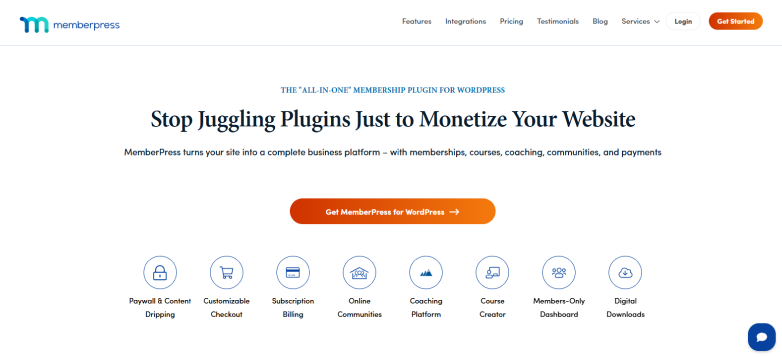
MemberPress is an all-in-one WordPress membership plugin that brings content restriction, membership management, and monetization features together. It lets you create different membership levels and decide which content each level can access.
With MemberPress, you can configure membership rules, manage subscriptions, and offer recurring payment options. Depending on your plan and configuration, you can also use features like content dripping and online course functionality.
For example, imagine you run an educational website. You could offer a basic membership that gives readers access to premium articles, while a higher-priced plan unlocks tutorials, learning resources, and complete online courses.
No doubt, MemberPress has plenty of membership features for websites that want to offer different levels of premium access. Its content dripping, subscription management, and course functionality can be particularly useful as your membership business grows. However, you may need to spend some time configuring everything properly, especially when you have multiple membership levels and access rules.
Key features:.
- Content protection rules .
- Unlimited membership tiers.
- MemberPress courses .
- Content dripping and access expiration. .
- Subscription and user management .
- Built-in shopping cart and pricing page .
- Multiple payment gateways like Stripe, PayPal, and Authorize.net.
- Coupons and gifting.
Pros:
- Broad membership functionality.
- Suitable for multiple content access levels.
- Useful for websites that combine premium content and courses.
Things to consider:
- Steeper learning curve .
- Expensive .
Best for: Businesses, creators, and publishers who want a comprehensive membership platform..
3. Paid Memberships Pro

Paid Memberships Pro is a flexible WordPress membership plugin for website owners who want to restrict premium content and earn from it through different membership plans.
One good thing about this plugin is that you don’t have to start with all the features right away. You can begin with its free core plugin and add more functionality as your membership website grows.
You can create different membership levels, decide which content each level can access, and manage your subscribers directly from the WordPress dashboard. On top of that, there are plenty of add-ons and integrations to bring more membership features into your website as your requirements grow.
Key features:
- Unlimited membership levels
- Restricts 28+ content types
- Built-in payment gateways like Stripe, PayPal, and Braintree
- No platform cut
- Member management and CRM
- 60+ free and premium addons
- Automated renewal and proration
Pros:
- Genuinely usable free version
- No revenue sharing
- Customizable
Things to consider:
- Steeper learning curve
- Many feature needs advanced premium version
Best for: Publishers, creators, and businesses looking for a flexible membership system
4. Leaky Paywall

If you are looking to monetize a news site, magazine or content blog, the Leaky Paywall WordPress Plugin is one of the most flexible publisher-ready paywall plugins you can use.
Unlike MemberPress that completely locks out non-paying users, Leaky Paywall specializes in the “metered” approach. Thus, it lets casual readers taste your content before hitting them with a subscription prompt.
The core mechanic allows you to let a reader view, say, 3 articles a month for free before blocking them. You can even get granular, leaving specific tags or categories “always free” (like breaking news) while hard-locking your premium opinion pieces.
The built-in publisher dashboard gives you simple, actionable data. Instead of just tracking raw revenue. The free core plugin gives you a great starting baseline, but if you want sophisticated features like dynamic pop-up messages, preventing incognito-mode bypasses, or corporate group accounts you will need to buy their premium add-ons.
Key features:
- Metered paywall functionality
- Registration walls
- Subscription-based access
- Content restrictions
- Reader and subscriber management
- Payment integrations
- Publisher-focused monetization tools
Pros:
- Designed with digital publishing in mind
- Supports metered-access use cases
- Relevant to newspapers and online magazines
Things to consider:
- Verify current pricing and plan requirements.
- Check whether the metering rules match your publishing strategy.
- Evaluate the available integrations before implementation.
Best for: Digital newspapers, online magazines, niche publications, and publishers monetizing premium articles.
5. WooCommerce Memberships

The WooCommerce Memberships plugin is one of the most robust deeply integrated ways to build a recurring revenue or gated content business on WordPress.
Because it’s built by SkyVerge (a highly respected team in the WooCommerce ecosystem), it doesn’t just sit on top of your store like a clunky third-party add-on. Instead, it weaves directly into your existing product catalog, making it incredibly smooth if you are already familiar with how WooCommerce operates.
When I tested it, I found it treats “memberships” as an extension of your store. You can tie a membership to a digital product, a physical product, or even a service. You can easily restrict posts, pages, or custom post types. The “dripping” feature lets you unlock content 5 days, 3 weeks, or a year after someone joins. Best of all, you can easily offer member-only discounts, exclusive access to certain products or free shipping just for active members.
The downside? It is NOT a subscription plugin. This is the most common point of confusion. WooCommerce Memberships handle access, not billing. If you want to charge users a recurring monthly or yearly fee, you must also buy and install WooCommerce Subscriptions. And, running both means a higher annual software cost and more plugins to maintain.
Key features:
- Membership-based content restriction
- Integration with WooCommerce products
- Membership plans and access rules
- Members-only resources and benefits
- Product-linked membership workflows
- Integration with the wider WooCommerce ecosystem
Pros:
- Natural fit for existing WooCommerce stores
- Connects content access with product purchases
- Useful for combining eCommerce and memberships
Things to consider:
- A paid extension is required.
- Recurring billing may require an additional subscription solution.
- Setup can be more involved than a basic paywall.
Best for: WooCommerce store owners who want to combine premium content, memberships, and eCommerce.
6. SureMembers

SureMembers is another best paywall plugin for WordPress here.
You create an “Access Group,” tell it what to protect (e.g., specific blog categories, digital downloads, or courses), and you are done. : Gating a single paragraph, a video container, or an entire section inside the WordPress block editor is incredibly fluid. You just click the block, select the access level and the paywall is live.
On top of that, setting up custom unauthorized access messages and redirecting expired members to a specific landing page takes only seconds.
All in all,If you want a modern, fast setup that doesn’t feel like a chore to manage, SureMembers is excellent. But, if your business needs a massive, decade-old repository of built-in community extensions, a traditional heavyweight like MemberPress or ARMember should still be on your radar
Key features:
- Flexible content protection
- Custom access group
- Content dripping
- Unauthorized access control
- Digital downloads and LMS integrations
Pros:
- Lightweight and fast
- Modern UI
- Built-in login redirects
Things to consider:
- No built-in user management system
- Limited page builder micro-level controls
- No direct migration tool
Best for: Creators, course publishers, and businesses that want simple content restriction with room to expand.
7. Memberful
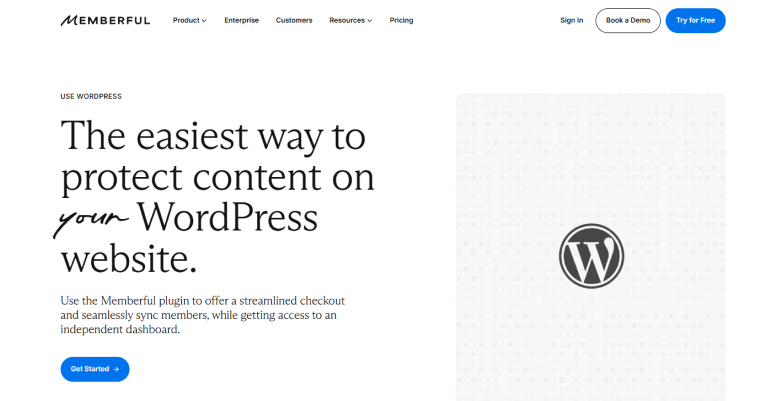
If you are running a membership site, the Memberful WordPress plugin gives one of the cleanest and most reliable execution experiences on the market.
One of the most consistent points of agreement among developers on the WordPress Support Forums is how incredibly simple the plugin code is. Because it is a SaaS platform rather than a pure WordPress native plugin, it offloads registration and account changes away from your server. This means fewer software conflicts, fewer broken checkout pages and fewer middle-of-the-night technical panics.
If you value simplicity, site speed, and professional, reliable uptime, this WordPress Paywall plugin is good to go. It is built beautifully for podcasters, newsletter writers, and bloggers who want to gate articles, videos, or community chat links without learning how to code.
But, skip Memberful if you want a completely customized, deeply branded white-label checkout system, need a PayPal option, or want to host complex online courses and digital shops.
Key features:
- Free and paid trials alongside recurring and one-time payments
- Built-in Apple Pay, Google Pay, coupon codes, gift and automatic regional tax handling
- Content gating
- Syncs with Discord and Discourse
- Integrates with email marketing and automation tools
- Built-in referral program
Pros:
- Easy WordPress integration
- Patreon ecosystem
- Flexible
- Clean member experience
Things to consider:
- Expensive
- Limited email and design customization options
- Basic reporting
Best for: Independent writers, creators, and publishers who want a hosted membership service integrated with WordPress.
Which WordPress Paywall Plugin Should You Choose?
| Your needs | Best plugin | Why choose it? |
| All-in-one membership and paywall functionality | ARMember | Offers flexible membership plans, pay-per-post access, content restriction, subscription management, and multiple payment gateways. |
| Advanced membership sites and online courses | MemberPress | Combines detailed access rules, recurring subscriptions, content dripping, and course features. |
| Flexible membership options with a free core plugin | Paid Memberships Pro | Provides customizable membership levels, content restriction, and a wide range of add-ons. |
| News websites, online magazines, and digital publications | Leaky Paywall | Offers metered paywalls that let readers access a limited number of articles before asking them to subscribe. |
| WooCommerce stores that want to sell memberships | WooCommerce Memberships | Connects membership plans with products, discounts, member-only content, and store benefits. |
| Simple content protection and access groups | SureMembers | Makes it easy to restrict pages, posts, and specific content with access groups and integrations. |
| Hosted membership management for publishers and creators | Memberful | Manages memberships externally while connecting paid content access to your WordPress website. |
Final Thoughts
Whether you are an individual blogger publishing premium articles or a digital publisher offering exclusive resources, setting up a paywall on your WordPress site can be a truly rewarding experience! Because it’s what turning your valuable content into a self-managing income channel is all about.
Get ARMember, the best WordPress paywall plugin that ticks your boxes for content restriction, membership plans, subscription management, and premium content monetization to turn your readers into paying members and grow your content business!
Related Articles:
WordPress Maintenance Checklist: Monthly Tasks to Keep Your Site Healthy
9 Must-Have Appointment Features for Tutoring & Coaching Websites in WordPress